Professional DiagnosticsMatch the software environment to your vehicles, equipment and repair tasks.
CAT ET Diagnostics Comm Adapter III & Setup Guide
Build a CAT diagnostic setup around the machine or engine you service. Compare the listed Comm Adapter III hardware with the separate software and access your work requires.
- CAT hardware
- Adapter package
- Software separate
- Machine matching
Expert SupportU.S.-based technicians with dealer and fleet experience ready to help.
Ready-to-Run KitsPreconfigured software with everything you need to get up and running fast.
Financing Available0% APR options available on qualifying orders over $1,500.
Featured CAT Products
View All CAT Products →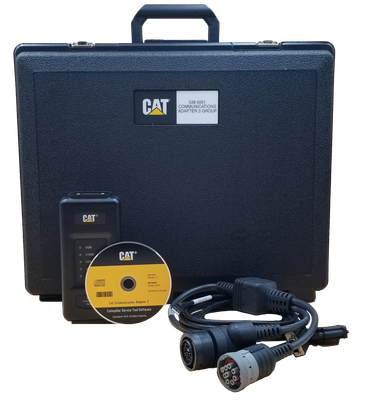
CAT Comm Adapter III — 538-5051
Adapter package with driver media, USB and vehicle cables, and case; CAT ET license separate.
$1,399.67 View Product
CAT communication adapter price and contents
This is communication hardware. A CAT ET software license, computer and any additional equipment-specific cables must be accounted for separately.
| Product | Application / package | Catalog price |
|---|---|---|
| CAT Comm Adapter III — 538-5051 | Adapter package with driver media, USB and vehicle cables, and case; CAT ET license separate. | $1,399.67 |
Prices reflect the listed default configuration. Review selected options, availability, shipping and tax on the product and checkout pages. Ask us to match a kit to your equipment or call 866-217-0063.
Read the detailed CAT buying guide ↓
Choose your CAT setup
- Match the equipment and datalink before selecting the adapter.
- Keep software licensing separate from hardware cost.
- Check the 538-5051 package contents against your machine connection.
- Include any additional cables in the purchase plan.
- Ask for a complete setup quote if you are starting from scratch.
Find the Right CAT Tool
Answer a few quick questions and we'll help you find the best tool for your shop's needs.
- Personalized Recommendations
- Expert Guidance
- Fast & Easy
Powerful Diagnostics. Proven Performance.
Capabilities vary by tool, software license, vehicle, and manufacturer requirements. Contact HDT to confirm compatibility.
Expert Phone SupportU.S.-based technicians
Setup & Training HelpGet started with confidence
Shipping HelpConfirm availability and timing
Warranty & SupportBacked by HDT
0% APR FinancingOn qualifying orders
CAT ET software and hardware do different jobs
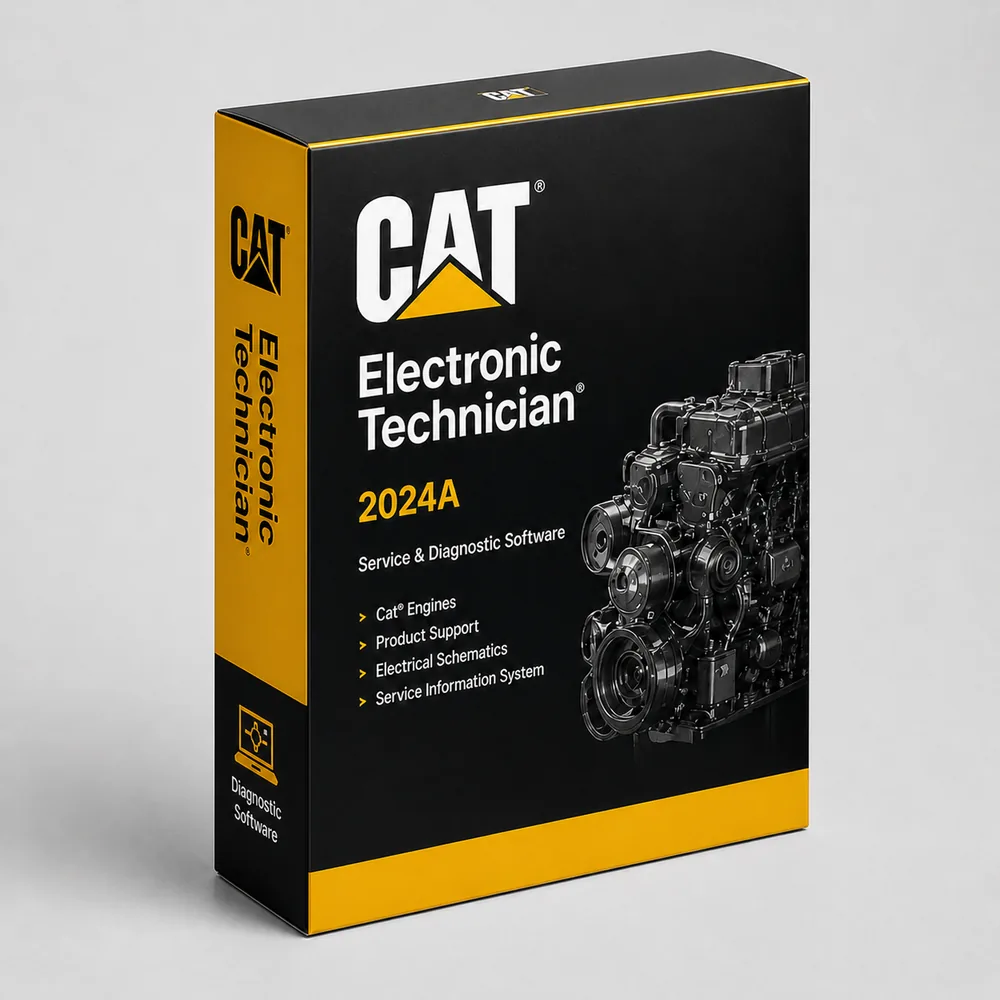
CAT Electronic Technician, usually called CAT ET, is the diagnostic application used to access supported electronic controllers. The communication adapter is the physical connection between the computer and equipment. Buying a Comm Adapter III does not buy a CAT ET license.
CAT’s ET product sheet describes viewing codes and parameters, running functional tests and recording data. Available work depends on the connected equipment and authorized software access.
What is in the 538-5051 adapter package?
Our listing includes the CAT Comm Adapter III, driver installation media, a computer USB cable, a vehicle cable arrangement listing 9-pin and 14-pin connections, and a protective case. Check those connections against your equipment before ordering. Driver media is not the same thing as an activated diagnostic application.
Price a complete setup for the actual job
A useful CAT ET quote separates four things: the software, the computer, the interface and any extra cables. Start with the equipment model and serial number, then specify whether the job involves reading codes, a service test, parameter work or programming. That avoids buying an adapter that fits physically but does not support the required operation.
For a shop working across truck or off-highway brands, also compare Jaltest and TEXA. Check their application coverage for the exact task rather than assuming they reproduce every CAT ET function.
Get a setup matched to your shop
Tell us the equipment model, year, controller and job you need to complete, plus any computer or adapter you already own. Ask HDT for help choosing or call 866-217-0063, Monday–Friday, 8am–5pm CT.
Manufacturer reference: CAT documentation. Guide reviewed September 19, 2026.
Frequently Asked Questions
Is CAT ET software included with the Comm Adapter III?
This listing is for the communication adapter package. It does not list a CAT ET software license. Arrange the software and required access separately.
What is the difference between CAT ET and a CAT communication adapter?
CAT ET is diagnostic software. The communication adapter connects a compatible computer and application to the equipment. The hardware does not replace the software license.
Will a truck adapter work on all Caterpillar machines?
Do not select it from the connector shape alone. Match the machine serial number, datalink and requested function before choosing an adapter or cable.
Can HDT help me price a complete CAT ET setup?
Yes. Send the equipment model, serial number and intended repair task, plus any existing laptop or adapter. We can help identify the hardware and software details needed for a quote.
Resources & Buyer Guides
CAT manufacturer reference
Check the manufacturer’s software and equipment information.
Read Guide →Compare diagnostic approaches
Explore Jaltest options for a shop working on multiple brands.
Read Guide →NEXIQ adapters and software
Understand the difference between an interface and a software license.
Read Guide →CAT diagnostic tools: detailed buying guide
Reviewed September 21, 2026
Truck engines and off-highway machines need different checks
Caterpillar diagnostic work can involve a legacy truck engine, a construction machine or an industrial installation. A shop asking about a C15 engine and a contractor asking about an excavator may need different connections and access even though both requests begin with “CAT diagnostics.”
Record the engine or machine model and serial number, then identify the controller and operation involved. The serial number is especially useful when matching service information and configuration. A model name alone should not be used to promise coverage across every production generation or application.
For mixed equipment, separate engine work from the machine's other systems. Engine communication does not automatically establish coverage for a hydraulic, transmission or implement controller. Include those requirements in the equipment list when comparing a Cat-specific setup with a multi-brand tool.
Cat ET, the communication adapter and service information
Cat Electronic Technician is diagnostic software for electronically controlled Cat engines and machines. Caterpillar describes diagnostic, configuration, calibration and data-analysis capabilities when connected to supported electronic controls. The available operations depend on the application and access.
The communication adapter is the hardware link between a compatible computer and equipment. The Comm Adapter III listing on this page is a hardware package; it does not list a Cat ET software license. A low adapter price should therefore not be mistaken for the total cost of a licensed, ready-to-use diagnostic workstation.
Service information is another part of the setup. Caterpillar's repair-shop information discusses SIS and Cat ET as distinct resources. Knowing what a controller reported and having the applicable troubleshooting procedure are complementary needs.
Choosing the interface and cable set
Start with the machine or engine connection and the required datalink. A plug that fits is not sufficient proof that the interface supports the communication needed for every operation. The computer driver, software and interface configuration matter as well.
When comparing a Cat-specific adapter with another commercial-vehicle interface, identify whether the work is on a truck engine or an off-highway machine and which functions are required. Do not assume that success reading an engine fault on one truck establishes compatibility with all Cat equipment.
Review the listing's included cables before adding accessories. If you already own a communication adapter, provide the exact part number and the cable labels. This is more useful than a description such as “the yellow CAT adapter” and can help avoid buying duplicate hardware.
What to ask for: tests, calibration and controller work
Separate the job into the information and operations required. A fault-code inspection, a live-data recording, a supported component test and an ECM configuration change are different requests. Write the named operation into the purchase discussion instead of using “full dealer diagnostics” as the only requirement.
For controller replacement or calibration work, identify any software permissions, files or manufacturer services needed to complete the procedure. An interface purchase alone cannot supply those entitlements. Discuss them before committing to a customer repair that depends on programming access.
For an existing Cat ET installation, keep the version, license information and computer details available. If it is a connection problem, the right next step may be checking the driver or cable rather than purchasing another software license. If it is an access problem, another adapter may not address it.
Using faults and live data without guessing the repair
A fault report is the beginning of diagnosis. Save the controller identity, complete code and operating conditions. Distinguish the reported condition from a proven component failure, then follow the serial-number-specific service procedure.
For a driveability complaint, useful purchasing requirements might include access to the relevant data and supported tests. For an intermittent complaint, recording and reviewing information may be as important as clearing the fault. For a machine-system complaint, engine-only access may not be sufficient.
Avoid buying on the basis of an unsourced fault-to-part chart. The same broad symptom can require different checks across engine and machine configurations. A suitable diagnostic setup helps you collect the information needed for the prescribed tests and document the result.
Cat ET versus multi-brand coverage
For a shop that services many brands, compare a Cat-specific application with the actual Cat functions available in Jaltest, TEXA or JPRO. Check the equipment, controller and task in each platform's current coverage information.
A multi-brand system can be valuable for the shop's wider workload while a dedicated application serves particular Cat work. The decision should reflect repairs you undertake, not an unsupported chart claiming that one tool does everything and another does nothing beyond reading codes.
Compare the complete cost: software access, interface, vehicle cables, computer and the service information needed for the work. If you already own some of those components, a focused addition may be more useful than another complete kit.
Planning a shop or mobile setup
A truck-engine specialist should provide examples of the engines and controls serviced. An equipment contractor should include the machines as well as the engines. An industrial service provider should describe the installed application and the controller involved; a generator or stationary installation should not be treated as an ordinary truck connection.
For field service, consider charging, cable protection and where the laptop will be used. For shared workshop equipment, keep software and account records under business control and plan who is responsible for updates. Follow the current requirements of the software being supplied when deciding whether an existing computer is suitable.
Use the hardware listing above for current package contents, and request a separate discussion of the software and access you need. Send the Cat model, serial number and intended job or call 866-217-0063.

Ready to Upgrade Your Diagnostic Game?
Our experts are here to help you choose the right CAT solution for your shop. Call now or shop online today.