
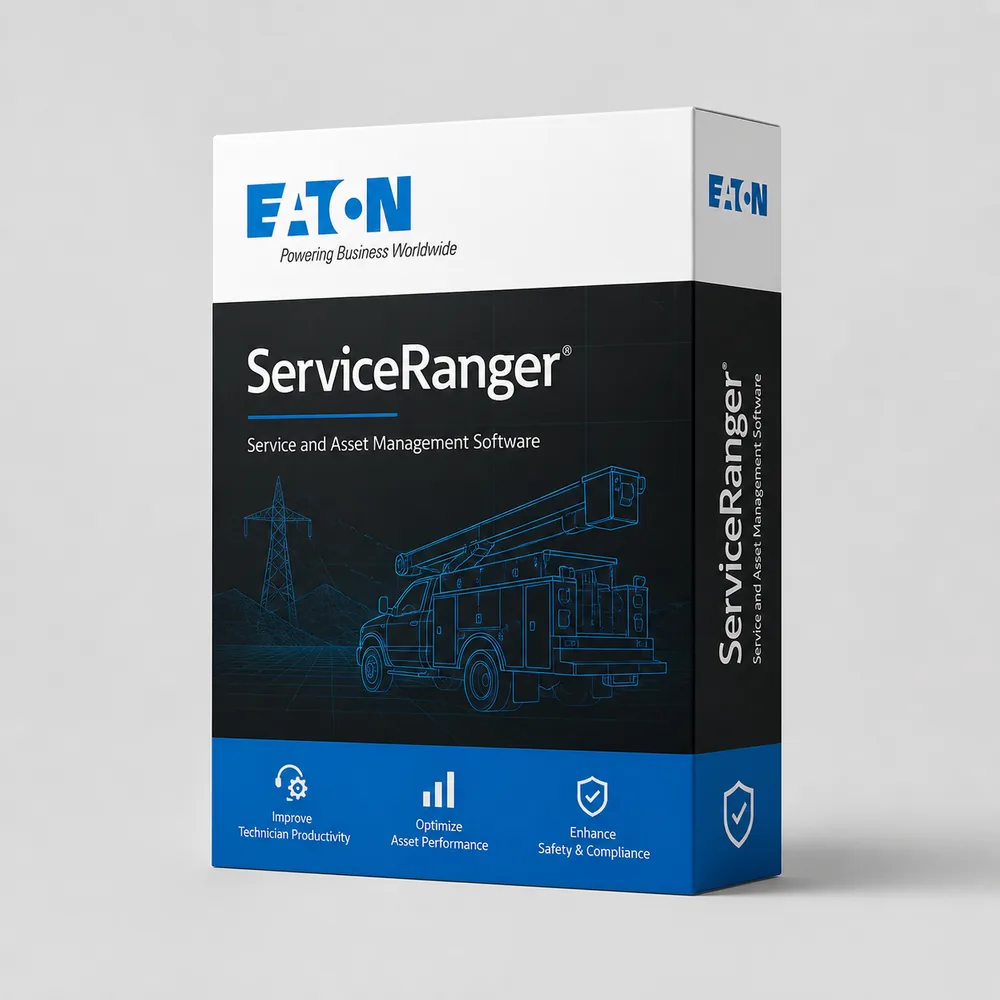
Professional DiagnosticsMatch the software environment to your vehicles, equipment and repair tasks.
Eaton ServiceRanger 4 Software Editions & Hardware
Choose the ServiceRanger edition for your transmission and repair tasks. Request a software quote, and compare interface hardware if you already have a license or laptop.
- Basic / Pro / Pro Plus
- Transmission matching
- Software quotes
- Hardware comparison
Expert SupportU.S.-based technicians with dealer and fleet experience ready to help.
Ready-to-Run KitsPreconfigured software with everything you need to get up and running fast.
Financing Available0% APR options available on qualifying orders over $1,500.
NEXIQ interfaces for your setup
Discuss Software & Hardware →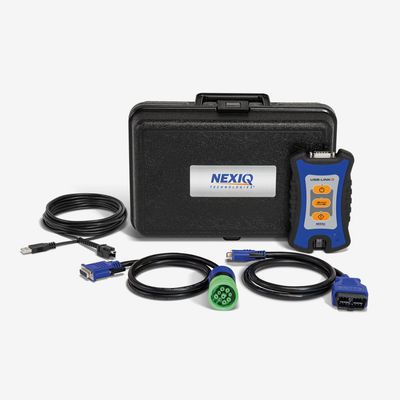
NEXIQ USB-Link 3 Wireless
Vehicle interface only; ServiceRanger software separate.
$795.00 View Product
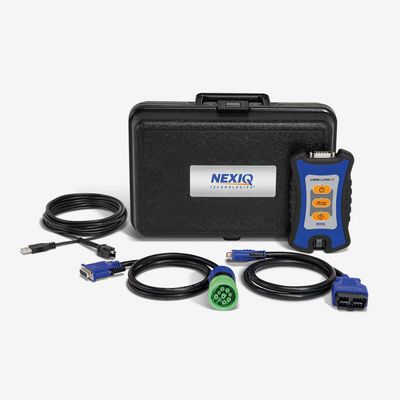
NEXIQ USB-Link 3 Wired
Vehicle interface only; ServiceRanger software separate.
$765.00 View Product
Hardware to pair with a separately selected ServiceRanger license
These NEXIQ products are hardware, not ServiceRanger licenses. Request a quote for the Basic, Professional or Pro Plus subscription and confirm compatibility with your transmission.
| Product | Application / package | Catalog price |
|---|---|---|
| NEXIQ USB-Link 3 Wireless | Vehicle interface only; ServiceRanger software separate. | $795.00 |
| NEXIQ USB-Link 3 Wired | Vehicle interface only; ServiceRanger software separate. | $765.00 |
Prices reflect the listed default configuration. Review selected options, availability, shipping and tax on the product and checkout pages. Ask us to match a kit to your equipment or call 866-217-0063.
Read the detailed Eaton buying guide ↓
Choose your Eaton setup
- Identify the transmission and intended service operation.
- Choose Basic, Professional or Pro Plus.
- Quote the software separately from interface hardware.
- Include clutch calibration requirements when selecting an edition.
- Reuse a compatible computer and adapter where practical.
Find the Right Eaton Tool
Answer a few quick questions and we'll help you find the best tool for your shop's needs.
- Personalized Recommendations
- Expert Guidance
- Fast & Easy
Powerful Diagnostics. Proven Performance.
Capabilities vary by tool, software license, vehicle, and manufacturer requirements. Contact HDT to confirm compatibility.
Expert Phone SupportU.S.-based technicians
Setup & Training HelpGet started with confidence
Shipping HelpConfirm availability and timing
Warranty & SupportBacked by HDT
0% APR FinancingOn qualifying orders
Choose ServiceRanger by the work you perform
Basic is the starting point for diagnostics and service information. Professional adds advanced configuration and supported ECU software updates. Pro Plus adds the Advantage Automated Clutch Calibration Tool. Those edition differences matter more than buying a package simply described as an Eaton scanner.
Eaton describes Pro Plus clutch calibration for supported Eaton clutch installations in DT12, I-Shift and mDRIVE transmissions. This does not turn ServiceRanger into an unrestricted diagnostic application for every system on those trucks.
Get an edition-specific software quote
Tell us whether you need a new subscription, a renewal or an upgrade, and provide the transmission model. We will help establish the correct purchase before quoting it. The prices in the hardware comparison above are for NEXIQ interfaces only; they are not advertised ServiceRanger subscription prices.
Build around the equipment you already own
A shop with a suitable Windows laptop may only need the right license and interface. A shop starting from scratch should include the computer, software activation and cable list in one quote. Confirm requirements for the supplied software release instead of relying on an old laptop specification.
For Allison work, compare the DOC Premium kit. If the same truck also needs engine diagnostics, review PACCAR DAVIE4 or Cummins INSITE according to the installed engine.
Get a setup matched to your shop
Tell us the equipment model, year, controller and job you need to complete, plus any computer or adapter you already own. Ask HDT for help choosing or call 866-217-0063, Monday–Friday, 8am–5pm CT.
Manufacturer reference: Eaton documentation. Guide reviewed September 19, 2026.
Frequently Asked Questions
How do ServiceRanger Basic and Professional differ?
Basic provides diagnostics and service information. Professional adds advanced configuration programming and supported ECU software updates.
What does ServiceRanger Pro Plus add?
Pro Plus adds the Advantage Automated Clutch Calibration Tool for supported Eaton clutch installations, in addition to the Pro capabilities. Match the exact transmission and clutch.
Does the NEXIQ price include ServiceRanger?
No. The interface listings shown here are hardware-only purchases. Request the appropriate ServiceRanger license separately.
How do I get a ServiceRanger price from HDT?
Send the transmission model, desired edition and whether you need a new license or renewal. Include your laptop and interface details so the quote covers only what you need.
Resources & Buyer Guides
Eaton manufacturer reference
Check the manufacturer’s software and equipment information.
Read Guide →Compare diagnostic approaches
Explore Jaltest options for a shop working on multiple brands.
Read Guide →NEXIQ adapters and software
Understand the difference between an interface and a software license.
Read Guide →Eaton diagnostic tools: detailed buying guide
Reviewed September 21, 2026
Identify the transmission and the job
An Eaton-related request may concern a traditional manual transmission, an automated transmission or an Eaton replacement clutch installed in another manufacturer's transmission. Those are different diagnostic situations. Obtain the transmission model and controller information rather than selecting software from the truck badge.
The ServiceRanger FAQ identifies supported Eaton and Eaton Cummins families including UltraShift, Fuller Advantage and Endurant applications. The exact transmission and requested operation determine the relevant software capability. A manual gearbox should not be assumed to need the same electronic service workflow as an automated unit.
For a mixed fleet, list the transmissions separately from the engines. A truck with Cummins power may still need a different application for transmission work. This distinction helps a shop add useful capability without confusing an engine-software license with a transmission tool.
ServiceRanger Basic and Professional
Basic provides diagnostic and service-information functions. Professional adds supported configuration programming and ECU software updates. Compare the edition with the work you perform: reading fault information, carrying out a named service routine and updating transmission software are separate requirements.
A buyer should not assume that every clutch-related routine requires the highest package. Eaton's ServiceRanger product information describes service routines in Basic as well as additional capabilities in Pro and Pro Plus. Identify the exact transmission, clutch and routine before making the edition choice.
If your shop already owns ServiceRanger, supply the edition and license details when asking about an upgrade or renewal. A new license, an upgrade and a second workstation are different purchases. Keep the account and installation records with the business.
What Pro Plus adds for Advantage Automated clutches
Eaton describes Pro Plus as adding the Advantage Automated Clutch Calibration Tool. Its product announcement identifies supported Eaton replacement-clutch work in transmissions such as Detroit DT12, Volvo I-Shift and Mack mDRIVE. This is a specific clutch-service capability, not a general license to diagnose and reprogram every system from those manufacturers.
That distinction matters when quoting clutch replacement. Record the installed clutch and transmission, the replacement part and the prescribed calibration procedure. Then verify the required application and hardware for that combination.
Do not purchase Pro Plus solely because a transmission name appears in a broad advertisement. Equally, do not rule it out with a blanket statement that Eaton software can never be involved in another manufacturer's transmission. The named clutch application is what determines relevance.
PACCAR TX12/TX18 is a separate purchasing decision
Eaton's TAIB-0882 guidance distinguishes ServiceRanger access on PACCAR TX12/TX18 from other supported transmissions. Ordinary Basic/Pro users need DAVIE4 for the specified software and configuration changes. The bulletin's access table separates those changes from the diagnostic functions it lists.
When comparing ServiceRanger and PACCAR DAVIE4, use the actual transmission model and requested work. Similar architecture or a shared component supplier does not make the software permissions interchangeable.
A fleet may need different applications for different transmissions, even where the vehicles appear mechanically similar. Establish that requirement before ordering a kit or promising that an existing subscription will cover a new contract.
Interface, driver and computer
The NEXIQ products shown in our comparison are interface hardware. Their prices do not include a ServiceRanger software license. If you need software, request the appropriate edition or renewal separately so the quote represents a usable setup.
For an existing interface, identify its model, driver and vehicle cable. The diagnostic application must support the intended connection and operation. For a new computer, use the current ServiceRanger requirements rather than assuming an older workshop laptop is suitable because another program runs on it.
Mobile transmission service also requires practical planning: computer power, cable access and the conditions prescribed for the intended service routine. A wireless interface option does not override the connection requirements of a programming or calibration procedure.
Clutch, shift and communication complaints
Describe the symptom and the recent work. A complaint following clutch replacement, a shift issue under load and an intermittent communication fault may call for different data and procedures. Record active and inactive faults before clearing them.
A fault mentioning a clutch or actuator is not enough to prove that the component needs replacement. Likewise, calibration should be performed when the applicable service procedure calls for it, with the prescribed prerequisites satisfied. The purpose of the diagnostic tool is to support that process, not to replace it with a generic reset.
When deciding which software to buy, identify the information and routines needed to complete those recurring jobs. A written list of the operations you currently send out can be a useful way to evaluate the business value of additional capability.
Building the right shop configuration
A transmission specialist should focus on supported service routines, replacement-clutch work and programming access. A fleet maintenance shop may have a narrower set of transmissions and tasks. A general diesel shop may combine ServiceRanger with a multi-brand platform for the wider vehicle inspection.
Compare the software edition, license term, interface, cables and computer as separate components. Reuse existing equipment where the application supports it. For multiple technicians, plan the required licenses and usable stations rather than treating one activation as unlimited shop access.
Send the transmission model, clutch details where relevant, intended work and existing equipment. Request a ServiceRanger quote or call 866-217-0063. The current NEXIQ hardware offers above can be included when you also need an interface.

Ready to Upgrade Your Diagnostic Game?
Our experts are here to help you choose the right Eaton solution for your shop. Call now or shop online today.