
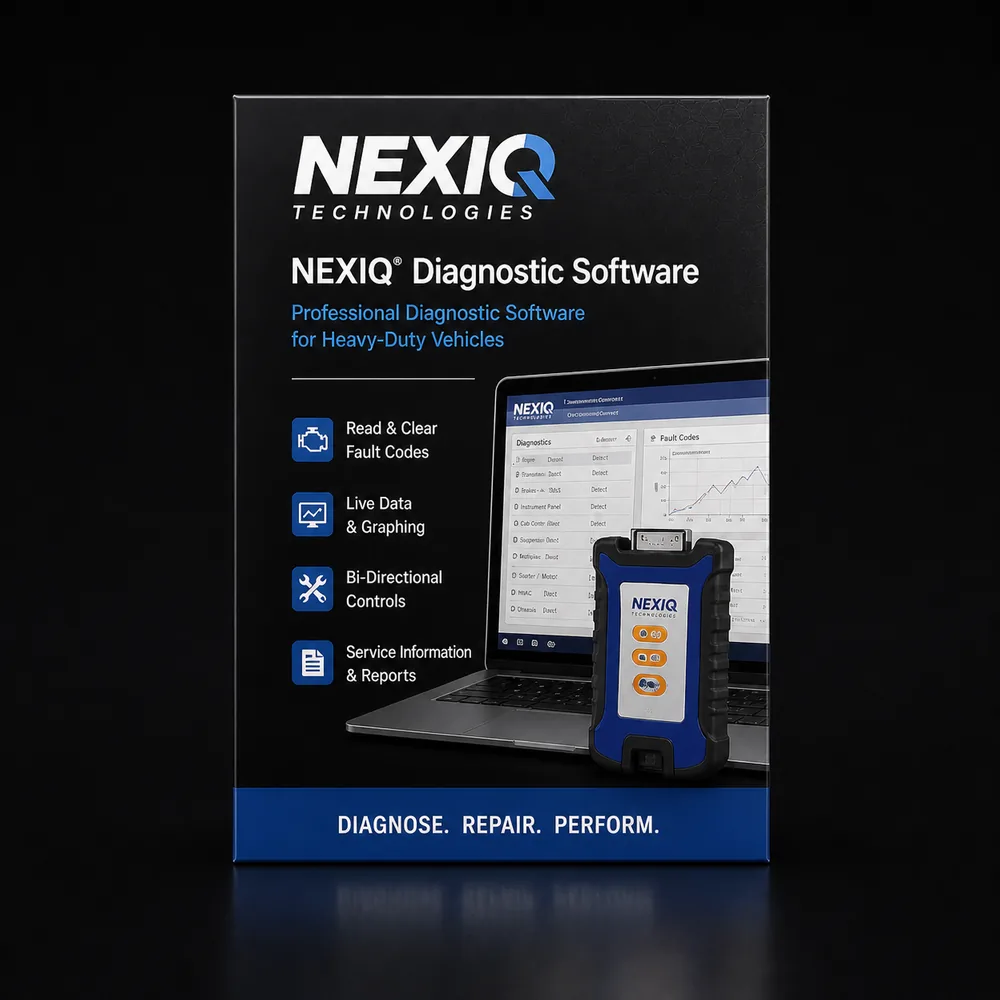
Professional DiagnosticsOEM-level capabilities for commercial trucks, buses, ag, construction & more.
Shop NEXIQ Diagnostic Tools
NEXIQ Technologies USB-Link 3 is the industry-standard RP1210/RP1226 datalink adapter for heavy-duty diagnostic software — INSITE, DiagnosticLink, DAVIE, ServiceMaxx, Allison DOC, and most aftermarket platforms all pair cleanly with it. NEXIQ also ships eTechnician aftermarket diagnostic software for shops that want one platform across multiple brands.
- RP1210 / RP1226 Compliant
- Pairs with Every Major OEM
- Wired & Wireless Variants
- Authorized Reseller
Expert SupportU.S.-based technicians with dealer and fleet experience ready to help.
Ready-to-Run KitsPreconfigured software with everything you need to get up and running fast.
Financing Available0% APR options available on qualifying orders over $1,500.
Featured NEXIQ Products
View All NEXIQ Products →
NEXIQ Complete Fleet Diagnostic Kit
Everything you need for full-system diagnostics and programming.
$3,495.00 Add to Cart
NEXIQ Advanced Handheld Scanner
All-systems scanner with bi-directional controls.
$1,295.00 Add to Cart
NEXIQ Diagnostic Software
Powerful software for advanced diagnostics and programming.
$1,895.00 View Options
NEXIQ Adapter Bundle
Essential adapters and cables for maximum vehicle coverage.
$695.00 Add to Cart
Why Choose NEXIQ?
- Comprehensive vehicle coverage
- OEM-level diagnostics & programming
- Regular software updates & releases
- Rugged hardware built for the shop
- Backed by HDT expert support
Shop NEXIQ by Category
Find the Right NEXIQ Tool
Answer a few quick questions and we'll help you find the best tool for your shop's needs.
- Personalized Recommendations
- Expert Guidance
- Fast & Easy
Trusted by Shops & Fleets Nationwide
"NEXIQ gives us the coverage and reliability we need. HDT support is second to none."
Mike R.Diesel Tech — Midwest Fleet"The software is powerful and easy to use. Programming and diag in one platform saves us time and money."
James T.Shop Owner — Texas"HDT's ready-to-run kit had everything we needed to get started right out of the box."
Sarah L.Fleet Manager — California"Great tools, great support, and fast shipping. Our go-to for heavy duty diagnostics."
David P.Lead Tech — FloridaPowerful Diagnostics. Proven Performance.
Capabilities vary by tool, software license, vehicle, and manufacturer requirements. Contact HDT to confirm compatibility.
Expert Phone SupportU.S.-based technicians
Setup & Training HelpGet started with confidence
Fast ShippingOrders ship same day
Warranty & SupportBacked by HDT
0% APR FinancingOn qualifying orders
If you've spent any time in heavy-duty diagnostics, you already know the name. Nexiq is the universal adapter brand. It is the small black or yellow-green box clipped to a thousand toolboxes between Maine and San Diego, and it is the single most common piece of hardware sitting between a tech's laptop and a truck's 9-pin Deutsch port. The reason for that is not marketing. It is a 25-year history of building RP1210 adapters that just work with everything — Cummins INSITE, Detroit DiagnosticLink, PACCAR DAVIE 4, Volvo/Mack Premium Tech Tool, Cat ET, Allison DOC, Bendix ACom Pro, Eaton ServiceRanger, Meritor TOOLBOX PLUS, and the major aftermarket platforms (JPRO, Jaltest, TEXA, Autel CV, FCAR). One adapter, fifteen pieces of software, no compatibility roulette.
This page is for the shop owner or tech who is either buying their first Nexiq or upgrading from a USB-Link 2 to a USB-Link 3. We'll walk through what Nexiq actually is as a company, what's currently in the lineup, why RP1210 matters, where the USB-Link 3 fits versus the older USB-Link 2 still floating around the field, and the honest tradeoffs you should know before you put $850 on the counter. If you'd rather just talk it through, the number at the top of this site rings a real diagnostic tech who has set up Nexiq adapters across all the major OEM softwares — call us at 866-217-0063.
Who Nexiq Is
Nexiq Technologies is owned by IDSC Holdings, LLC, which is itself a subsidiary of Snap-on Incorporated. Snap-on acquired the core Nexiq vehicle diagnostic operations back in December 2002 from the original Sterling Heights, Michigan business, and over the following years pulled in additional Nexiq software assets like eTechnician and Pro-Link Plus. The branding stayed Nexiq because the name had already become shorthand for "the adapter you use to talk to a truck." Snap-on's diesel and commercial vehicle diagnostic strategy lives largely under the Nexiq umbrella — the consumer-facing Snap-on truck scan tools and the dealer-tier OEM relationships both run through Nexiq engineering and the Nexiq driver stack.
What that ownership matters for, practically, is twofold. First, the OEM approval list is real. Nexiq publishes its supported-software list publicly, and you can check it before you buy. Daimler Truck (Detroit and Freightliner), PACCAR, Cummins, John Deere, Volvo/Mack, Allison, Cat, Bendix — they have all formally tested and approved Nexiq's RP1210 driver stack against their software. That kind of cross-OEM blessing is rare, and it is the main reason Nexiq adapters tend to be the safe answer when an OEM-specific support call escalates. Second, because Snap-on is behind the warranty and the firmware updates, the long-term support story is more stable than what you get with a $200 unlabeled RP1210 dongle off a marketplace listing. Drivers keep getting updated, the unit keeps getting tested against new ECM calibrations, and replacement parts (cables, adapters, the latching USB cable) stay in stock through normal distribution channels.
The Current Nexiq Product Lineup
The catalog has tightened up over the last few years. Here is what you'll actually see today:
Nexiq USB-Link 3 Wired (PN 121054). The current flagship adapter, wired-only configuration. Connects to the truck through the standard 9-pin Deutsch (or 6-pin or J1962 OBD-II via included adapters) and to the laptop through a latching USB cable. List price runs around $820 from Nexiq direct. This is the model most shops should default to if they don't specifically need wireless.
Nexiq USB-Link 3 Wireless (PN 121052). Same internal hardware, but adds Bluetooth 5.0 and dual-band Wi-Fi (2.4 GHz and 5 GHz, 802.11 a/b/g/n) on top of the wired USB connection. List price around $855 from Nexiq direct. The wired USB cable is still included, which matters more than people give it credit for — when a wireless link drops mid-flash, you want a cable in the bag.
Nexiq USB-Link 2 (legacy). The previous generation, still in heavy field use. Plenty of shops haven't replaced theirs yet. It supports the older protocols (J1939, J1708, CAN) cleanly, but it does not support CAN FD or DoIP. That matters more every model year as new trucks ship with CAN FD networks. We'll cover the upgrade math below.
Nexiq Pro-Link family handheld scanners. Pro-Link iQ, Pro-Link Edge, and the older Pro-Link GRAPHIQ handhelds — Snap-on/Nexiq's standalone handheld scan tools for techs who don't want to drag a laptop to the truck. They are J1587/J1708-compliant, do live data and fault code work for engine, transmission, ABS, and aftertreatment systems, and run their own onboard software. Lighter coverage than a laptop-based eTechnician or OEM software stack, but they are quick for "what's the code, what's the freeze frame" road-call style work.
Nexiq eTechnician (PN 859000). Nexiq's own PC-based diagnostic software. Covers heavy-duty, medium-duty, and some light-duty truck systems through model year 2024 (Cummins, Detroit, and others). Roughly $2,300 list. Useful as a one-stop reader for shops that don't want to license five separate OEM softwares — but it is not a substitute for the dealer-tier OEM tools when you need to flash an ECM or unlock parameters. More on that below.
Nexiq Heavy Duty Code Reader. The entry-level handheld for J1939 / J1708 fault code reading. Inexpensive, no frills, useful for an owner-operator who just wants to clear a check engine and see what fault was thrown.
Nexiq Blue-Link 2. A smaller mobile-first vehicle interface aimed at iOS and Android tablet workflows. Less common in independent shops than the USB-Link line, but it shows up in some fleet apps.
Why Nexiq Matters: Understanding RP1210
To understand why a Nexiq USB-Link 3 is worth $820 when a no-name dongle is $180, you have to understand RP1210. RP1210 is a Recommended Practice published by the Technology and Maintenance Council (TMC), which is the standards arm of the American Trucking Associations. It defines a standardized Windows API — a software interface — that sits between a diagnostic application running on a PC and the underlying hardware adapter that physically talks to the truck. The current revision is RP1210C, with RP1210D specifying additional CAN FD and DoIP support.
What this means in plain English is that an OEM software vendor (Cummins, Detroit, PACCAR, Cat) doesn't have to write a custom driver for every adapter brand. They write their software to the RP1210 specification once, and any RP1210-compliant adapter can carry their data. The adapter manufacturer (Nexiq, DG Technologies, Noregon, Cojali, etc.) writes a driver that handles the J1939, J1708/J1587, CAN, and CAN FD protocol traffic, and registers itself as RP1210-compliant on the Windows machine. The OEM software sees the adapter, picks it from a list, and starts talking to the ECM.
That is the magic. One Nexiq USB-Link 3 plugs into your laptop, and Cummins INSITE Pro, Detroit DiagnosticLink, PACCAR DAVIE 4, Volvo/Mack PTT, Cat ET, Allison DOC 4.5, Bendix ACom Pro, Eaton ServiceRanger, Meritor TOOLBOX PLUS, JPRO Professional, Jaltest CV, TEXA IDC5, Autel CV, and FCAR HD all see it as a valid adapter and start sending and receiving J1939 frames through it. There is no other class of hardware in the truck shop — not torque wrenches, not air gauges, not multimeters — where a single $820 purchase unlocks fifteen pieces of software.
The reason cheap RP1210 clones get burned is driver quality. Writing the basic API surface is easy. Writing it so that DAVIE 4 reliably uploads a flash file to a PACCAR MX-13 ECM at the right baud rate without packet loss is hard. PACCAR specifically lists Nexiq as the recommended adapter for DAVIE 4. Daimler does the same for DiagnosticLink. When the OEM publishes the recommendation, that is the adapter the OEM tested with.
USB-Link 3 in Detail
The USB-Link 3 is the unit you should be considering if you are buying new. The hardware spec sheet is straightforward but worth walking through:
Supported protocols. J1939 (250K and 500K), J1939 FD (CAN FD-based), J1708/J1587, CAN (legacy), CAN FD, ISO 15765, ISO 15765 FD, ISO 9141, J1850 PWM and VPW, ALDL, and ATEC. Plus DoIP — Diagnostics Over Internet Protocol — which is the Ethernet-based diagnostic protocol new heavy-duty platforms are starting to adopt. The previous USB-Link 2 cannot do CAN FD or DoIP, full stop.
RP1210 compliance. RP1210 a/b/c/d. Also supports SAE J2534 (partial J2534-1) for light-duty pass-thru programming on OBD-II vehicles. That last point is worth knowing if your shop also touches medium-duty light trucks, vans, and chassis cabs that use J2534 reflashing. One adapter covers both worlds.
Connectivity. Wired model: latching USB 2.0 cable. Wireless model: same USB cable plus Bluetooth 5.0 plus Wi-Fi 802.11 a/b/g/n on both 2.4 GHz and 5 GHz bands. Range is roughly the bay you're working in plus a normal shop's worth of distance. Wi-Fi is the better choice when you have laptop range issues — Bluetooth's effective working distance is shorter than spec sheets suggest, especially through a hood.
Operating systems. Windows 10, Windows 11, iOS, Android. The Windows side runs everything we listed in the RP1210 section. The iOS/Android side runs Nexiq's own apps and a few mobile-first OEM apps; it is not how you'll run INSITE or DAVIE 4. Plan on Windows for any serious diagnostic work.
Build quality. The unit is rated for shop use — sealed enclosure, strain-relief on cable entries, drop-tested housing. We have customers running USB-Link 2 boxes that have been on the road for ten years and still pass diagnostics. That is the durability bar to expect.
What's in the box (wired). USB-Link 3 unit, 9-pin Deutsch adapter cable (1 meter), J1962 (16-pin OBD-II) adapter cable (1 meter), latching USB cable, driver download. The 6-pin Deutsch adapter for older trucks is sold separately. If you work on pre-2007 equipment, add that to the order.
eTechnician Software
Nexiq's PC-based diagnostic software is called eTechnician. It is a legitimate piece of software in its own right — wider coverage than most shops realize, including current-model-year Cummins and Detroit through 2024 along with older Caterpillar and Volvo coverage. It does fault code reading and clearing, live data, freeze frame, parameter display (read-only on the dealer-locked stuff), forced regen on most engines, ABS bleed and brake testing on supported chassis, and basic transmission diagnostics. The eTechnician 2.0 release tightened up the interface and broadened model-year coverage.
Where eTechnician fits in a shop's tool stack: it is a reasonable middle layer between a $200 generic J1939 reader and a full set of dealer-tier OEM softwares. If you are running a small independent shop and you want one piece of PC software that will read and clear codes across most of what rolls in the door, eTechnician earns its $2,300 list price. If you are a serious heavy-duty shop, you'll still want INSITE for Cummins programming work, DiagnosticLink for Detroit reflashes, DAVIE 4 if you have a PACCAR contract, and PTT if you do Volvo/Mack — eTechnician complements those, it does not replace them. Most of our customers who buy eTechnician treat it as their daily-driver diagnostic and break out the OEM software when they need to flash, unlock parameters, or do warranty-traceable work.
The Honest Reality
This is the section we put on every brand page because it is the section most product pages skip. Nexiq is not magic. There are tradeoffs.
Nexiq is hardware first, software second. The thing that keeps Nexiq dominant is the USB-Link adapter. The eTechnician software is solid, but it is not the reason you're buying the brand. You're buying the adapter that lets every other piece of software in your shop talk to the truck. If your sales conversation is treating eTechnician as the headline product, you're being sold the wrong thing. Most shops should buy a USB-Link 3 first, get it talking to whatever OEM softwares they already own, and then decide whether to add eTechnician later.
OEM software is still the gold standard for flashing. A USB-Link 3 will not let you flash a Cummins ECM without INSITE. It will not unlock a PACCAR parameter without DAVIE 4 and dealer authentication. It will not write a Detroit calibration file without DiagnosticLink Pro. The adapter is the data pipe. The OEM software is the brain. Anyone telling you otherwise is selling you a fantasy.
Driver versions matter, especially on PACCAR and Cat. DAVIE 4 is famously picky about Nexiq driver version. We have seen working setups break after a Windows Update or a Nexiq driver auto-update, and the fix is rolling back to a specific known-good driver build. Cat ET has similar quirks on certain on-highway 3406E and C-series legacy work. Plan to keep notes on which driver version pairs cleanly with which OEM software, and don't auto-update during a busy week.
Cheap RP1210 clones are a real temptation, and a real risk. There are $180-$250 RP1210 adapters on the market that will pass basic J1939 fault code reads. Many of them break on flash operations, drop frames during long live-data sessions, or show up as the wrong adapter type to OEM software. We have done warranty support on too many "save money" decisions to recommend that path. Buy the Nexiq once.
Wireless is convenient but not magic. The wireless USB-Link 3 is great for techs who walk away from the laptop while a long regen runs, or for hood-up work where the cable run is awkward. But Bluetooth and Wi-Fi can drop, especially in a steel-walled shop with two-way radios, microwave links, and other Wi-Fi traffic. Always have the USB cable available as a fallback. Always plug in for a flash.
Common Use Cases
Owner-operator buying their first laptop diagnostic setup. This is the easiest call we make. USB-Link 3 wired plus the OEM software for whatever engine they run — INSITE for Cummins, DiagnosticLink for Detroit, DAVIE 4 for PACCAR. The adapter is the long-lived investment; the software license is the renewing cost. We've sold hundreds of these starter packages. The adapter outlives the laptop it came in with.
Independent shop standardizing on one adapter across multiple bays. Buy USB-Link 3 wireless units, one per bay (or per tech). Each tech's laptop has the OEM softwares the shop is licensed for, plus eTechnician if you want a common daily-driver. Wireless lets the tech walk between the truck and a bench-mounted laptop without moving cables. Keep one wired backup adapter on the shelf for the inevitable "my Bluetooth isn't pairing" Friday afternoon.
Fleet maintenance shop that already owns five OEM softwares. The biggest argument for Nexiq is consolidation. Some fleets historically owned a different adapter per OEM — a DPA5 for one, a DLA+ 2.0 for another, a Nexiq for a third. With Nexiq USB-Link 3 and current driver builds, one adapter SKU can be standardized fleet-wide and stocked through normal Snap-on distribution channels. That is a real maintenance and procurement win.
Tech upgrading from USB-Link 2. The cleanest reason to upgrade is CAN FD support. Newer Daimler, PACCAR, and Volvo platforms are moving to CAN FD networks, and the USB-Link 2 cannot read those buses. If you have a USB-Link 2 that still works on older equipment, keep it as a backup. Buy the USB-Link 3 for current and future model-year work.
What Your Shop Needs
For most shops, the right Nexiq starter package is a USB-Link 3 wired (PN 121054), a 6-pin Deutsch adapter to cover pre-2007 trucks, and whichever OEM softwares match your customer base. Add the wireless variant (PN 121052) if your bays are awkward to cable in or if your techs want to walk away during regens. Add eTechnician if you want a single PC-based reader as your daily driver across mixed-OEM work.
Where Nexiq pairs with what we sell:
- Cummins INSITE — USB-Link 3 is on Cummins's approved adapter list. Plug-and-play with INSITE Pro.
- Detroit DiagnosticLink — Nexiq USB-Link 3 is the most common adapter we ship with new DDDL setups.
- PACCAR DAVIE 4 — PACCAR explicitly recommends USB-Link 3 as the adapter for DAVIE 4. Use it.
- Volvo / Mack PTT — Premium Tech Tool runs cleanly through Nexiq.
- Cat ET — Supported. Watch driver versions on legacy 3406E and C-series work.
- Allison DOC 4.5 — Standard pairing.
- Bendix ACom Pro, Eaton ServiceRanger, Meritor TOOLBOX PLUS — All supported through RP1210.
- JPRO Professional, Jaltest CV, TEXA IDC5, Autel CV, FCAR HD — All accept Nexiq as a valid RP1210 source.
Comparison: USB-Link 3 Wired vs Wireless vs USB-Link 2
| Feature | USB-Link 3 Wired (121054) | USB-Link 3 Wireless (121052) | USB-Link 2 (legacy) |
|---|---|---|---|
| USB connection | Yes, latching cable | Yes, latching cable | Yes |
| Bluetooth | No | Bluetooth 5.0 | Optional (older BT spec) |
| Wi-Fi | No | 802.11 a/b/g/n, 2.4 / 5 GHz | No |
| J1939 (250K / 500K) | Yes | Yes | Yes |
| J1708 / J1587 | Yes | Yes | Yes |
| CAN (legacy) | Yes | Yes | Yes |
| CAN FD / J1939 FD | Yes | Yes | No |
| DoIP (Ethernet diag) | Yes | Yes | No |
| RP1210 a/b/c/d | Yes | Yes | RP1210 a/b/c |
| SAE J2534 pass-thru | Yes (partial J2534-1) | Yes (partial J2534-1) | Limited |
| Windows 10 / 11 | Yes | Yes | Yes |
| List price (approx.) | $820 | $855 | Discontinued new |
Frequently Asked Questions
Does USB-Link 3 work with Cummins INSITE Pro?
Yes. USB-Link 3 is on the Cummins-approved adapter list for INSITE and INSITE Pro. Install the Nexiq driver from a current build, install INSITE, select USB-Link 3 as the adapter under the INSITE Equipment menu, and you should be reading the ECM in under five minutes. We've never had a Cummins/Nexiq pairing problem that wasn't a Windows permissions or driver-version issue.
Will USB-Link 3 reliably run DAVIE 4?
Yes — and it is the adapter PACCAR specifically recommends. The catch is that DAVIE 4 is sensitive to driver versions. If you do a Windows Update that auto-pulls a new Nexiq driver and DAVIE 4 stops connecting, the fix is rolling back to the driver build that was working. Keep a copy of the known-good Nexiq installer somewhere on a thumb drive. Don't trust auto-update in the middle of a flash week.
USB-Link 3 versus DLA+ 2.0 — which should I get?
The Noregon DLA+ 2.0 is the other commonly recommended adapter, especially for shops running JPRO Professional. Both are RP1210-compliant, both support CAN FD, both work across the major OEM softwares. The pragmatic answer is: if you already own JPRO and Noregon support is your fallback, the DLA+ 2.0 is the natural pairing. If you don't have a strong preference, USB-Link 3 has broader OEM-published approvals (PACCAR specifically calls it out for DAVIE 4) and the Snap-on parts/support channel behind it. Both are good. Neither is wrong.
Is the wireless USB-Link 3 worth the extra money over the wired model?
The price delta is roughly $35 — small enough that the wireless model is the right pick for most shops. The wireless unit still includes the USB cable, so you can fall back to wired any time. Where you would skip wireless is if your shop has heavy 2.4 GHz interference (lots of older routers, microwave equipment, or other industrial wireless) and you don't want to deal with the occasional dropped link.
Can I use one Nexiq across multiple OEM softwares on the same laptop?
Yes. That is exactly what RP1210 is for. INSITE, DiagnosticLink, DAVIE 4, PTT, Cat ET, Allison DOC, ServiceRanger, ACom Pro, JPRO, Jaltest, TEXA — all on the same laptop, all selecting the same USB-Link 3 from their adapter list. The only thing you have to manage is making sure you don't have two pieces of software trying to talk to the adapter at the same time. Close one, open the other.
Does USB-Link 3 work on pre-2007 trucks with 6-pin Deutsch ports?
Yes, but you need the 6-pin Deutsch adapter cable. The wired and wireless retail kits include the 9-pin Deutsch adapter and the J1962 (16-pin OBD-II) adapter, but not the 6-pin. If you work on older equipment, add the 6-pin adapter to the order. We stock it.
I have a USB-Link 2 that still works. Do I really need to upgrade?
If your work is exclusively on pre-CAN FD equipment and pre-DoIP platforms, the USB-Link 2 will keep doing its job. The upgrade trigger is current-model-year work. New Daimler, PACCAR, and Volvo platforms are shipping with CAN FD networks the USB-Link 2 cannot read. The day you can't connect to a 2024 model is the day to upgrade. Most shops are getting there now.
Why Buy Nexiq From Heavy Duty Truck Diagnostics?
We sell the full Nexiq lineup — USB-Link 3 wired, USB-Link 3 wireless, eTechnician, the Pro-Link handheld scanners, the Heavy Duty Code Reader, and all the cable adapters. What we do that the warehouse-and-shipping shops don't is the part that happens before and after the box ships.
Before you buy, we'll talk you through which configuration actually fits your shop. If you tell us "we run Cummins fleets, we have one DiagnosticLink license, and we want to add aftermarket coverage," we can tell you exactly what to order — probably USB-Link 3 wired plus a JPRO or Jaltest license — without trying to upsell you into eTechnician you don't need. If you call us with "I just bought a 2024 T680 and DAVIE 4 won't see my old USB-Link 2," we can tell you that's a hardware-generation issue, not a config problem, and get you on the USB-Link 3 quickly.
After you buy, we do the setup support. Driver installation, RP1210 selection in your OEM software, troubleshooting the inevitable Windows quirks, and walking you through your first connection. About ninety percent of our sales close on the phone because the conversation is worth more than the website. We'd rather you call.
Call 866-217-0063 for quick answers and help!
Frequently Asked Questions
Will USB-Link 3 work with my OEM software?
For most OEM software titles, yes — USB-Link 3 is RP1210/RP1226 compliant and pairs with Detroit DiagnosticLink, PACCAR DAVIE, Volvo PTT, ServiceMaxx, Allison DOC, Bendix ACom, and aftermarket platforms. The two exceptions are Cummins INSITE (use INLINE 7/8) and Cat ET (use Cat Communication Adapter III/IV).
Wired or wireless USB-Link 3?
Wired is more reliable for long sessions like flash routines. Wireless is more convenient when the laptop sits at a workbench across the bay. Most shops own one of each. We can recommend based on your bay layout.
Is the USB-Link 3 the same as the older USB-Link 2?
No — USB-Link 3 is the current-generation adapter with broader protocol support, faster CAN throughput, and Bluetooth/Wi-Fi options. USB-Link 2 still works on legacy software stacks, but new orders should be USB-Link 3.
What is NEXIQ eTechnician?
eTechnician is NEXIQ's aftermarket multi-brand diagnostic software — fault codes, live data, bi-directional controls across the major HD engine families. Pairs natively with USB-Link 3.
Resources & Buyer Guides
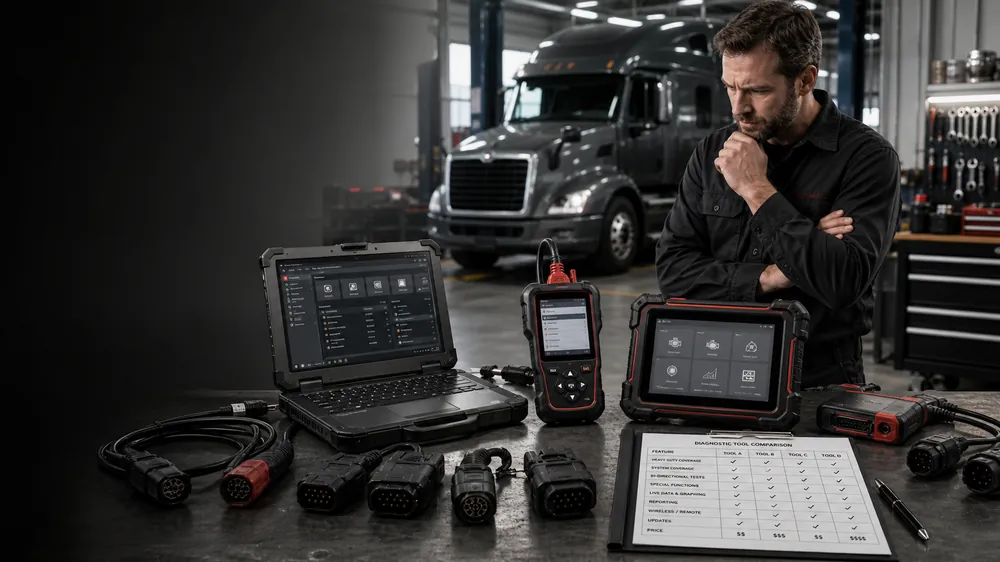
How to Choose the Right Heavy-Duty Scan Tool
How to choose the right kit for your shop.
Read Guide →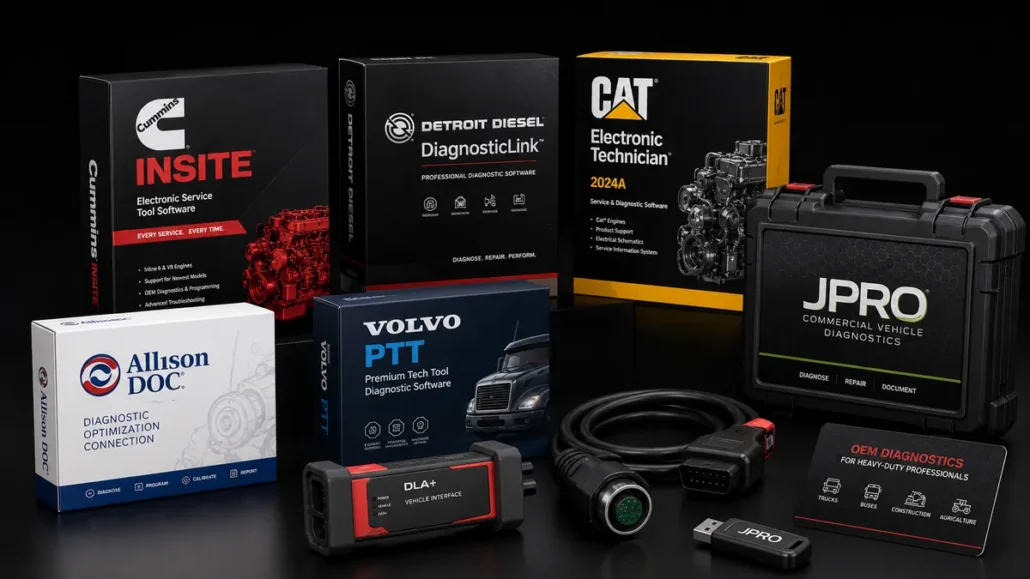
OEM vs Aftermarket Diagnostic Software
Explore software features and capabilities.
Read Guide →
Best Diagnostic Tools for Mixed Fleets
Understanding the difference and when to use each.
Read Guide →
Ready to Upgrade Your Diagnostic Game?
Our experts are here to help you choose the right NEXIQ solution for your shop. Call now or shop online today.