Heavy Duty Truck Diagnostics

Store

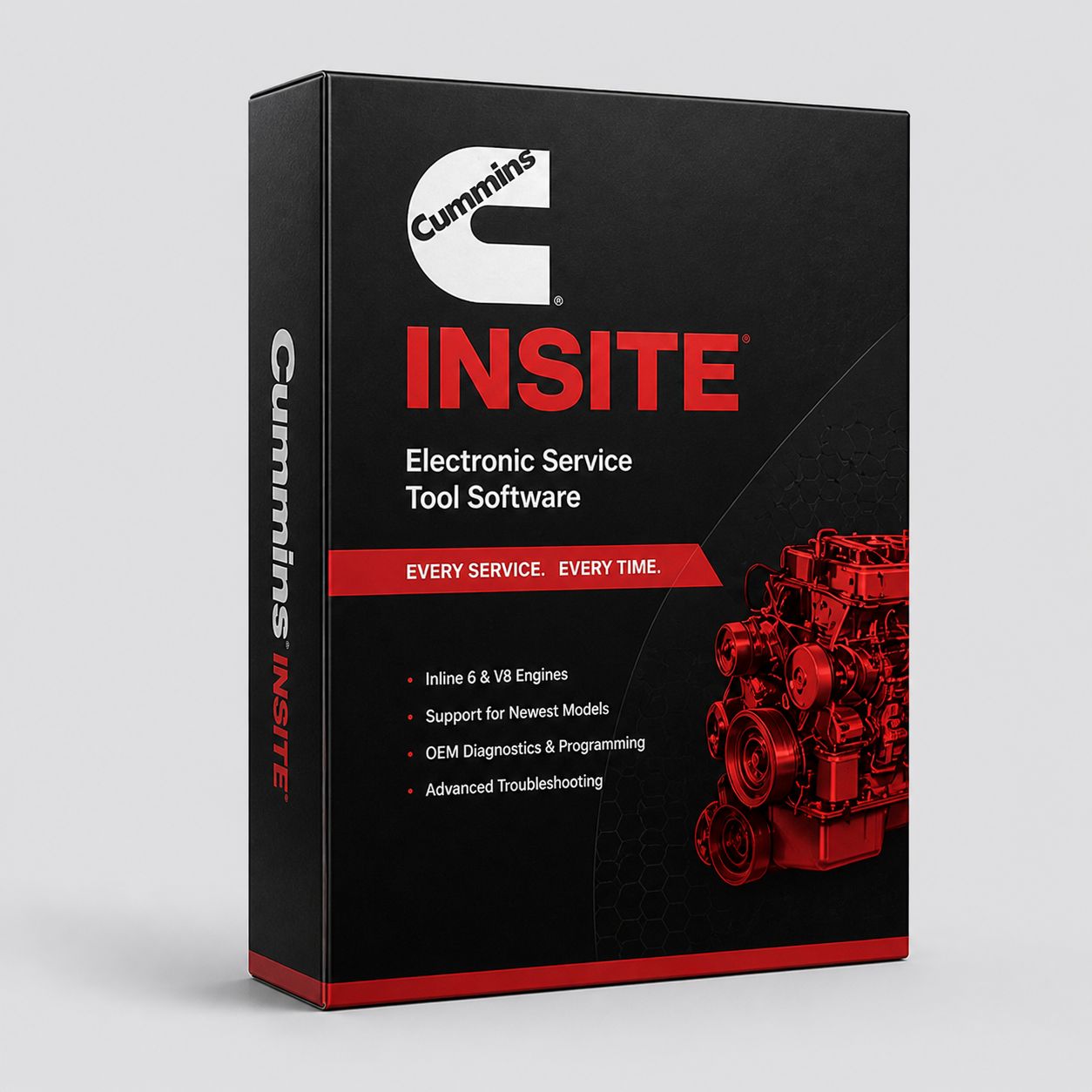
Cummins INSITE Lite Software (License Only)

$1 295.00
In stock
Share this product with your friends
Cummins INSITE Lite Software (License Only)
Product Details

Cummins INSITE Lite is the entry-tier license for Cummins' OEM diagnostic software. It is the same platform Cummins dealer technicians sit in front of every day to read fault codes, watch live data, run bidirectional component tests, and trigger forced regenerations across the entire modern Cummins engine catalog. Lite covers everything on the diagnostic side. Pro adds calibration loading and ECM reflash on top of the Lite feature set. If you do not need to push new calibration files into an ECM or unlock and reprogram protected parameters, Lite handles the work.


This listing is the software license only. You are buying the activation key for a 12-month INSITE Lite subscription. There is no adapter in the box, no laptop, no Toughbook, no cabling. You provide the Windows 10 or Windows 11 PC and an RP1210-compliant adapter. The customer this listing is built for is the technician who already owns a working diagnostic adapter and a working laptop and just needs the legal Cummins license to bring that hardware to life on Cummins-branded engines. If you need a complete plug-and-play kit, we sell INSITE Lite paired with a Cummins INLINE 7, Cummins INLINE 8, or NEXIQ USB-Link 3 under separate part numbers, and we sell complete kits with a Panasonic Toughbook included. This page is the license-only path.


Why does software-only exist as a separate SKU. Two reasons. First, a lot of fleets and independent shops already have an RP1210 adapter on the bench from running another OEM application like Detroit Diesel Diagnostic Link, PACCAR Davie, Volvo Premium Tech Tool, or a multi-brand tool like Diesel Explorer or JPRO. The hardware is already paid for. There is no reason to buy a second adapter just because you added Cummins coverage. Second, technicians who run multiple OEM platforms tend to standardize on one adapter so they can keep one cable, one driver set, and one set of muscle memory. Buying the license only lets you do that. This is the entry door to legitimate, dealer-grade Cummins diagnostics without paying for hardware you already own.


What INSITE Lite Does: - Read and clear engine fault codes, both active and stored, on the connected ECM - Display live data with commanded vs actual parameter pairs - Run cylinder cutout, EGR valve sweep, VGT actuator, fuel shut-off, and other bidirectional component tests - Trigger stationary forced regenerations on equipped Cummins engines with a DPF - Capture snapshot recordings during fault occurrence so a hard-to-reproduce intermittent shows up later as a data trace - Display Cummins-specific parameter set including rail pressure, injector trim values, IMV duty cycle, EGR position, DEF dosing rate, NOx sensor reading, exhaust temperature at each thermocouple, and turbo actuator position - Display wiring diagrams and sensor location maps for the connected engine - Display Technical Service Bulletin information for the connected ECM - Adjust and save the parameters that are unlocked at your password level - Read trip and vehicle information including odometer, hours, fuel used, idle time, and PTO time - Print work orders, audit trails, and fault history reports for customer billing or fleet records - Manage templates so you can apply the same configuration to a group of identical units in a fleet


Read and clear codes is the bread and butter. A driver pulls in with a check engine light or a warning lamp on the cluster. You plug in, INSITE auto-detects the ECM, and within ten seconds you have a list of every active and inactive fault on the engine with the SPN, FMI, fault code number, and a plain-language description. Cummins fault descriptions inside INSITE are richer than what a generic J1939 scan tool will show you, because they pull from Cummins' own fault tree and link directly into the troubleshooting tree for that fault on that ECM family.


Live data with commanded vs actual is where INSITE earns its keep. A generic scan tool will show you actual rail pressure. INSITE shows you actual rail pressure side by side with commanded rail pressure, and the gap between the two is what tells you whether the fuel system is keeping up with what the ECM is asking for. Same story on EGR position, VGT position, IMV duty cycle, and DEF doser commanded pulse width versus measured downstream NOx. When you can see the gap, you can diagnose. When you can only see one side of the equation, you are guessing.


Bidirectional tests are the difference between scanning and diagnosing. Cylinder cutout drops one cylinder at a time and watches engine RPM, fuel rate, and exhaust temperature change. A weak injector or a dead cylinder shows up immediately because the engine does not react when that hole drops out. EGR valve sweep commands the EGR valve from zero to one hundred percent in a controlled ramp while you watch position feedback and differential pressure. A sticking valve shows up as a flat spot or a hysteresis gap. VGT actuator sweep does the same for the variable geometry turbo. These tests cannot be run from the dashboard or from a code reader. You need INSITE to send the command.


Forced regen is the function that pays for the license inside the first month for a lot of buyers. A loaded DPF on a truck that does mostly low-speed urban duty cycle will not complete an active regen on its own. The driver ignores the dash light, soot load climbs into derate territory, and the truck eventually goes into a five-MPH limp mode. INSITE Lite will command a stationary regen with the engine in park, the parking brake set, and the wheels chocked, and walk the engine through a full burn-off cycle that drops the soot load back to zero. That single capability has saved more shops a tow bill than any other INSITE feature.


Snapshot recording is the sleeper feature. INSITE Lite captures a buffer of live data when a fault occurs, so even if you cannot get the truck to repeat the symptom on demand, you have a trace of what the engine was doing in the seconds before and after the code set. For an intermittent that throws once a week, this is the difference between a real diagnosis and another guess.


Where Lite Ends and Pro Begins


Lite reads, clears, monitors, and runs bidirectional tests. Lite does not push new calibration files. Specifically, Lite cannot do any of the following: - Reflash an ECM with an updated calibration from Cummins INCAL - Apply a horsepower upgrade calibration on an engine that supports a rating change - Program injector trim files after replacing injectors - Change a governor speed setting that is locked at the calibration level - Change a road speed limit that requires writing to a protected parameter - Apply a feature key or activation code that unlocks a Cummins-controlled feature - Read a calibration file out of an ECM and save it to disk for archive


If you replace a set of injectors on an X15 with XPI fuel system, each injector ships with a unique trim code printed on the injector body. That code has to be written into the ECM so the rail pressure control loop and the per-injector fueling tables know who is who. Lite cannot write those codes. Pro can. If you do not write trim codes after an injector replacement, you will see a list of complaints from the engine ranging from rough idle to rail pressure faults to soot complaints, and the customer is going to be back in your bay.


If you are updating a 2017-and-newer X15 to the latest TSB calibration to chase an EGR cooler complaint or a DEF dosing strategy update, that calibration update is a reflash. Lite cannot perform it. Pro can. The line is clean. If the operation involves writing a new calibration into the ECM, you need Pro. Everything else is Lite territory.


Engine Coverage


INSITE Lite covers the full electronic Cummins catalog. Auto-detect figures out what is on the other end of the cable and loads the right parameter set, fault tree, and bidirectional test menu.


On-highway: - X15, the current heavy-duty Class 8 engine that replaced ISX15 in 2017. You will see X15 in Peterbilt 579 and 389, Kenworth T680 and W900, Volvo VNL and VNR (where it is offered), Mack Anthem (where Cummins is the spec), and Freightliner Cascadia. Multiple ECM families exist (CM2350 X101 for the Tier 4 Final 2013-2016 ISX15, CM2450 X124B for 2018-and-newer X15) and INSITE handles all of them - X12, the lighter heavy-duty option spec'd in vocational, refuse, and some line-haul applications - X10, the new 2026 medium-heavy engine that fills the slot between L9 and X12 - L9, the medium-duty workhorse. You will see L9 in Freightliner M2 106, Kenworth T270/T370, school buses (Blue Bird, IC, Thomas), refuse trucks (Heil, McNeilus, Labrie), and shuttle/transit applications. Lots of L9 work in fleet shops - B6.7, the medium-duty option in International, Freightliner M2, and Ford F-650/F-750 chassis. Also the engine in RAM 2500 and 3500 Heavy Duty pickups, where the H.O. and Standard Output ratings live. Pickup-side Cummins B6.7 work is a growing slice of the INSITE customer base - ISX legacy, the EGR-and-DPF X15 predecessor that ran 2010 through 2016 in most fleets, and the EGR-only ISX that ran from 2002 through 2009. INSITE handles both ECM generations - ISX12, the lighter ISX variant - ISL9 and ISL, the L9 predecessors - ISM, the legacy M11-derivative that ran in line-haul and vocational through the late 2000s - ISC and ISC 8.3, the medium-duty 8.3-liter - ISB, including the legacy 5.9-liter B5.9 ISB used in 1998-2007 RAM HD pickups (the 24-valve electronic generation that started with the VP44 pump and moved to common rail in 2003)


Industrial and off-highway: - QSB (4.5L, 5.9L, 6.7L) used in skid steers, mini excavators, gen-sets, ag, and small construction - QSC 8.3 used in mid-size construction, ag, and marine - QSL9 used in mid-size construction, ag, marine, fire pump, and gen-sets - QSM11 used in marine, mining, and large construction - QSX15 used in heavy construction, mining, oil and gas, and gen-sets - QSK19, QSK23, QSK38, QSK45, QSK50, QSK60, QSK78 — the QSK family covering high-horsepower mining haul trucks, drilling rigs, locomotives, and large gen-sets - KTA legacy 19, 38, and 50 mechanical-and-early-electronic engines that still run in older mining and stationary power applications


If you do not see your engine on the list, call us. The Cummins coverage list is broader than what fits cleanly on a product page, and there are vocational and military variants that share an ECM family with one of the engines above.


Adapter Compatibility


INSITE Lite requires an RP1210-compliant adapter. RP1210 is the Technology and Maintenance Council standard that defines how a Windows application talks to a heavy-duty diagnostic adapter. Most modern adapters meet RP1210 (the spec is currently up through RP1210C with RP1210D in deployment), but the supported-adapter list inside INSITE is shorter than the full universe of RP1210 adapters on the market. Cummins certifies specific models against specific INSITE versions, and that list does change between INSITE major releases.


The reliable picks for INSITE Lite


  • Cummins INLINE 7. Cummins' own adapter, supports J1939, J1708/J1587, ISO15765 CAN, and three simultaneous CAN connections. Bench-rugged, drops cleanly into Cummins workflow because it is the OEM-blessed unit. The downside is price and the fact that the INLINE 7 driver stack on Windows 11 has had update friction for some technicians. If you live inside the Cummins ecosystem and you are not running other OEM platforms, INLINE 7 is the safe pick.

  • Cummins INLINE 8. The current-generation Cummins adapter. Supports RP1210 and RP1227 (the newer faster spec), CAN baud rates of 250K, 500K, and 1Mb/s, and is positioned for CAN FD on the newer ECM platforms. If you are buying new and you intend to stay current with Cummins for the next several years, INLINE 8 is what you want over INLINE 7. INLINE 8 is required or strongly recommended for some of the newest Cummins ECM families.

  • NEXIQ USB-Link 3. The most popular cross-platform RP1210 adapter in the heavy-duty world. Supports RP1210 and the same baud rate range as the INLINE 8. Works with INSITE, Detroit Diesel Diagnostic Link, PACCAR Davie, Allison DOC, Bendix ACom, Wabco Toolbox, JPRO, Diesel Explorer, and most other OEM and aftermarket diagnostic applications. If you run more than one OEM platform — which describes 90 percent of independent shops — USB-Link 3 is the adapter that lives on your bench. Wireless option available if you want to walk around the truck while the laptop sits on the cab seat.

  • DG Technologies DPA 5 and DPA 5 Pro, Noregon DLA+ 2.0 / DLA+ 3.0, Drew Technologies DrewLinQ. All RP1210, all certified against current INSITE versions, all good adapters. The DPA 5 in particular is heavy-duty rugged and a frequent fleet-shop pick.


What we do not recommend: ultra-cheap clone adapters off marketplace listings. They sometimes work, sometimes do not, and when INSITE rejects the adapter handshake at activation time the buyer is stuck. The adapter is not the place to save 200 dollars. If you are calling and asking which adapter to pair with this license, our default answer is INLINE 8 if you are Cummins-only, USB-Link 3 if you run multiple brands.


Computer Requirements


Cummins publishes minimums of Windows 10 or Windows 11, 1 GB RAM, and 2 GB hard drive space. Those minimums are the legal floor for the installer to run. They are not the realistic spec for daily shop use. A realistic working spec is Windows 10 or 11 64-bit, 8 GB RAM, a 256 GB SSD, an Intel i5 or better, .NET Framework 4.8.1 (required by INSITE 9.x), and a real USB 3.0 port that does not share a hub with a printer.


Why does this matter. Because consumer laptops fail in shop bays. The thin-and-light laptop your customer brought in from home will overheat sitting on a hot transmission tunnel in July, the keyboard will fill with brake dust inside three months, the trackpad will stop registering touches once it has diesel film on it, and the hinge will crack the first time someone closes the laptop on a wiring harness pigtail. We see those laptops come back as warranty calls every week. They are not warranty issues with the software. They are environment issues with the laptop.


The professional shop spec is a Panasonic Toughbook. The CF-31, CF-53, CF-54, and current CF-33 and FZ-55 are all bench-grade machines that are sealed against dust, drop-rated, run a real spinning fan or aggressive thermal design that handles cab temperatures, and have keyboards that survive shop life. A used Toughbook off the secondary market runs four to seven hundred dollars and pays for itself in the first laptop you do not have to replace. We sell INSITE Lite paired with a refurbished Toughbook as a separate SKU if you want one done in one purchase.


Real-World Workflow


Walk through a typical job. Customer rolls in with a 2019 Peterbilt 579 running an X15 CM2450, complaining of a power complaint and a check engine light. Tech grabs the laptop with INSITE Lite, plugs the USB-Link 3 into the truck's nine-pin Deutsch connector under the dash, plugs the USB cable into the laptop, opens INSITE, and clicks Connect. INSITE auto-detects the X15, loads the X124B parameter set, and pulls the fault list.


There are three faults active: SPN 157 FMI 18 (rail pressure low), SPN 3242 FMI 0 (DPF inlet temperature high), and SPN 411 FMI 16 (EGR rate of change abnormal). Stored fault list shows the same three plus a couple of soot-load faults from the past month.


Tech opens live data, builds a screen with rail pressure commanded vs actual, IMV duty cycle, fuel rate, EGR commanded vs actual position, DPF inlet temperature, and DPF outlet temperature. Idles the truck. Rail pressure commanded is sitting at 32,000 PSI. Rail pressure actual is bouncing between 24,000 and 28,000. IMV duty cycle is pegged near 90 percent. The pump is asking for max fuel, the rail is not getting there, and the engine is throwing a low-rail-pressure complaint. Tech now has a real direction: it is the high-pressure fuel system, not the EGR (the EGR fault is downstream of the rail pressure issue because the rate-of-change algorithm reads weird when fueling is unstable).


From here, INSITE Lite walks into the troubleshooting tree for SPN 157 FMI 18, which on a CM2450 X124B runs the technician through high-pressure injector return flow test, rail pressure decay test, IMV functional test, and pressure relief valve test. Tech runs the High-Pressure Pump Command Test from the bidirectional test menu, watches the pump fail to hold commanded pressure, and now has a confirmed pump complaint with a printable test report. Lite cannot reflash the ECM after replacing the pump (Pro can if calibration update is needed), but Lite can fully diagnose the failure, and Lite can also clear the fault history after the repair so the truck rolls out clean.


While the engine is in the bay, the soot load is sitting at 89 percent. Tech runs a stationary forced regen from INSITE before the truck leaves. Forty-five minutes later soot load is back to four percent and the customer is not coming back next week with a derate complaint.


That entire workflow — connect, read codes, monitor live data, run bidirectional tests, force a regen, print a report — is Lite-tier work. No reflash needed.


Common Cummins Faults Lite Helps Diagnose


  • SPN 157 (rail pressure). Most common Cummins fuel system complaint on XPI engines (X15, ISX15 CM2350, X12). FMI 0/15/16 means rail pressure too high. FMI 1/17/18 means too low. INSITE Lite shows commanded vs actual rail pressure live, runs the high-pressure pump command test, runs the injector return flow test, and walks the troubleshooting tree.

  • SPN 411 and SPN 412 (EGR system). 411 is EGR differential pressure / rate of change. 412 is EGR temperature. EGR cooler cracking on X15 is a known long-term failure mode — coolant intrusion shows up as white smoke at idle, sweet smell at the breather, and erratic 412 readings when measured EGR temperature does not track with calculated. Lite displays EGR commanded vs actual position, EGR delta P, and runs the EGR valve sweep.

  • SPN 3242, SPN 3246, SPN 3251 (DPF inlet, mid-bed, outlet temperatures). Drives soot model and regen strategy. Lite displays all three thermocouple feeds.

  • SPN 3719 (DPF soot load). Drives the regen request. When this hits ~90 percent the dash lights up; ~100 percent triggers derate. Lite reads the soot load percentage and triggers the stationary regen.

  • SPN 4334 (DEF doser). Crystallization at the doser tip is the most common SCR complaint, especially on trucks that idle a lot in warm weather. Lite reads commanded dosing rate, actual dosing rate, downstream NOx, and runs the doser functional test.

  • SPN 1761 (DEF tank level), SPN 4364 (SCR conversion efficiency), SPN 3361 (DEF dosing valve). The aftertreatment fault chain.

  • SPN 3251 FMI 15 / 16 (DPF outlet temperature). DPF face-plug fault that drops aftertreatment efficiency.

  • IMV duty cycle drift. Not a single SPN — it is a pattern. When IMV duty cycle climbs past historical baselines for a given engine load, the inlet metering valve is fighting to hold pressure. Lite shows you that drift over time. Catching it before it sets a hard fault is what turns a half-day diagnostic into an hour.

  • Injector trim mismatch. After an injector swap that did not get trim coded (because someone used a Lite-only license and skipped the step), you will see rough idle, rail pressure instability, and per-cylinder balance complaints. Lite cannot fix it (Pro is required to write the trim file), but Lite will help you confirm that the issue is per-injector by running cylinder cutout and reading per-cylinder fueling.


License and Subscription Reality


This is a 12-month subscription license. Twelve months from the activation date, the software flips to read-only mode and stays there until you purchase a renewal. Read-only means you can still pull codes and view some data, but bidirectional tests, forced regens, and parameter writes stop working. You do not lose access to your saved customer data, work orders, or audit trail — that stays on the laptop — but you lose the ability to do active diagnostic work until you renew.


Activation runs through Cummins servers online. The license is machine-locked when you activate it. Cummins ties the license to the laptop's hardware fingerprint, and a license cannot be in active use on two machines at the same time. You can transfer a license to a new laptop through Cummins' transfer process, but it is a manual step that requires deactivating from the old machine first. If the old laptop dies and you cannot deactivate, you have to call Cummins to release the license — that process takes a couple of business days, sometimes longer.


Free updates are included during the active subscription period. INSITE 9.3 is the current major version (released January 2026, build 94). Updates run through Cummins Update Manager, which pulls new ECM coverage, new bidirectional tests, new fault tree content, and updated wiring diagrams as Cummins releases them. If you stay current on your subscription, you stay current on the platform automatically.


The piracy warning needs saying out loud. If you find someone on a forum, an auction site, or a sketchy diagnostic-software website offering a "perpetual," "lifetime," or "unlimited" Cummins INSITE license for two hundred dollars, that license is pirated. Cummins does not sell perpetual licenses. They never have. The only ways INSITE comes legitimately are 12-month subscriptions sold through Cummins-authorized channels. A pirated install will work until Cummins detects it (which they do — the activation and update servers actively check), at which point your install is dead and your laptop is on a blocked list. Those installs also tend to ship with malware, do not get genuine Cummins updates, and will not let you call Cummins for support. Save yourself the headache and buy the real license.


What's NOT Included / What You Still Might Need a Cummins Dealer For:


Even with a current Lite license, there are a handful of operations that require a Cummins dealer with full Pro plus dealer-level password access: - Password-protected parameter sets. Some parameters in a Cummins ECM are gated behind a Cummins dealer password and cannot be read or written by an end-customer license at any tier. - VIN-locked feature activations. Certain features (idle shutdown overrides, road speed limit unlock, specific PTO configurations) are activated by Cummins service campaign and cannot be flipped from a non-dealer console. - Post-injector-replacement trim coding. Lite cannot write trim. Pro can write trim, with the caveat that some ECM families also require dealer-level access for the write to commit. If you are an independent shop replacing X15 injectors regularly, the Pro upgrade pays for itself fast. - Calibration updates that touch protected emissions parameters. The reflash itself is a Pro operation, but on certain emissions-critical updates, Cummins requires the unit to come through a dealer for the update to be applied legally.


For everything that does not fall in the list above — code reads, code clears, live data, all bidirectional tests, forced regens, snapshot recording, work order management — Lite is the right tool and Lite will not slow you down.


Who Should Buy Lite vs Pro


Buy Lite if: - You are an owner-operator who pulls into your own bay every week, reads codes off your truck, runs a stationary regen when soot load is climbing, and sends the truck back out - You are a fleet shop that runs codes, does basic diagnostic work, and sends anything that needs a calibration to the dealer - You are a mobile diagnostic tech who responds to roadside calls and needs to read codes, clear codes, and trigger a regen so the truck can move - You are a dealer parts counter that reads codes for customers as a courtesy - You are a small ag or construction shop running QSeries industrial engines that mostly need code reads and live data


Buy Pro if: - You replace injectors and need to trim-code them in-house - You apply Cummins horsepower upgrades or load alternate calibrations - You update ECM calibrations to TSB level as part of regular service - You back up calibrations off ECMs before service work as standard practice - You want every operation Lite has, plus the ability to write to the ECM


If you are halfway between, buy Lite. The Lite-to-Pro upgrade can be done later by paying the difference and reactivating, and Lite covers about 85 percent of what most independent shops do.


FAQ


Q: Will Lite do a forced regen on a 2024 X15? A: Yes. Stationary forced regen is supported on Lite for every Cummins on-highway engine that has a DPF, including the current 2024 X15 platform. As long as your adapter is on the supported list and you can connect, you can run the regen.


Q: Can I install on two laptops? A: You can install on two laptops, but you can only have the license active on one at a time. Cummins' license server tracks active activations and will not let you connect with the second laptop while the first is still activated. If you want two activations running at the same time, you need to buy a second license.


Q: What if my truck is a 2008 ISX with the older J1708? A: Covered. INSITE Lite handles legacy J1708/J1587 plus modern J1939, and ISX CM871 and CM2150 ECM families are in the supported list. You will need an RP1210 adapter that supports both J1708 and J1939 (INLINE 7, INLINE 8, USB-Link 3, and DPA 5 all do). Make sure your adapter ships with both the nine-pin Deutsch and six-pin connectors, because some 2008 ISX trucks have the six-pin diagnostic port.


Q: Do I have to register with Cummins? A: Yes. Activation runs through your Cummins QuickServe account. If you do not already have one, setup takes about ten minutes and is free. We can walk you through the registration on the phone if you get stuck.


Q: What if I let it expire? A: The software drops to read-only mode at expiration. You will still see codes and some live data, but bidirectional tests, regens, and parameter writes stop. Renewing brings full functionality back without reinstalling. There is a short grace window where Cummins will sometimes honor the original activation date if you renew quickly — call us if you let one lapse and we will help you check.


Q: Is INSITE 8.x worth waiting for, or should I just install 9.3? A: Install 9.3. INSITE 9.3 is the current major release as of January 2026, requires .NET Framework 4.8.1, runs on Windows 10 20H2 and Windows 11, and ships with the latest ECM coverage and fault tree updates. INSITE 8 is an older generation and Cummins is winding down 8.x support. Your subscription includes 9.3 access automatically.


Q: I run Detroit Diesel and PACCAR already with my USB-Link 3. Will INSITE Lite work with the same adapter? A: Yes. USB-Link 3 is RP1210-compliant, certified against current INSITE versions, and is one of the most common adapter pairings for shops that run multiple OEM platforms. Same cable, same driver stack, same laptop, just a different application.


Q: Does Lite show wiring diagrams? A: Yes. Lite includes the Cummins wiring diagrams and sensor location maps for the connected engine, the same content available in Pro. Diagrams are pulled from the engine's TSB and service literature, not a generic third-party harness drawing.


Why Buy INSITE From Heavy Duty Truck Diagnostics


We are an authorized Cummins INSITE seller. Every license we sell is a real Cummins-issued subscription that activates through Cummins servers and gets free updates from Cummins for the full 12-month period. No greymarket, no resold expired keys, no "lifetime" nonsense.


We back every license with free tech support at 800-399-9495. The phone is answered by real heavy-duty technicians, not a script-reading call center. If your activation fails, if your adapter is not handshaking, if INSITE is throwing a connect error on your specific truck, we can usually get you running in one phone call. We have walked customers through INLINE 7 driver reinstalls, USB-Link 3 firmware updates, Cummins QuickServe account creation, .NET Framework version conflicts, and Windows 11 compatibility issues since INSITE 8.x.


We also sell complete kits if you decide partway through that you do not want to source the adapter and laptop separately. INSITE Lite plus INLINE 8, INSITE Lite plus USB-Link 3, INSITE Lite plus a refurbished Toughbook and adapter together — all available as separate part numbers on the site. If you bought the license here and want to add hardware later, call us and we will price the kit upgrade.


Call 800-399-9495 to confirm adapter compatibility before ordering — INSITE supported-adapter list varies by license type, and the most common return reason is "my existing adapter isn't on the list."


All Cummins licenses are subject to applicable sales tax.


MANUFACTURER: Cummins MFG PART #: INSITE-LITE-LIC ITEM: CUM-INSITE-LITE