Heavy Duty Truck Diagnostics

Store

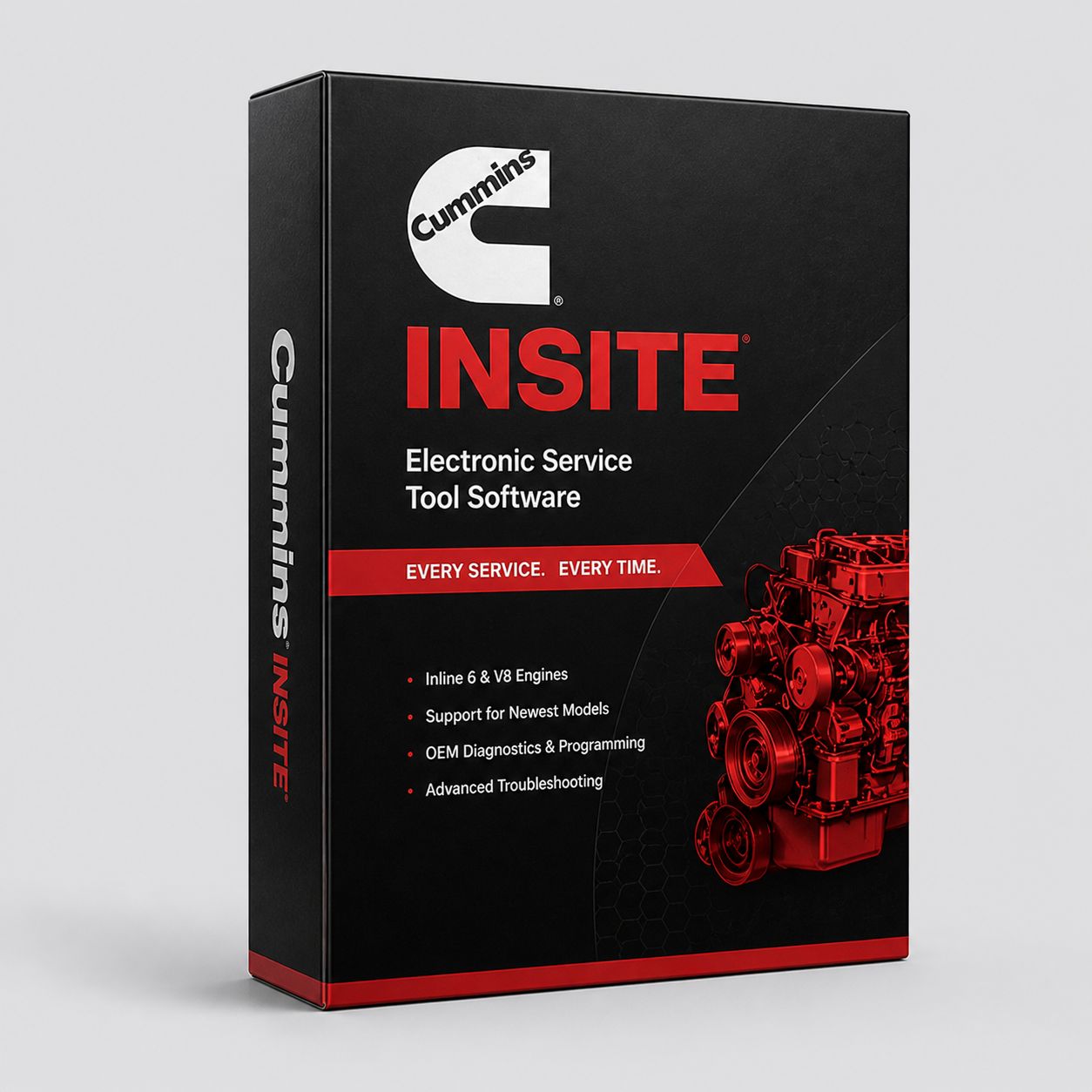
Cummins INSITE Pro Software (License Only)

$1 495.00
In stock
Share this product with your friends
Cummins INSITE Pro Software (License Only)
Product Details

Cummins INSITE Pro is the dealer-tier license for Cummins' OEM diagnostic software. It is the same software a Cummins dealer technician opens on his bay laptop when a truck rolls in for an injector replacement, a calibration update, a road speed change, or a derate threshold edit. Pro is the level you need when the job has to be finished in the bay rather than written up on a tow ticket and sent down the street to the nearest authorized service location. INSITE Lite reads codes, runs bidirectional tests, and triggers a forced regen. INSITE Pro does all of that and then writes back to the ECM — calibrations, parameters, and injector trim files. That write capability is the entire reason Pro exists, and it is the reason an independent shop, a fleet maintenance department, or a serious owner-operator pays for the higher tier.

This listing is the software license only. No adapter, no laptop, no bench. You provide the Windows 10 or Windows 11 PC and an RP1210-compliant adapter — Cummins INLINE 7, INLINE 8, NEXIQ USB-Link 3, or another supported datalink device. If you do not already have an adapter, or if you want a complete shop-floor setup, look at our INSITE Pro plus adapter package and our INSITE Pro plus Toughbook package. Both are bench-tested before they ship and come with the same phone support number listed at the bottom of this page.

The honest framing on Pro is this. If you are a fleet diagnostic tech whose job ends at the work order, Lite is enough. If you finish the job — pull the valve cover, swap injectors, button it back up, program the trim codes, clear the codes, and hand the keys back — you need Pro. The license does not make you a Cummins dealer, and it does not unlock every locked parameter that Cummins reserves for VIN-authenticated dealer access, but it covers about 90 percent of what a working repair shop runs into on a Cummins-powered truck or piece of off-road equipment. That last 10 percent is real, and we will be specific about what it is later in this listing so you do not buy the license expecting capabilities it does not include.

WHAT INSITE PRO DOES

Everything INSITE Lite does is included. Read and clear active and stored fault codes across the engine ECM and any Cummins aftertreatment controller present on the platform. Display live data with commanded versus actual pairs at the highest resolution INSITE supports. Run bidirectional component tests — cylinder cutout for finding a dead injector, EGR valve sweep, VGT actuator sweep, dosing valve test, injector solenoid test, fan clutch engagement test, intake throttle sweep on engines that have one. Trigger stationary forced regenerations on EPA 2010 and newer aftertreatment systems. Display Technical Service Bulletin information and the recommended calibration index for the connected ECM. View component-level wiring diagrams and pinouts for the harness sections INSITE has data for.

Pro adds the write-side functions. ECM reflash — pull the current calibration index off the engine, query Cummins Update Manager for available updates, download the calibration package, write it to the ECM, and verify the new index. Parameter programming — change the engine's stored configuration values for governor speed, governor droop, cruise droop, road speed governor, idle shutdown timer, PTO maximum and minimum speed, throttle lockout, derate enable thresholds, and dozens of other parameters depending on the specific engine and vocation. Injector trim coding — when you replace one or more injectors on a high-pressure common rail engine, you program the new injector's trim file (the QR code or barcode label that comes with the injector) into the ECM so the engine knows the exact flow characteristics of the new part. High-frequency snapshot recording during a fault occurrence — instead of one-Hertz snapshots that miss transient events, Pro can capture parameter values at much higher rates around a fault trigger so you can actually see what happened in the milliseconds before a code set. Calibration audit trail — every calibration written to the ECM is logged with a timestamp and the user who performed the flash, which matters when a fleet has to prove what was done and when. ECM security — Pro can set, change, and remove ECM passwords on platforms where Cummins permits the operation.

Pro is also the license tier that lets you run the Cummins ECM Recovery routine when an ECM ends up in a bricked state from a previous failed flash. Lite cannot recover a half-flashed ECM. Pro can, in most cases, when the underlying hardware is still good.

LITE VERSUS PRO — WHEN AN OWNER-OP OR SHOP NEEDS PRO

A Lite license is the right purchase for a tech who only diagnoses. A roadside service truck running emergency fault clearing and forced regens does not need Pro. A driver who wants to read and clear his own codes does not need Pro. A small fleet that hands the truck to a dealer for any flash work does not need Pro.

You need Pro the moment the work order says any of the following. Replacing one or more injectors on an ISX15, ISX12, X15, X12, ISL9, L9, ISB, B6.7, ISC, or any other Cummins high-pressure common rail engine — the new injector ships with a trim code that has to be programmed in. Without it the engine will run rough, the fuel quantity correction values will be wrong, and you will see complaints about misfire, white smoke at idle, hesitation, or excessive cylinder balance correction. Pro programs the trim code. Lite does not.

Updating an engine to the latest published calibration to address a Cummins TSB — for example, a calibration update that revises the dosing strategy on an X15 to fix a hard-to-clear SCR efficiency code, or a calibration that revises EGR cooler regeneration logic on an ISX15 to address coolant loss complaints. Pro pulls the recommended calibration from Cummins Update Manager and writes it. Lite reads the current calibration index but cannot change it.

Changing the road speed governor on a fleet truck — every fleet manager who buys used trucks runs into this. The previous owner had it set to 68 mph. You want it at 65 mph for fuel economy, or you want it at 72 mph because the previous setting was too restrictive for the driver who got hired. That is a Pro-level parameter change. Same story with idle shutdown timer changes when a vehicle moves from a fleet that allowed long idling to one that does not.

Editing PTO calibrations on a truck that has been re-bodied — a chassis came off the assembly line as a tractor and got built into a vocational truck with PTO equipment. The PTO maximum speed, minimum speed, ramp rate, and engagement throttle limits all need to be set correctly. Pro does that.

Adjusting derate enable thresholds in narrow circumstances — derate behavior on Cummins emissions-equipped engines is mostly federally mandated and will not be unlocked for editing, but certain non-emissions derate parameters can be adjusted on certain platforms with Pro. We will not pretend Pro will let you turn off an EPA-mandated derate. It will not.

Replacing an ECM and programming the new module to the engine — the ECM has to know which engine it is sitting on, which calibration to load, what the injector trim values are, and what the configurable parameters should be set to. Pro handles the new-ECM setup. Lite cannot.

Working any post-warranty Cummins engine in an independent shop — once the truck is out of warranty and the customer is not going back to the dealer, the shop that wants to keep the customer needs Pro. There is no other way to legally and reliably finish the work.

ECM REFLASH WORKFLOW — HOW IT ACTUALLY WORKS ON A BAY FLOOR

The reflash process on Cummins engines has been the same shape for years, with INSITE Pro v8 and the current v9 generation just refining the user interface. The steps are real and they matter, especially the cautions.

Before you start, the truck needs to be on stable shop power. That means the batteries are fully charged, an external charger is hooked up if the engine will not be running during the flash, and the shop air conditioning compressor or any other heavy intermittent load is not going to drop the line voltage on the bay outlet. A flash that gets interrupted mid-write because the ECM lost stable 12 or 24 volts is the most common way to brick an ECM, and ECM Recovery does not always succeed. Hook up a battery charger set to maintain mode. Do not use a boost charger. The voltage spikes from a boost charger have caused more than one bad flash.

Connect the RP1210 adapter to the J1939 nine-pin (or six-pin on older platforms running J1708/J1587) and to the laptop's USB port. Wired adapters are strongly preferred for reflash work — Bluetooth is fine for code reads and live data, but a flash session can last 15 to 45 minutes and a Bluetooth dropout in the middle of a write is exactly the failure mode you want to avoid. Turn the key on, engine off. INSITE will discover the connected ECM and display the current calibration code, the engine serial number, and the platform identifier.

Open the Calibration Selection or Calibration Workspace screen depending on your INSITE version. Pro queries Cummins Update Manager (which requires an internet connection at the time of the query) for available calibrations matching the connected ECM. The list shows what is currently on the ECM, what calibrations are recommended by Cummins for that ECM, and the change history of each calibration package. Read the change notes. A calibration update is not always something you want to push — sometimes a fleet has standardized on a particular calibration index for fleet uniformity reasons and the latest is not what the customer wants.

Select the target calibration. Right-click and choose Transfer to Device, or use the Transfer to ECM button on the toolbar. INSITE downloads the calibration package from Cummins (this happens on the first selection — subsequent flashes from the same workstation use the locally cached file). The Program Drive Download window opens. Confirm the operation. The ECM goes into bootloader mode and the flash begins. You will see a progress bar with discrete phases — typically erase, write, verify, and finalize. Do not unplug the adapter. Do not turn the key off. Do not let anyone start a welder or a tire balancer on the same shop circuit. Do not let the shop dog step on the laptop power cord.

When the Reflash Completed Successfully message appears, close the window. Cycle the key off, wait 30 seconds for the ECM to fully shut down, then key on again. INSITE will reconnect and the new calibration code should display. Verify it matches the calibration you intended to write. Read codes — sometimes a calibration change resets adaptive learning and a transient code or two will set on first key-on, and those can be cleared. Document the work. The calibration audit trail in Pro logs the change automatically; most shops also document on the work order with the previous calibration index, the new calibration index, the date, and the technician who performed the work.

If a flash fails mid-way, do not panic and do not power-cycle the truck repeatedly. INSITE Pro has an ECM Recovery function that can restart the bootloader and complete the write. In most cases this works on the first or second attempt. In rare cases the ECM hardware is genuinely damaged and a replacement module is needed — but this is uncommon if you took the power-stability precautions seriously.

PARAMETER PROGRAMMING

INSITE Pro lets you read and write the configurable parameter set for the connected engine. The exact parameter list depends on the engine platform and vocation. On a typical on-highway X15 or ISX15, the editable parameters include road speed governor (the actual speed cap, plus the soft and hard governor droop), cruise control speed limits, idle shutdown timer (with overrides for ambient temperature, battery state, PTO active, and remote PTO active), governor droop on the high-idle side, throttle lockout when in neutral, low-idle speed (within a permitted range), and various PTO parameters when PTO is configured.

Vocational engines — refuse, fire and emergency, mixer, dump, off-highway industrial — have additional editable parameters for the specific application. PTO maximum speed, PTO minimum speed, PTO ramp rate, PTO throttle authority, PTO governor type, PTO over-ride switch behavior, and remote throttle gain are all on the list for engines configured for vocational use.

Honest disclosure on what Pro does not unlock. Certain parameters require dealer-tier authentication beyond the Pro license. ZAP-IT password unlocks for VIN-locked features (mostly tied to OEM truck builder configurations on certain Paccar and Navistar chassis with Cummins engines), some warranty-protected parameter changes during the active warranty period, and a small number of emissions-related parameters that Cummins keeps under tighter control are not editable from a standard Pro license. If a customer brings you a job that requires one of those, the truck is going to a Cummins dealer. Pro is honest about this — when you try to write a locked parameter, it tells you the parameter is restricted and why.

INJECTOR TRIM CODING

This is one of the most frequent reasons a non-dealer shop buys Pro. Modern Cummins high-pressure common rail engines — ISB, B6.7, ISL, ISL9, L9, ISC, ISC8.3, ISX, ISX12, ISX15, X12, X15 — use individually trimmed injectors. Every injector that comes off the production line gets flow-tested at multiple pressure points and the deviation from nominal is captured as a trim code, printed on the injector body as a QR code (newer parts) or a numeric barcode (older parts). When that injector is installed in an engine, the trim code has to be programmed into the ECM against the cylinder it occupies. Without the correct trim code, the ECM commands fuel quantities based on nominal injector flow, and the actual flow varies by enough to cause noticeable cylinder imbalance, rough idle, white smoke, and in some cases active fuel quantity correction codes.

The workflow is straightforward in Pro. Connect to the engine, navigate to the Adjustments or Advanced ECM Data section depending on the platform, select High Pressure Common Rail Injector Setup (the menu wording varies slightly by engine family), and the screen shows the current trim codes for cylinders 1 through 6 (or 1 through 4 on the four-cylinder ISB). Type or scan the new injector's trim code into the field for the corresponding cylinder. INSITE validates the format — if the code is wrong length or contains invalid characters it will reject the entry. Save and write to the ECM. The ECM accepts the new code, and on key-cycle the engine will run on the corrected trim values.

If you replace all six injectors at once on an X15 or ISX15, you program all six codes in one operation. If you replace only one (sometimes done on warranty work where a single injector failed), you program only the one cylinder and leave the others alone. Either workflow is a 10-minute job in Pro once the mechanical work is done.

Lite cannot do this. There is no workaround. If you replace injectors and you only have Lite, the truck has to go to someone who has Pro, or you call us and ask about the Pro upgrade path.

ENGINE COVERAGE

INSITE Pro covers the full Cummins engine portfolio. On-highway: ISX15 and ISX12 (the long-running heavy-duty platform that ran from 2007 through the X15/X12 transition), X15 and X12 (the current heavy-duty platform from EPA 2017 forward), ISL9 and L9 (medium-heavy), ISL (legacy ISL pre-9-liter), ISC and ISC8.3 (medium-duty), ISB and B6.7 (the 6.7-liter Ram and chassis-cab platform plus medium-duty truck applications), ISM and M11 (legacy heavy-duty, still common in older trucks and refuse units), N14 (the workhorse mechanical and Celect-Plus N14 from the 1990s through early 2000s), ISC 8.3 / 8.9 / B5.9 legacy on-highway. Industrial and off-highway: QSB, QSC, QSL, QSM, QSX, QSK, plus the KTA series of large-bore industrial engines. Marine variants where Cummins shares the underlying ECM platform with on-highway. INSITE auto-detects the connected engine and loads the correct parameter table, fault code dictionary, and bidirectional test set for that platform.

Older mechanical engines without electronic controls (pre-Celect N14, mechanical NTC, mechanical 855, mechanical Big Cam) are obviously not covered — there is no ECM to talk to. Celect (early 1990s) and Celect-Plus (mid-1990s through early 2000s) are partially covered with limited parameter access. Most shops working those legacy electronics have a separate workflow for them.

ADAPTER COMPATIBILITY

Pro uses the same RP1210 adapter list as Lite. The supported list includes Cummins INLINE 7, Cummins INLINE 8 (the current Cummins-branded adapter, RP1210/RP1227 compliant, supports CAN at 250K, 500K, and 1Mb/s), Cummins INLINE 6 (older but still supported on most platforms), and the NEXIQ USB-Link 2 and USB-Link 3 (the USB-Link 3 is the current NEXIQ flagship, RP1210 compliant, and is the most common third-party adapter in heavy-duty shops). Other RP1210 adapters that ship with proper Cummins drivers will also work — Noregon DLA+ 2.0 and 3.0, DG Technologies DPA series, and Dearborn Group adapters in some configurations.

For reflash work specifically, prefer wired adapters over Bluetooth. The INLINE 8 has both wired and Bluetooth modes; use the wired mode for any flash session. The USB-Link 3 has both wired and wireless; same recommendation. A reflash that takes 25 minutes is 25 minutes during which a Bluetooth disconnect is going to ruin your day. Plug in the cable.

If you are not sure your existing adapter is on the supported list, call 800-399-9495 before you order. The INSITE Pro license is sub-typed (HD-only, MD/HD, MD/HD/Auto, off-highway, etc.) and the supported adapter and engine list varies slightly between sub-licenses. We would rather catch a mismatch on the phone than after shipping.

COMPUTER REQUIREMENTS

Cummins lists modest minimums — Windows 10 or Windows 11, 1 GB RAM, 2 GB hard disk space, USB 2.0 or higher port for the adapter, internet connection for activation and Cummins Update Manager. In practice you want more than the minimum. INSITE will run on a 4 GB consumer laptop, but the calibration package downloads can be large (a single calibration is typically 4 to 12 MB but the full INCAL DVD set can run several gigabytes), live data graphing benefits from more memory, and a slow spinning drive will turn calibration searches into a coffee break.

For shop-floor work the standard answer is a Panasonic Toughbook. CF-31, CF-53, FZ-55, and the newer Toughbook 40 series are all common. The reasons are not glamorous — the keyboard survives diesel fuel and grease, the screen reads in direct sunlight when you are doing yard work on a stationary unit, the magnesium case survives a bench drop, and the battery actually lasts long enough to do a flash without being plugged in. A Dell Latitude or Lenovo ThinkPad will run INSITE just fine in a clean office; a Toughbook will run INSITE on the bay floor for ten years. We sell both bare-license and Toughbook-bundled versions of INSITE Pro depending on what you need.

REAL-WORLD WORKFLOW EXAMPLES

Job one. Replacing all six injectors on a 2014 ISX15 in a long-haul tractor with 1.1 million miles. Customer complained of rough idle, hard hot-start, and intermittent active code 1893 (cylinder balance). Pulled the valve cover, removed the rocker assemblies, pulled the injectors. Three of the six were past spec on tip wear and one had a leaking nozzle. Installed six new genuine Cummins injectors, recorded the QR-coded trim files for each cylinder before installation. Reassembled, primed, started. Connected INSITE Pro, navigated to Advanced ECM Data, High Pressure Common Rail Injector Setup. Programmed each new trim code against the correct cylinder. Saved, wrote to ECM, key cycled. Started the engine — idle smoothed within 15 seconds as the ECM picked up the new trim values. Cleared codes, road tested for 20 minutes, no codes returned. Total Pro-specific time on the laptop: about 12 minutes.

Job two. Updating a 2019 X15 to the latest published calibration to address a TSB on dosing pressure regulation logic. Truck had been throwing intermittent SCR efficiency codes (SPN 4364, FMI 18) that would not clear permanently. Connected INSITE Pro, key on engine off, recorded the current calibration code. Opened Calibration Selection, queried Cummins Update Manager, found a recommended calibration two indices newer than what was on the ECM with change notes referencing the dosing pressure regulation revision. Hooked up a battery maintainer, confirmed shop power was stable, started the flash. Twenty-eight minutes later, write completed and verified. Key cycled, confirmed new calibration code, cleared codes, ran a parked regen as a final functional check. Released the truck. Three weeks later customer reported no recurrence.

Job three. Setting a road speed limit on a fleet of 12 used trucks coming into a regional carrier. Trucks had previously been governed at 72 mph by their previous owner. Carrier wanted them at 65 mph for fuel economy and insurance reasons. Drove each truck onto the bay one at a time, connected INSITE Pro, navigated to Configurable Parameters, Vehicle Speed Governor. Changed the maximum vehicle speed parameter from 72 to 65, also adjusted the soft droop to 1 mph and hard droop to 2 mph (so the engine starts pulling fuel at 64 and aggressively at 63). Saved, wrote to ECM, verified. Five-minute job per truck once the access cover and key were located.

COMMON CUMMINS FAULTS PRO LETS YOU FINISH IN-HOUSE

Active codes that Lite can diagnose but cannot close out — SPN 651-657 (injector solenoid circuit faults) when the fix is injector replacement, because the trim code has to be programmed after the new injector is installed. SPN 2791 (EGR position sensor) when the calibration index needs to be updated to the latest revision per a TSB. SPN 4364 SCR efficiency when the resolution is a calibration update on the dosing strategy. SPN 5246 derate active when a related calibration update is the recommended fix. Aftertreatment soot accumulation issues that resolve only after a parameter change to regen frequency on a vocational truck that was originally configured for highway duty. Hard-to-pass cylinder balance complaints after a rebuild where injector trim values were not programmed during reassembly. ECM replacement following a confirmed module failure — Pro programs the new ECM, writes the calibration, programs the trim files, and sets configurable parameters all in one session.

LICENSE AND SUBSCRIPTION REALITY

INSITE Pro is a 12-month subscription license. Read that twice. It is not a perpetual license, it is not a lifetime license, and there is no version of INSITE that Cummins legally sells without a renewal model. After 12 months the software reverts to read-only mode — you can still open it, you can still see what is on the ECM, you can still read codes — but the write functions are disabled until you renew. During the active subscription period you receive free updates through Cummins Update Manager, including INCAL calibration package updates which Cummins publishes approximately every two months.

The license activates online. Cummins ties the activation to a hardware fingerprint on the laptop where you install it. Moving the license to a new laptop is supported but requires a deactivation step on the old machine first — call Cummins or call us if you need to migrate.

Piracy warning. There is a thriving market in cracked INSITE installs sold on overseas marketplaces and obscure forums. They are pitched as "lifetime" or "perpetual" or "unlocked Pro Plus." They are illegal, they do not receive INCAL updates, they often ship with bundled malware that calls home to data-collection servers in countries you do not want your fleet diagnostic laptop talking to, and they will get a shop blacklisted from Cummins channel programs if discovered. We sell the legitimate Cummins-issued license. The price reflects what Cummins charges. There is no shortcut, and anyone offering one is selling you a problem you do not want.

WHAT IS STILL DEALER-ONLY

To be straight with you about Pro's limits. ZAP-IT password unlocks for VIN-locked configurations on certain OEM chassis builds — these are dealer-only by design and are not part of the Pro license. Certain emissions-related calibration packages flagged by Cummins as dealer-restricted — most calibrations are available through INSITE Pro and Update Manager, but a small number are gated behind dealer authentication and require a Cummins dealer to deploy. Warranty-period-locked parameter changes — during the active engine warranty, certain parameters cannot be changed by an independent shop without voiding the warranty, even though Pro can technically write them. Calibration development — if you actually want to author new calibrations, modify base maps, alter emissions hardware behavior, or do real engineering-grade calibration work, that is Cummins Calterm, not INSITE. Calterm is a separate piece of software with separate licensing, separate training requirements, and separate ECM access at a much lower level than INSITE. INSITE Pro deploys and configures factory-published calibrations. It does not author new ones. Most shops do not need Calterm. Calibration engineers, fleet calibration specialists, and certain off-highway equipment manufacturers do.

FAQ

Can I reflash a 2025 X15 with INSITE Pro? Yes, when Cummins publishes a calibration package for that ECM. The current INCAL release as of early 2026 covers all production X15 ECMs through the current model year. Some very newest VIN-locked calibrations on certain late-2025 trucks may require dealer authentication for the first publish; those propagate to standard INSITE access shortly after.

What if the flash fails partway through? Pro has an ECM Recovery function. Most failed flashes recover on the first or second attempt. Do not power-cycle the truck repeatedly trying to "wake it up" — that is the wrong move. Keep the laptop connected, keep stable power on the truck, and run the recovery routine. If the underlying ECM hardware is damaged (rare if shop power was stable during the original attempt), a replacement ECM is the path forward.

Can I program any road speed limit I want? Within the range Cummins allows for the platform — typically a maximum somewhere between 55 and 90 mph depending on the engine and vocation. You cannot set a road speed limit of 120 mph on a long-haul tractor. The platform-specific maximum is enforced by the ECM regardless of what INSITE tries to write.

Do I have to be online to flash? Yes for the calibration query and download — Cummins Update Manager has to talk to the Cummins server to find available calibrations and to download them. Once a calibration is downloaded and cached locally, subsequent flashes of the same package can be done offline. Activation also requires online access.

What about the password-protected parameters I keep hearing about? Some parameters on some engines are protected behind a password tied to the OEM truck builder or to dealer authentication. Pro will tell you when you hit one. For most non-dealer shops, the parameters that matter for typical work — road speed, idle shutdown, PTO, governor, derate timing on non-emissions-related events — are accessible without a password.

Will INSITE Pro delete emissions hardware or DPF/SCR/EGR systems? No. INSITE Pro is a factory-authorized service tool and Cummins does not publish emissions-defeat calibrations. Anyone telling you that INSITE Pro can delete emissions is lying or is misrepresenting third-party tuning software (Calterm-derived or otherwise) as INSITE. Tampering with emissions controls is a federal violation and we do not sell tools that do it.

Does Pro work on legacy ISM and N14 Celect-Plus engines? Yes for the platforms with electronic controls that INSITE has data for. ISM is fully covered. Celect-Plus N14 is partially covered. Pre-Celect mechanical N14 is not — there is no ECM to communicate with.

WHY BUY INSITE PRO FROM HEAVY DUTY TRUCK DIAGNOSTICS

We are an authorized seller of Cummins INSITE licenses and INLINE adapters. The license you receive from us is the same license you would receive ordering directly from Cummins, with the same Cummins Update Manager access, the same INCAL update entitlement, and the same activation backend. The difference is that you can call us at 800-399-9495 and get a human who knows which sub-license you need for your engine mix, which adapter is going to give you the fewest headaches, and what to do when a flash misbehaves on a Friday afternoon. Phone support is included. Adapter compatibility verification before you order is included. Help with first activation and INCAL setup is included. Our shop has been doing this long enough that we have hit most of the failure modes ourselves and we will tell you about them before you do.

Call 800-399-9495 to confirm which INSITE Pro sub-license is correct for your engine coverage, whether your existing adapter is supported, and whether you need any of the bundled options.

All Cummins licenses are subject to applicable sales tax.

MANUFACTURER: Cummins MFG PART #: INSITE-PRO-LIC ITEM: CUM-INSITE-PRO