
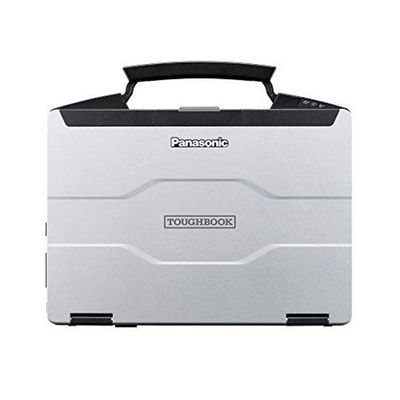
Refurbished Panasonic Toughbook FZ-55 (For Diagnostic Use)
Refurbished Panasonic Toughbook FZ-55 (For Diagnostic Use). See condition, specifications and configuration details.
Loading live price and purchase options…
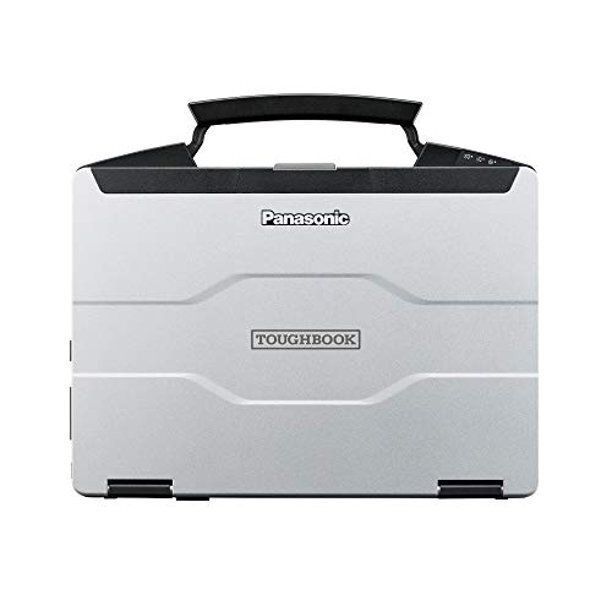
The refurbished Panasonic Toughbook FZ-55 is a shop laptop, plain and simple. We pre-test every unit, wipe and re-image with Windows 11 Pro, verify battery health, check the screen and keyboard, and ship it ready for whichever diagnostic platform your shop already runs. There is no diagnostic software pre-installed on this listing — you bring your own license for INSITE, DDDL, DAVIE, JPRO, Jaltest, TEXA, Allison DOC, Cat ET, or whatever combination your bay actually uses. The FZ-55 is the host machine; the licenses you already paid for are the brains.
This unit is sold under our Cummins category because so many shops first reach for a Toughbook when their INSITE laptop dies, but the FZ-55 itself is not a Cummins-only machine. It is a multi-platform diagnostic workstation. Run Cummins INSITE Lite or INSITE Pro on it in the morning, plug into a Detroit DD15 with DDDL after lunch, hop on a PACCAR truck with DAVIE in the afternoon, and finish the day on a Cojali Jaltest universal scan of an off-highway machine. One laptop, one Windows 11 Pro install, every brand the shop services. That is the use case.
We sell these to three kinds of customers. The first is a shop whose existing diagnostic laptop is starting to die — the fan is screaming, the USB ports are flaky, the battery only holds twenty minutes, the screen has a flicker. Rather than replace it with another consumer laptop that will fail in the same way, the shop picks up a refurbished FZ-55 and transitions licenses over on the next renewal. The second is a shop standing up a second bay station so two technicians are not fighting over the same laptop during a busy week. The third is the owner-operator or small mobile service truck where the operator wants a real rugged laptop without paying full retail for a new one. If you fit any of those buckets, this listing is for you.
About the Refurbished Panasonic Toughbook FZ-55
The FZ-55 is Panasonic's current-generation semi-rugged business laptop, the direct successor to the long-running CF-54 line. It is the laptop you see riding shotgun in service trucks, sitting on a tech's roll-cab, or strapped to a creeper while a tech reflashes an aftertreatment ECU. It is the laptop airline maintenance crews carry, that police cruisers run, that utility line crews bring up the bucket. The reason it lives in all of those environments is the same reason it lives in a diesel shop — it is built to keep working when consumer hardware would have already given up.
The chassis is magnesium alloy, not plastic. Magnesium absorbs impact differently than ABS — instead of cracking, it flexes and dissipates energy. The keyboard is spill-resistant and backlit, with a sealed deck that drains liquid through internal channels rather than letting it pool around the keys. The keyboard and touchpad area carry an IP rating against dust and splashing water. The whole unit carries an IP53 ingress rating overall, which means dust and wind-driven splash do not put it out of service. Port covers seal the I/O when you are not plugged in, which keeps grit and metal shavings out of the connectors — a real failure mode in shops that grind, weld, or work around brake dust.
The FZ-55 is rated to MIL-STD-810H, the United States military durability standard. The drop rating is short drop, three feet (thirty inches), tested per MIL-STD-810H Method 516.8. That is bench-height. Bench-height is the height a laptop falls when a tech sets it on the fender, the truck rolls a quarter inch, and the laptop slides off. It is the height a laptop falls when it slips off a creeper or off the workbench. A consumer laptop dropped from bench-height is usually a write-off. The FZ-55 is engineered to take that drop, get picked up, and keep working.
Operating temperature is rated 0 degrees C to 50 degrees C, which is 32 degrees F to 122 degrees F. That covers an unheated northern bay in February and a south Texas yard in August. The display is anti-glare and offered in a high-brightness configuration up to 1,000 nits, which is roughly three times what a typical office laptop pushes. In practice, that means you can take the laptop outside next to a truck in direct sun, look at a fault tree on the screen, and actually read it without cupping your hand around the bezel. The display also dims down to extremely low levels for night work, useful when you are standing on a roadside or working an after-hours call where you do not want to flood the cab with screen glow.
Full Spec Walkthrough
Processor class on current production FZ-55 units is Intel Core i5 or Core i7, vPro-enabled, drawn from the recent Intel generations Panasonic has shipped through the MK1, MK2, and MK3 production runs. Refurbished inventory rotates by what is available — when you call, we will tell you exactly which CPU generation is in the unit you are buying. Every CPU in this listing is plenty of horsepower for diagnostic software. INSITE, DDDL, DAVIE, Jaltest, TEXA, JPRO — none of those are CPU-bound on a modern Core i5. Where laptops fall down on diagnostic work is rarely the processor; it is RAM, storage, and I/O stability.
RAM on the FZ-55 ships in a typical 16 GB configuration, with units configurable up to 64 GB depending on the build. Sixteen gigabytes is the sweet spot for diagnostic work — it lets INSITE, DDDL, and a browser all sit open at once without paging to disk. Storage is solid-state, typical configurations between 256 GB and 512 GB, with capacities up to 2 TB available on higher specs. Solid-state storage matters in a shop because spinning hard drives do not survive vibration. Every drive in our refurbished FZ-55 inventory is SSD or NVMe.
The display is fourteen inches, anti-glare, with a Full HD 1920 by 1080 panel. Multi-touch versions are common in the refurb pool, which is genuinely useful when you are standing next to a truck and do not want to fish a mouse out of your pocket. The high-brightness panels in the FZ-55 line measure roughly 900 to 1,000 nits in independent testing — the sunlight-readable spec is real, not marketing.
Ports are where the FZ-55 separates itself from any consumer laptop you can buy at a big-box store. Standard configuration includes multiple USB-A ports, USB-C (Thunderbolt 4 on MK2 and later, with power delivery), full-size HDMI capable of 4K output, and a real RJ-45 gigabit Ethernet jack — not an adapter, the actual port. Audio in and out are present. SD card reader. Most importantly for diagnostic work, the FZ-55 is offered with an optional true serial COM port, a real D-sub 9-pin RS-232. A lot of legacy RP1210 adapters and older OEM adapters still talk over serial, and a USB-to-serial dongle is the number-one source of "the adapter dropped mid-flash" support calls. The FZ-55 with the serial port option just works. If your shop runs older Cummins INLINE 5, older Cat Comm Adapters, or any of the legacy chassis-control adapters, ask about the serial-port variant when you call.
Battery configuration is the FZ-55's signature feature. Every unit has a primary user-removable battery. The FZ-55 supports an optional second battery in a hot-swap configuration — both bays accept the same battery, and you can swap one out without shutting the machine down or putting it to sleep. In service that means a tech can run the laptop on Battery A all morning, swap a freshly charged Battery B into the second bay over coffee, and never see a dead battery on a roadside call. Real-world runtime varies with load and screen brightness, but a single battery comfortably covers a half-day of typical diagnostic work, and the dual-battery configuration extends that into a full shift for mobile techs.
Weight is approximately 4.6 pounds for the standard HD model and approximately 4.9 pounds for the touchscreen model — heavier than an ultrabook because there is real metal and real protection inside, but light enough to carry up into a cab one-handed. The footprint fits comfortably on a fender, on a passenger seat, or in the lid of a service truck toolbox.
The Refurb Process — What "Refurbished" Actually Means Here:
There is a wide range in the used-laptop market between machines that are truly refurbished and machines that are simply wiped and resold. We do the first, not the second. Every FZ-55 we ship through this listing has been through the same workflow:
Hardware test. Every port gets a known-good device plugged in. Every USB-A and USB-C port. The HDMI port. The Ethernet jack. The serial port if equipped. The audio jacks. The SD slot. Webcam test. Microphone test. Keyboard test, every key, every modifier. Touchpad test. Touchscreen test if equipped. Display test for dead pixels, backlight bleed, and panel uniformity. Battery health check — the unit either passes the threshold or gets a replacement battery before shipping.
Cleaning. Keyboard, screen, port covers, hinges, exterior. Compressed-air cleaning of the cooling intakes. Magnesium chassis is wiped down. Nothing reaches you with the previous owner's grit on it.
Re-image. The drive is wiped, not just reformatted. A clean Windows 11 Pro image is installed, with the appropriate drivers for the exact FZ-55 model and CPU generation in your unit. Updates are run before the unit ships, so it does not arrive and immediately spend ninety minutes on Windows Update. The Windows license is genuine and tied to the hardware.
Cosmetic grading. The honest description of what you should expect: typical light wear consistent with previous business or fleet use. Minor scuffs on the lid or palm rest are normal on refurbished business equipment. Screens are tested for any defects that affect usability. We do not sell units with cracked bezels, broken hinges, or dead pixels in viewable areas.
Shop warranty. Ninety days against defects. If the unit fails to function within ninety days from delivery for any reason that is not user damage, call us and we will make it right.
Refurb vs. New — The Honest Tradeoff:
A new FZ-55 from Panasonic with a typical diagnostic configuration runs in the mid- to upper-$2,000s depending on options, and comes with a Panasonic three-year manufacturer warranty. That warranty is real and it is good — Panasonic backs Toughbooks well. If you are a fleet shop with a procurement department, an extended-warranty budget, and a five-year refresh cycle, buying new makes sense.
A refurbished FZ-55 at our $1,495 price saves you roughly a thousand to fifteen hundred dollars depending on the new-unit configuration you would otherwise have bought. The tradeoff is the warranty length. Instead of three years from Panasonic, you get ninety days from us. For owner-operators, small independent shops, second-bay stations, and mobile service trucks, that tradeoff is the right call more often than not. The math is simple — the savings on a single laptop pay for two replacement batteries down the road, or pay for the INSITE Pro renewal, or pay for the Jaltest annual subscription. A shop that runs one or two diagnostic laptops does not need three-year manufacturer coverage; it needs a working laptop on the bench Monday morning at a price that does not blow up the tooling budget.
We are not going to pitch refurb as the answer for every customer. If you run a fleet of fifty service trucks and need synchronized warranty coverage, buy new. If you are a one-truck mobile service operation, a two-bay independent diesel shop, or a tech standing up a backup laptop because your main one is on borrowed time, refurb is the smart move.
Why Toughbooks Survive Shop Bays vs. Consumer Laptops:
The reason the Toughbook line exists is that consumer laptops do not survive industrial environments. This is not a marketing claim; it is what shop owners have lived for years. A consumer-grade Dell, HP, or Lenovo dropped onto a fender, exposed to diesel exhaust, sat next to a parts washer, knocked off a creeper, splashed with coolant during a flush, or simply left running on a bench during welding will, on average, last twelve to twenty-four months. That is the working figure most shop owners report. The hinges crack. The USB ports loosen. The fan packs up with brake dust and overheats. Coffee gets spilled on the keyboard and the laptop is done.
Industry data backs this up. Independent studies on rugged versus standard notebook lifecycles show standard notebooks getting replaced on average every 3.9 years across all environments, while rugged notebooks average 4.8 years — and that gap widens dramatically in harsh environments like service bays, where a rugged unit can run five or more years and a consumer unit often does not finish its second year. When you do total-cost-of-ownership math — purchase price plus replacement cycles plus the opportunity cost of a dead laptop in the middle of a job — the refurbished Toughbook wins.
The specific failure modes the FZ-55 is designed against, in shop terms:
Diesel and shop-air exposure. Consumer laptops pull bay air directly into the cooling system. Over a year, that fills the heatsink with a film of diesel particulate, brake dust, and shop grit. Toughbook chassis routes airflow more conservatively and the magnesium body shrugs off airborne contaminants that would etch a plastic palm rest.
Vibration. Air tools running near a laptop generate vibration that destroys hard drives and works connectors loose. The FZ-55 ships with SSD storage and uses sealed connectors with port covers.
Drops. Bench-height drops happen. Creeper drops happen. Climbing in and out of cabs with a laptop in hand happens. The MIL-STD-810H short-drop spec is exactly the kind of fall the FZ-55 is engineered to take.
Spills. Coffee, coolant, oil, washer fluid. A consumer keyboard pools liquid against the membrane and the laptop is done in minutes. The FZ-55 keyboard is sealed and drains.
Temperature swing. An unheated bay in winter can drop below freezing overnight and a south-facing summer shop can hit triple digits. The FZ-55 is rated to operate from 32 F to 122 F.
A consumer laptop expected life in a working bay is twelve to twenty-four months. A Toughbook FZ-55 routinely runs five-plus years. That is the durability gap, and it is the entire reason this listing exists.
Diagnostic Software Compatibility
The FZ-55 runs every major heavy-duty diagnostic software platform on the market today. The list:
- Cummins INSITE Lite and INSITE Pro
- Detroit Diesel Diagnostic Link (DDDL) Professional
- PACCAR DAVIE 4 / DAVIE 5
- Volvo / Mack Premium Tech Tool (PTT)
- Cat Electronic Technician (Cat ET)
- Allison DOC Premium / Fleet
- Eaton ServiceRanger
- Bendix ACom and ACom Pro AE
- WABCO / ZF TOOLBOX PLUS
- Noregon JPRO Professional
- Cojali Jaltest CV / OHW / AGV / Marine
- TEXA IDC6 Truck (PC version)
- Autel CV / MaxiSys CV Suite via MaxiFlash bridge
- International ServiceMaxx Pro and Fleet
- Hino DX, Isuzu IDSS, UD Quon Diag
- Most other RP1210-compliant softwares
The FZ-55 ships with Windows 11 Pro, which is the supported Windows version for current releases of all of the above. Older legacy software that needs Windows 10 or even Windows 7 compatibility can typically run via vendor-supplied compatibility modes, virtual machines, or downgrade rights — call us if you need a specific configuration and we will tell you what is doable.
Adapter Pairing
Diagnostic software is half the equation; the adapter is the other half. The FZ-55 is set up to pair cleanly with every common heavy-duty adapter in the field. Confirmed working pairings:
- Cummins INLINE 8 (USB and wireless)
- Cummins INLINE 7 / INLINE 6 (legacy)
- NEXIQ USB-Link 3 (and USB-Link 2 legacy)
- Noregon DLA+ 3.0 / DLA+ 2.0
- Cojali Jaltest Link V9
- TEXA Navigator TXTs and Nano S
- Cat Communication Adapter 3 and 4
- Allison DOC adapters
- Bendix RP1210 adapters
- Eaton ServiceRanger adapters
- Most Bluetooth and Wi-Fi adapters with Windows 11 drivers
The FZ-55's USB-A and USB-C ports are stable under sustained adapter load — the kind of load you put on them during a long ECU reflash. This stability is one of the practical reasons techs prefer the Toughbook to a consumer laptop. A flaky USB controller mid-flash can brick a control module. The FZ-55's port stack is engineered for industrial duty cycles.
License Implications — Read This Before You Buy:
Most OEM heavy-duty diagnostic licenses are machine-locked. INSITE, DDDL, DAVIE, Cat ET, and others tie your license seat to the specific laptop where you activate it. When your old laptop dies, the FZ-55 becomes the new licensed laptop on next activation. That transition is straightforward in most cases, but there are a few honest notes you should know up front:
Some OEMs charge a license transfer fee when you move a license from a dead or retired laptop to a new one. Cummins, Detroit, and PACCAR each have their own policies and the fees vary. None of them are huge, but they exist. Plan for a small administrative cost when you transition.
Some OEMs require the old machine to be deactivated before the new machine is activated. If your old laptop has already failed and cannot boot, contact the OEM's diagnostic support line — they have processes for orphaned licenses. We can talk you through the typical process when you call.
Subscription-based licenses (Jaltest, TEXA, JPRO, Autel) are usually tied to your subscription account rather than locked to a machine. Those move clean — install on the FZ-55, log in, you are running.
If you would rather have us pre-install your software and walk you through transferring your license keys, we offer software bundles that include the FZ-55 plus an installed and verified diagnostic suite. Call us and we will spec a package.
Real-World Use Cases
The shop replacing a dying Toughbook CF-31. A lot of shops are still running CF-31s — those are great laptops, but they are 7th-gen Intel and increasingly out of step with current diagnostic software updates. The FZ-55 is the natural successor in the Toughbook line. License transitions from CF-31 to FZ-55 are well-trodden ground. If you are running a CF-31 today and feeling the lag in current INSITE or DDDL releases, the FZ-55 is the upgrade.
The mobile service truck setup. Mobile diesel techs live out of the truck. A laptop bouncing around the cab of a service truck for 250 days a year is a lot of vibration and a lot of climate cycling. Consumer laptops do not last in that environment. The FZ-55, with the dual hot-swap battery option, is purpose-built for it — swap a fresh battery between calls, work the next ECU off shore power once you are stationary, and the laptop simply does not die on you.
The owner-operator upgrading from a consumer laptop. An owner-op who runs INSITE Lite for self-service on a single Cummins-powered truck does not need a three-thousand-dollar new Toughbook. A refurbished FZ-55 at $1,495 hits the right value point — real durability, real ports, real serial connectivity if needed, at a price that does not require financing.
The second-bay station. A growing shop that has run one diagnostic laptop and started bumping into scheduling conflicts (two trucks down, one laptop) buys a second FZ-55 to stand up a second bay station. License purchase is a separate decision; the laptop itself is the easy part.
Battery Reality
The hot-swap dual battery is one of the FZ-55's best practical features and worth a real explanation. The unit has two battery bays. The same battery part fits either bay. With both bays loaded, the laptop draws from one battery first, then automatically transitions to the second when the first is depleted — without you doing anything. When you see one battery low, you can pull it out (the other battery is keeping the system live), drop in a freshly charged unit, and the system never sees an interruption.
In a shop that means you can have a charging dock with two spare batteries and rotate them through the laptop indefinitely. In a service truck that means a full shift on battery without ever shutting down. Single-battery runtime depends on load and screen brightness, but expect comfortably four to seven hours under typical diagnostic use, and more with the screen dimmed. Dual-battery runtime extends that into a full work shift.
If your unit ships with the second battery bay populated, we will tell you. If not, second batteries are readily available aftermarket and we can quote one on the same order.
FAQ
How long do refurb Toughbooks really last?
Honest answer — five years of active shop use is realistic for a refurbished FZ-55 that was already gently used before you got it. Some run longer. The biggest variables are battery cycle count, which is replaceable, and SSD lifespan, which is also replaceable. The chassis, the keyboard, the display, the ports — those are the parts that age, and they age well on this platform.
What if the screen has a dead pixel?
We test for dead pixels before shipping. Units with dead pixels in viewable areas do not go out under this listing. If a pixel fails within the ninety-day warranty, call us and we will work it out.
Will my INSITE license transfer over?
In most cases, yes. Cummins INSITE supports license transfer between laptops. There is typically an administrative process and sometimes a small fee. If your old laptop is dying but still boots, deactivate the license there first; if it has already failed, call Cummins diagnostic support and they have a procedure for that. We can walk you through the typical sequence when you call us.
Why not just use a regular Dell or HP?
Cost up front, yes — a consumer Dell or HP will be cheaper at the register. Cost over time, no. Consumer laptops in shop environments fail at twelve to twenty-four months. Toughbooks run five-plus years. You also lose the serial COM port option, the spill-resistant keyboard, the magnesium chassis, the high-brightness display, the dual hot-swap battery, and the IP-rated keyboard deck. For a tech who depends on the laptop to make a living, the math favors the Toughbook even before you factor in the lost-revenue cost of a laptop dying mid-job.
What's the warranty look like?
Ninety days against defects from us. That covers any unit failure that is not user damage — port failure, keyboard failure, display failure, charging failure, anything that is the laptop's fault rather than yours. Battery health is verified pre-ship and covered under the same warranty. Extended warranty options are available — call to discuss what makes sense for your situation.
Can I add my own RAM and SSD?
The FZ-55 has user-accessible service panels and supports RAM and SSD upgrades. If you ordered a 16 GB / 256 GB unit and want to bump to 32 GB or swap to a 1 TB SSD down the road, that is doable. Call us before you start, and we can tell you the exact part numbers compatible with your specific MK1, MK2, or MK3 unit.
Does it run older Windows 7 software?
Some legacy software that requires Windows 7 can run on Windows 11 Pro via vendor-supplied compatibility modes or via a Windows 7 virtual machine. If you have a specific older title you need to keep alive, call us — we will tell you whether it is realistic on this hardware.
What's in the box?
The refurbished FZ-55, the OEM power adapter, the primary battery installed, and our 90-day warranty card. Diagnostic software is not included on this listing — bring your own license. If you want a software-plus-laptop bundle, we sell those separately, see our INSITE plus Toughbook packages.
Why Buy a Refurb Toughbook From Heavy Duty Truck Diagnostics
We are a heavy-duty diagnostic shop first, a laptop reseller second. We sell INSITE, DDDL, DAVIE, JPRO, Jaltest, TEXA, and most other major diagnostic platforms. We install them on FZ-55s every week. When you buy this laptop from us and call with a software question, you are not getting a generic computer-store helpdesk — you are getting somebody who actually runs the same software on the same hardware on a daily basis. Free phone tech support at 866-217-0063 is part of the deal. If you bought your INSITE or DDDL license from us, we will help you install it on the FZ-55 at no extra charge. If you bought your license elsewhere, we will still walk you through the typical installation and licensing flow on a courtesy basis.
Every unit is bench-tested before shipping. Every unit ships with Windows 11 Pro installed and updated. Every unit ships with the OEM Panasonic power adapter, not a generic replacement. Every unit ships from a US warehouse with US-based phone support behind it. We do not drop-ship and we do not run a margin-thin reseller flip — we touch every laptop before it leaves.
Call 866-217-0063 with any questions about specific FZ-55 model variants (MK1 vs MK2 vs MK3), CPU generation, port configurations including the optional serial COM, RAM and SSD capacities currently in stock, or to spec a complete diagnostic kit with software pre-installed and licensed. We can quote a bundle on the call.
Sales tax applies in Minnesota only. All other states ship tax-free.
MANUFACTURER: Panasonic MFG PART #: FZ-55 (refurbished) ITEM: TB-FZ55-REFURB