• Expert Support
  • Dealer Solutions

Shop JPRO Diagnostic Tools

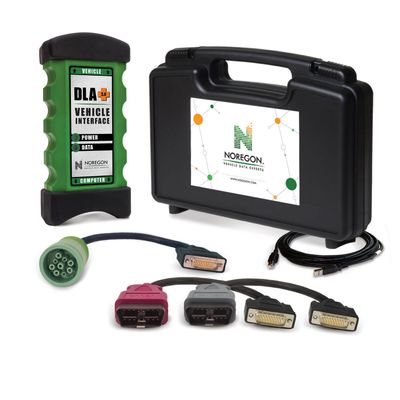
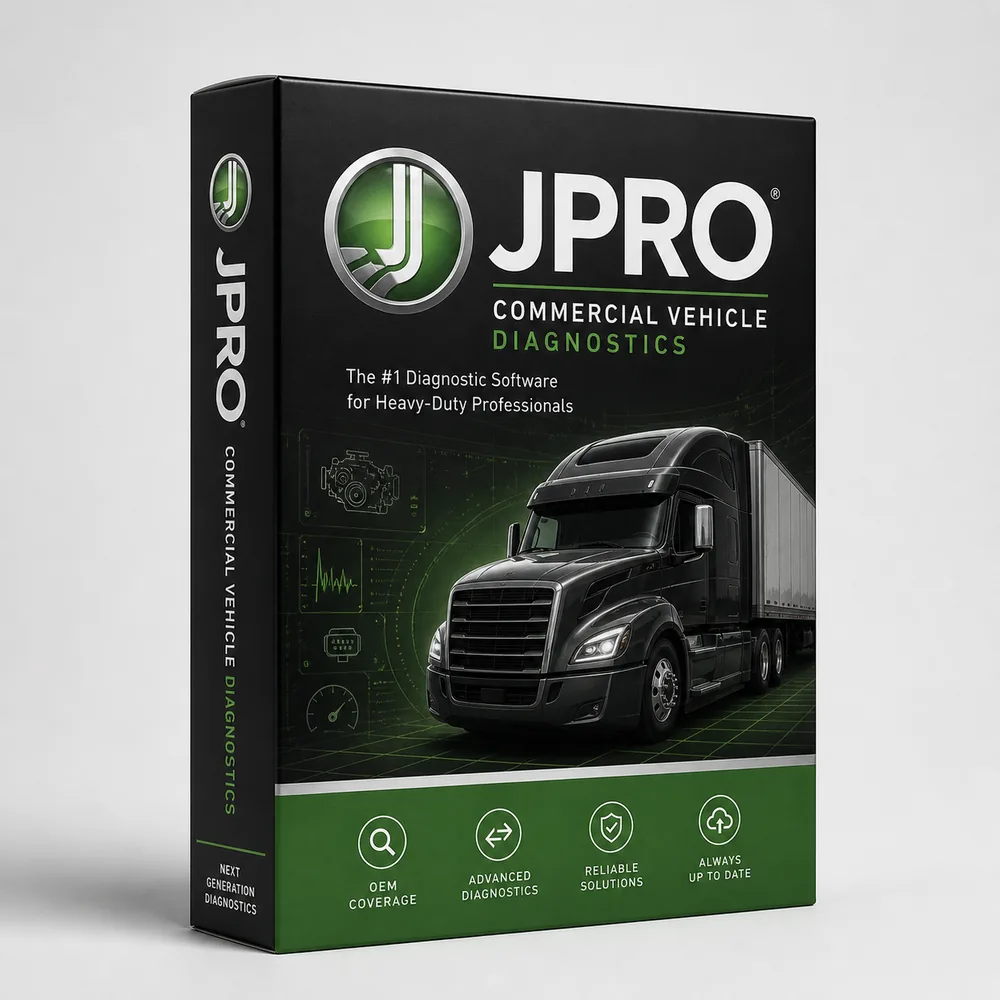
Noregon JPRO Professional is one of the strongest aftermarket multi-brand diagnostic platforms in North America. JPRO ships with the Noregon DLA+ 3.0 XBT (Bluetooth) datalink adapter — the current generation — and covers the full HD on-highway lineup: Cummins, Detroit, PACCAR, Volvo/Mack, International (including A26), and Cat. JPRO also covers trailer ABS, body modules, and Allison transmissions through one connection.

  • All-Makes HD Coverage
  • DLA+ 3.0 XBT Bluetooth
  • Strong on Cummins & Int'l
  • Repair Mentor Guidance
Professional DiagnosticsOEM-level capabilities for commercial trucks, buses, ag, construction & more.
Expert SupportU.S.-based technicians with dealer and fleet experience ready to help.
Ready-to-Run KitsPreconfigured software with everything you need to get up and running fast.
Financing Available0% APR options available on qualifying orders over $1,500.

Featured JPRO Products

View All JPRO Products →
Why Choose JPRO?

  • Comprehensive vehicle coverage
  • OEM-level diagnostics & programming
  • Regular software updates & releases
  • Rugged hardware built for the shop
  • Backed by HDT expert support
OEM-Level Diagnostics
Wide Vehicle Coverage
Bi-Directional Controls
Programming & Coding
Active Software Updates
Trusted by Professionals

Shop JPRO by Category

Find the Right JPRO Tool

Answer a few quick questions and we'll help you find the best tool for your shop's needs.

  • Personalized Recommendations
  • Expert Guidance
  • Fast & Easy

Trusted by Shops & Fleets Nationwide

★★★★★

"JPRO gives us the coverage and reliability we need. HDT support is second to none."

Mike R.Diesel Tech — Midwest Fleet
★★★★★

"The software is powerful and easy to use. Programming and diag in one platform saves us time and money."

James T.Shop Owner — Texas
★★★★★

"HDT's ready-to-run kit had everything we needed to get started right out of the box."

Sarah L.Fleet Manager — California
★★★★★

"Great tools, great support, and fast shipping. Our go-to for heavy duty diagnostics."

David P.Lead Tech — Florida

Powerful Diagnostics. Proven Performance.

Engine Diagnostics
Transmission Diagnostics
ABS & Brake Systems
DPF & Emissions Regeneration
Bi-Directional Controls
Calibrations & Programming
Parameter Changes

Capabilities vary by tool, software license, vehicle, and manufacturer requirements. Contact HDT to confirm compatibility.

Expert Phone SupportU.S.-based technicians
Setup & Training HelpGet started with confidence
Fast ShippingOrders ship same day
Warranty & SupportBacked by HDT
0% APR FinancingOn qualifying orders

If your bays see a steady mix of Cummins, Detroit, PACCAR, Volvo, Mack, and International all week long, JPRO Professional is the platform most working diesel shops in the U.S. land on first. Noregon built JPRO around the engines and chassis American fleets actually run, and that focus shows. You connect, the truck reads fast, the fault list comes in clean across every module on the J1939 bus, and the bidirectional tests you actually need on the floor — forced regens, injector cutouts, cylinder cutouts, EGR valve actuation, DEF doser tests, parking brake releases — are where you expect them.

JPRO is not trying to be everything to everyone. It is not the deepest tool on a Scania, an Iveco, or a CAT D11 dozer. It is the deepest aftermarket tool on the U.S.-domestic on-highway fleet, and that is the trade Noregon has made deliberately for almost two decades. For an independent shop in Tennessee or a fleet maintenance manager running 80 mixed-spec sleepers out of a yard in Indiana, that trade is the right one most of the time.

This page covers what Noregon ships, where JPRO genuinely wins, where it has limits, what the renewal conversation looks like in year two, and what kit your shop actually needs. We sell the full lineup — software, DLA+ adapters, Next Step add-on, kits with rugged laptops — and we answer the phone at 866-217-0063 when you have questions before or after the box ships.

Who Noregon Is

Noregon Systems is headquartered in Greensboro, North Carolina. The company has been around since 1993, originally doing data communication engineering for the heavy truck industry — which is why so many of the diagnostic adapters, J1939 protocol stacks, and RP1210 drivers in this industry trace back to Noregon's engineering. JPRO Professional itself first shipped in 2008, and Noregon has put out a major version revision every year since.

The reason that history matters when you're choosing a diagnostic platform: Noregon writes the underlying communication layer themselves. They are not licensing a third-party J1939 stack and bolting a UI on top. When a 2025 Volvo VNL on the new VN4 architecture comes into your shop with a chassis CAN issue and the bus is unstable, JPRO is reading the same wire your Cummins INSITE seat reads — and Noregon's own engineers fix bus-handling bugs in the field updates. That tight coupling is why JPRO tends to connect on trucks where other aftermarket tools time out.

U.S.-based engineering also means U.S.-based phone support. When a tech is under a truck at 4:30 PM on a Friday and the regen won't initiate, the support line in Greensboro picks up and the person on the other end has actually run the software. That is not a small thing. Anyone who has spent 40 minutes on hold with overseas support on a different platform knows exactly what we mean.

The JPRO Lineup

Noregon sells JPRO in a few distinct product lines. They are not interchangeable, and the names get mixed up by resellers, so here is the clean version.

JPRO Professional is the core diagnostic software. It reads every module on the truck, displays faults with descriptions in plain English, runs bidirectional tests, performs forced regens, and graphs live data. This is what 95% of shops are buying when they say they want JPRO. It is sold as an annual subscription, and you pair it with a Noregon DLA+ datalink adapter to actually talk to the truck.

JPRO Next Step (sometimes badged Next Step Repair, Fault Guidance, or Repair Mentor depending on the model year) is an add-on layer that sits on top of JPRO Professional. When you have an active fault, Next Step walks the tech through a step-by-step troubleshooting tree. It tells you which connector to inspect, which pin to back-probe, what voltage you should see, and what to do based on the answer. It pulls in OEM-style wiring diagrams and component locations. For a junior tech or a shop that does not see a particular code often, Next Step pays for itself the first time it keeps a truck out of the dealer.

JPRO Fleet Services is the package designed for fleet maintenance operations rather than independent repair shops. It typically includes site licensing, multi-user accounts, and integration with fleet maintenance management software. If you are running 25+ trucks and have your own shop, this is the SKU to ask about — the per-seat math gets better than buying individual JPRO Professional licenses.

TripVision is Noregon's telematics and remote diagnostics product. It is not a scan tool — it is a fleet-side dashboard that pulls live fault data, J1939 parameters, and aftertreatment status from telematics gateways already in the truck (Geotab, Orbcomm, CalAmp, EnVue, and others). TripVision presents a calculated health score per vehicle, ranks faults by severity, includes ASE-written action plans for each fault code, and can predict when a soft fault will harden into a roadside breakdown. Fleets running TripVision use it to dispatch trucks to the right shop with the right parts before the driver calls in. JPRO Professional and TripVision are sold separately but talk to each other — a fleet manager can flag a truck in TripVision and the shop tech sees the same fault history when they plug in JPRO at the bay.

Where JPRO Wins

The honest answer to "what is JPRO best at" is U.S.-domestic on-highway aftermarket coverage. Specifically:

Cummins — ISB, ISC, ISL, ISM, ISX, X12, X15, B6.7, L9. JPRO reads and clears fault codes across all of these, runs DPF stationary regens from EPA 2007 forward, performs cylinder cutout tests, actuates the EGR valve, and graphs injector quantity correction. For deep ECM work — injector trim files, calibration changes, replacing an ECM — you still need Cummins INSITE. JPRO does not replace INSITE for that work. It does replace it for everything that happens in a service bay.

Detroit Diesel — Series 60, DD13, DD15, DD16, DD5, DD8. JPRO handles forced service regens, aftertreatment diagnostics including the DEF doser and SCR system, fuel system tests, and clutch calibration on Detroit DT12 transmissions. Again, for ECU calibration changes and parameter writes, you'll still need Detroit Diesel Diagnostic Link (DDDL). For everything else, JPRO does the job.

PACCAR MX-11 and MX-13 — fault reading, regens, doser tests, EGR actuation. Davie4 still owns reflash and parameter changes on PACCAR engines, but JPRO covers the diagnostic and bidirectional work.

Volvo and Mack — D11, D13, D16, MP7, MP8, MP10, including the new VN4 architecture trucks Noregon added emissions fault and data coverage for in the recent update. JPRO can actually do parameter changes on Mack and Volvo, which is a notable strength — most aftermarket tools can't.

International — N9, N10, N13, A26, MaxxForce 7/13, including the older problem-child engines. JPRO has carried solid International coverage for years and gets aftertreatment work done.

Allison transmissions — full diagnostic coverage including clutch fill tests, shift solenoid actuations, and fluid life resets.

Aftertreatment — this is where JPRO has spent a lot of engineering time, and it shows. DEF quality testing, NOx sensor diagnostics, SCR efficiency calculations, DPF soot and ash load monitoring, doser injector flow tests, and crystallization recovery procedures all work cleanly. If your shop sees a steady stream of CELs and check-engine-light tickets driven by emissions faults — and most shops do — JPRO is going to pay for itself faster than a generalist tool.

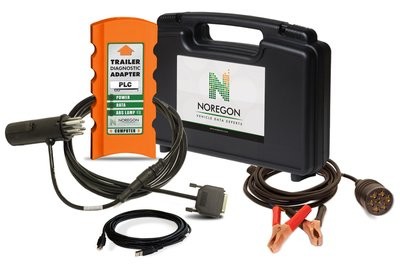
Body and chassis modules — instrument clusters, ABS (Bendix and Wabco), trailer ABS through power line carrier, body controllers, HVAC, lighting modules. JPRO talks to most of them on most U.S. trucks.

Next Step guided diagnostics — when JPRO sees an active fault, the Next Step layer can walk a tech through the diagnostic decision tree, prompting yes/no answers and visual inspections, with a built-in voltmeter readout that shows actual versus expected values. For a less experienced tech it shortens the learning curve dramatically. For a master tech it speeds up code-to-diagnosis on the codes you don't see often.

Fast updates and U.S.-based support — Noregon ships major version updates yearly with point releases throughout the year. Active subscribers download the new version through the software at no additional cost. Phone support is in Greensboro, NC, and the techs there know the tool.

The DLA+ 2.0 Adapter

The hardware that makes JPRO actually talk to the truck is the Noregon DLA+ datalink adapter. There are two current versions in service.

The DLA+ 2.0 is the workhorse — USB-only, RP1210 A/B/C compliant, supporting J1939, J1708/J1587, CAN (including GMLAN and J2284), J1850 VPW, ISO 15765, ISO 9141-2, and ISO 14230 KWP2000. It is powered by the vehicle's 9-36 VDC supply through the diagnostic port and pulls 5V via USB on the laptop side at less than 500 mA. Firmware is field-updatable. The housing is rugged, the cable is replaceable, and it works on Windows 7, 8, 10, and 11. If your shop runs a wired tether off a laptop on a rolling cart, the DLA+ 2.0 is what you want.

The DLA+ 3.0 XBT is the newer adapter and adds Wi-Fi and Bluetooth alongside USB. For a tech who wants to walk around the truck during a road test, run an instrumented road test from the cab while a second person watches data on a laptop in the office, or just doesn't want a USB cable snaking out of the dash, the 3.0 is the upgrade. Same RP1210 compliance, same protocol stack, same JPRO compatibility — just adds wireless.

Either adapter works with JPRO Professional. Either adapter also works with most other RP1210-compliant aftermarket tools — INSITE, DDDL, Davie4, Cummins Calterm, Detroit DRS — so the DLA+ doubles as your shop's universal datalink adapter, not just a JPRO accessory. That matters when a tech needs to jump from a JPRO regen to a Cummins INSITE injector trim file mid-job.

License and Subscription Model

Here is the part most resellers do not want to talk about plainly. JPRO Professional is sold on an annual subscription. New software including the adapter and Next Step kit lands somewhere in the $3,400 to $5,200 range depending on configuration, dealer, and whether a laptop is bundled. The first-year price gets you a working install and twelve months of updates and support.

At month twelve, the renewal invoice shows up. The renewal price is generally lower than the new-purchase price, but it is not small. Plan for a four-figure annual line item on your shop's tooling budget, every year, in perpetuity, if you want JPRO to keep working. This is the year-two conversation that catches some single-bay independents off-guard, and it's the conversation we'd rather have with you on the phone before you buy than have you find out after.

The hard part of the JPRO subscription model: JPRO requires an active subscription to keep working. If you let the subscription lapse, the software stops functioning at the level you bought it. You don't get to keep using last year's version with last year's coverage in read-only mode the way you can with some competitors. This is a meaningful difference from Jaltest, where if you let the subscription expire, the tool keeps working with whatever coverage it had when the subscription ended — you just don't get new vehicle additions or bug fixes. For some shops, that "keeps running" property of Jaltest is the deciding factor. For others, the U.S.-domestic depth of JPRO outweighs it. Both are legitimate calls.

For fleet customers, the per-seat economics get better. JPRO Fleet Services pricing tiers down meaningfully at higher seat counts, and the fleet license can be administered centrally. If you are running 10+ trucks with internal maintenance, ask us about the fleet SKU rather than buying individual Pro seats.

Where JPRO Has Limits

Honesty wins repeat business, so here is where JPRO is not the right tool.

European-spec coverage is thinner than Jaltest or TEXA. If your shop sees Scania, MAN, Iveco, DAF (the European DAF, not PACCAR badge-engineered), or Renault trucks, JPRO is going to leave codes on the table that a Jaltest CV reads natively. The same applies to European-spec ag and construction equipment.

Off-highway and agriculture coverage is light. JPRO will read on-highway-spec engines that share a control module with off-highway versions, but for true off-highway diagnostic work — CAT excavators, Komatsu dozers, John Deere combines, AGCO tractors — Jaltest dominates the aftermarket conversation and JPRO does not really compete.

Lighter-duty (Class 3-5) coverage exists but is not the focus. JPRO has added Ford medium-duty support and has reasonable coverage on Class 3-5 chassis, but if your shop is mostly box trucks and shuttle vans, you may want to compare against TEXA IDC5 or a multi-brand car-side scan tool for parallel coverage on the gas-engine variants.

Parameter editing on certain modules is restricted. JPRO can do parameter changes on Mack and Volvo, but for many other engines and modules, parameter writes still require the OEM tool. If you're rebuilding a Cummins X15 short block and need to write injector trim files, JPRO will diagnose every component on the truck around it but you'll be in INSITE for the trim file work.

Reflash and calibration changes still belong to the OEM tools. JPRO doesn't reflash ECMs. INSITE, DDDL, Davie4, ServiceMaxx, and Premium Tech Tool still own that work.

None of those are deal-breakers — they're just the boundary lines. A shop that knows where JPRO ends and where the OEM tools begin gets full value out of the platform. A shop that buys JPRO expecting it to replace every OEM tool is going to be disappointed, and that's on the buyer's expectations, not the platform.

Common Use Cases

Single-bay independent diesel shop — JPRO Professional plus DLA+ 2.0 plus a ruggedized laptop is the standard kit. Add Next Step if your lead tech is the only experienced diesel guy and the rest of the crew is still learning. Skip Next Step if you have multiple master techs who already know the troubleshooting trees by heart. Most shops in this profile pair JPRO with Cummins INSITE because Cummins shows up so often that having native Cummins coverage on day one is worth the extra subscription.

Multi-bay independent — JPRO Professional on every bay's laptop, one or two DLA+ 3.0 wireless adapters that float between bays, plus the OEM trio (INSITE, DDDL, Davie4) on at least one shared shop laptop for the deep work. Next Step is generally worth it at this scale because the depth of techs varies and the troubleshooting trees pay off.

Fleet maintenance shop running 25-200 trucks — JPRO Fleet Services with site licensing, integrated with TripVision on the dispatch side. The fleet manager sees fault data coming off the trucks before they roll into the gate, JPRO is on the bay laptop when the truck arrives, and the same fault history is visible end-to-end. For mixed fleets running mostly Pete-and-KW with a side of Volvo and the occasional Freightliner, this is the configuration that scales cleanly.

Mobile diesel tech / road service — JPRO Professional on a Toughbook with a DLA+ 3.0 wireless adapter is a strong rig. Wireless matters when you're under a truck on the side of I-80 and don't want a USB cable in the dirt. Add a 12V power bank to keep the laptop alive for a four-hour service call.

What shops typically pair with JPRO — Cummins INSITE, Detroit Diesel Diagnostic Link, PACCAR Davie4, Allison DOC, Bendix ACom Pro, Wabco Toolbox Plus, and (for shops doing reflashes) the J2534 programming interfaces. JPRO does not replace these. It complements them by handling everything else on the truck and giving you a single triage tool that reads every module on the bus.

What Your Shop Needs

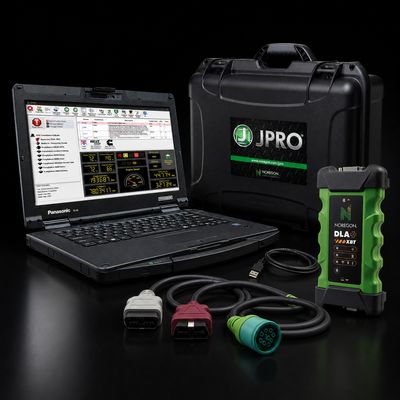
The honest minimum kit to put JPRO to work: JPRO Professional software, Noregon DLA+ 2.0 or DLA+ 3.0 adapter, cable set (9-pin Deutsch, 6-pin Deutsch, OBD-II for medium-duty), and a Windows laptop (Windows 10 or 11, 8 GB RAM minimum, 16 GB recommended, SSD strongly preferred — JPRO's database is large and load times on a spinning drive are painful). The ruggedized Toughbook kits we ship include a refurbished Panasonic CF-31 or CF-54 with JPRO pre-installed and licensed, which gets a new shop running same-day.

The honest stack guidance: buy JPRO if you want one platform that handles 80% of the diagnostic and bidirectional work across every U.S.-domestic on-highway truck that rolls through your bay. Then plan to add the OEM tools (INSITE, DDDL, Davie4) over the first year as the work demands them. Don't try to skip JPRO and run only OEM tools — you'll spend half your day switching laptops, juggling subscriptions, and re-learning UIs that the techs hate. Don't try to skip OEM tools entirely — JPRO can't reflash an ECM. The combo is the answer.

JPRO Professional vs Jaltest CV vs TEXA IDC5

Capability JPRO Professional Jaltest CV TEXA IDC5
Cummins / Detroit / PACCAR depth Best in class Strong Strong
Volvo / Mack depth Best in class (incl. parameter writes) Strong Strong
International / Navistar depth Best in class Strong Adequate
European-spec coverage (Scania, MAN, Iveco, DAF EU) Limited Best in class Best in class
Off-highway / construction / ag Limited Best in class Strong
Aftertreatment diagnostics depth Best in class Strong Strong
Forced regen across all major OEMs Yes Yes Yes
Guided diagnostics / fault tree Yes (Next Step add-on) Yes (built-in) Yes (built-in)
Wiring diagrams in-software With Next Step Yes Yes
ADAS calibration support Limited Strong Strong
Behavior on lapsed subscription Software stops Keeps running, no new content Keeps running, no new content
Phone support location U.S. (Greensboro, NC) U.S. distributors / Spain U.S. distributors / Italy
Annual renewal cost Mid-range Higher (with required annual) Lower (renewal optional)

The short version: JPRO is the depth king for U.S.-domestic on-highway. Jaltest is the depth king for European-spec and off-highway. TEXA splits the difference and adds the broadest vehicle-type coverage including light-duty and powersports. The right tool depends on what rolls through your bay — call us at 866-217-0063 and we'll talk through your fleet mix before you spend $4,000.

Frequently Asked Questions

Will JPRO Professional do a forced regen on a 2025 Cummins X15?
Yes. JPRO performs DPF stationary regens on Cummins ISB, ISC, ISL, ISM, ISX, X12, X15, and the new B6.7 and L9 platforms from EPA 2007 forward. The current JPRO build also covers the latest aftertreatment architecture changes, so 2025 X15s with the updated DEF doser and NOx sensor layout regen cleanly. If the truck won't initiate a regen even with JPRO, the issue is on the truck, not the tool — and Next Step or our phone support will help you find which inhibit condition is blocking it.

Is Next Step worth the upgrade?
Depends on your bench. If your lead tech has 20 years on Detroits and Cummins and could troubleshoot a SCR efficiency code in his sleep, Next Step is a luxury. If your shop has any tech under three years of diesel experience, or you see codes infrequently enough that the troubleshooting trees fade between visits, Next Step pays for itself the first time it keeps a $9,000 part swap from happening when the actual problem was a corroded NOx sensor connector. For most independent shops, the answer is yes.

What's the JPRO renewal cost going to look like in year two?
Plan for a four-figure annual renewal — typically lower than the new-purchase price but still a meaningful budget line. Exact renewal pricing changes year to year and depends on whether you have JPRO Professional alone or JPRO with Next Step. Call us before your renewal date and we'll walk through the current numbers and any current promotions Noregon is running. Don't let the subscription lapse and then try to renew — re-activation after a lapse is generally worse than a clean renewal.

JPRO vs Jaltest for a mostly-Pete-and-KW fleet?
JPRO. PACCAR MX engines, Cummins on the Pete and KW spec'd that way, and the chassis modules are squarely in JPRO's strongest coverage area. Jaltest will work on those trucks too, but JPRO will read deeper on the Cummins side and give you cleaner aftertreatment diagnostics. The argument flips if the fleet starts adding European-spec equipment or if the maintenance manager wants off-highway coverage for yard equipment.

Will JPRO work without an active subscription?
No. JPRO requires an active subscription to keep functioning. This is a meaningful difference from Jaltest, which keeps running with frozen coverage when a subscription expires. Plan your renewal accordingly — this is the single biggest gotcha new JPRO buyers run into.

Does JPRO replace Cummins INSITE or Detroit DDDL?
No, and don't let any reseller tell you it does. JPRO handles diagnostics, regens, and most bidirectional tests. INSITE and DDDL still own deep ECM work, parameter writes, injector trim files, and reflashes. Most shops run JPRO plus the OEM tools side-by-side. JPRO is the triage and bay-floor tool. The OEM tools are the calibration tools.

Can I use the Noregon DLA+ adapter with non-JPRO software?
Yes. The DLA+ 2.0 and DLA+ 3.0 are RP1210 A/B/C compliant, which means they work with Cummins INSITE, Detroit DDDL, PACCAR Davie4, ServiceMaxx, Cummins Calterm, Allison DOC, Bendix ACom Pro, Wabco Toolbox Plus, and pretty much any other RP1210-compliant aftermarket or OEM tool. One adapter, multiple software platforms.

Why Buy JPRO From Heavy Duty Truck Diagnostics?

We're an authorized Noregon dealer. Every JPRO Professional license, DLA+ adapter, and Next Step add-on we ship comes with the full manufacturer warranty backed by Noregon directly. The serial numbers register cleanly to your shop. You get the same support line in Greensboro that any other Noregon customer gets.

The difference is on our end. We answer the phone. Pick up the line at 866-217-0063 and a real person on our team — someone who has actually used JPRO, Jaltest, TEXA, INSITE, DDDL, and Davie4 in a working shop — will walk through your fleet mix, your existing tooling, and your budget before recommending a kit. About 90% of our sales close on the phone, and that's because the conversation is honest. If JPRO is wrong for your shop and Jaltest is right, we'll tell you that and sell you Jaltest.

Free pre-sale tech support. Free post-sale tech support. Kit options ranging from software-only (you provide the laptop) up to a full Toughbook bundle ready to plug in same-day. Financing available on the larger kits. We ship from Minnesota and most orders hit the door within two business days.

If you've gotten this far and you're still trying to decide between JPRO, Jaltest, or TEXA — call us. That's the conversation we have ten times a week and we're good at it.

Call 866-217-0063 for quick answers and help!

Frequently Asked Questions

What does JPRO cover that other aftermarket tools do not?

JPRO is particularly strong on Cummins (depth of bidirectional control), International A26 (added 2024 v3), and PACCAR MX through GHG17–21 platforms. Repair Mentor guided diagnostics is a useful learning aid for newer techs.

Does JPRO run forced regens and ash resets?

Forced regens — yes, on essentially every modern HD engine. Ash resets — yes on most platforms, but coverage on the latest model years (2024+) is uneven across all aftermarket. We confirm specific compatibility before you order.

Is JPRO better than Jaltest?

Different strengths. JPRO leans into deeper coverage on a slightly narrower set of brands; Jaltest leans into broader segment coverage including marine, ag, and material handling. The right answer depends on what rolls into your bay.

What is included in a JPRO Professional Toolbox?

A JPRO Pro toolbox typically includes the JPRO Professional software with subscription, the Noregon DLA+ 3.0 XBT (Bluetooth) or DLA+ 2.0 datalink adapter depending on the bundle, a complete cable set, a rugged case, and (in our laptop bundles) a configured Toughbook with the software pre-installed.

View All FAQs →

Resources & Buyer Guides

HDT

Ready to Upgrade Your Diagnostic Game?

Our experts are here to help you choose the right JPRO solution for your shop. Call now or shop online today.