• Expert Support
  • Dealer Solutions

Shop WABCO Diagnostic Tools

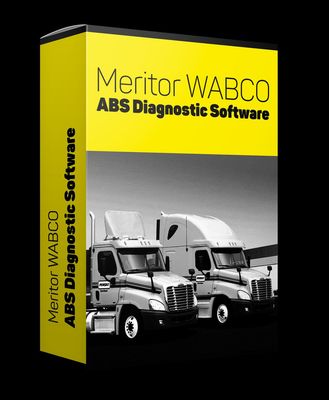
WABCO TOOLBOX Plus is the OEM diagnostic software for WABCO ABS, ECAS (Electronically Controlled Air Suspension), and roll stability systems on tractors, trailers, buses, and motorhomes. WABCO is now part of ZF Aftermarket, but the TOOLBOX Plus product remains the standard tool for these systems.

  • Trailer ABS Coverage
  • ECAS Air Suspension
  • Roll Stability Systems
  • ZF Aftermarket Backed
Professional DiagnosticsOEM-level capabilities for commercial trucks, buses, ag, construction & more.
Expert SupportU.S.-based technicians with dealer and fleet experience ready to help.
Ready-to-Run KitsPreconfigured software with everything you need to get up and running fast.
Financing Available0% APR options available on qualifying orders over $1,500.

Featured WABCO Products

View All WABCO Products →
Why Choose WABCO?

  • Comprehensive vehicle coverage
  • OEM-level diagnostics & programming
  • Regular software updates & releases
  • Rugged hardware built for the shop
  • Backed by HDT expert support
OEM-Level Diagnostics
Wide Vehicle Coverage
Bi-Directional Controls
Programming & Coding
Active Software Updates
Trusted by Professionals

Shop WABCO by Category

Find the Right WABCO Tool

Answer a few quick questions and we'll help you find the best tool for your shop's needs.

  • Personalized Recommendations
  • Expert Guidance
  • Fast & Easy

Trusted by Shops & Fleets Nationwide

★★★★★

"WABCO gives us the coverage and reliability we need. HDT support is second to none."

Mike R.Diesel Tech — Midwest Fleet
★★★★★

"The software is powerful and easy to use. Programming and diag in one platform saves us time and money."

James T.Shop Owner — Texas
★★★★★

"HDT's ready-to-run kit had everything we needed to get started right out of the box."

Sarah L.Fleet Manager — California
★★★★★

"Great tools, great support, and fast shipping. Our go-to for heavy duty diagnostics."

David P.Lead Tech — Florida

Powerful Diagnostics. Proven Performance.

Engine Diagnostics
Transmission Diagnostics
ABS & Brake Systems
DPF & Emissions Regeneration
Bi-Directional Controls
Calibrations & Programming
Parameter Changes

Capabilities vary by tool, software license, vehicle, and manufacturer requirements. Contact HDT to confirm compatibility.

Expert Phone SupportU.S.-based technicians
Setup & Training HelpGet started with confidence
Fast ShippingOrders ship same day
Warranty & SupportBacked by HDT
0% APR FinancingOn qualifying orders

If you turn wrenches on Volvo VNL tractors, Mack Anthems, late-model Freightliners running WABCO brake hardware, or basically any trailer built in the last twenty years in North America, WABCO is part of your life whether you wanted it to be or not. The brand started in Germany, grew up on European-spec air brake systems, took over a huge slice of the trailer ABS market in the US, and in May 2020 got bought outright by ZF Friedrichshafen for about $7 billion. Since then the branding has been in steady flux. The hardware on the truck still has WABCO stamped on it. The software updates and the websites and the support phone numbers increasingly say ZF. The OnGuard collision mitigation family, which used to be the Meritor WABCO line, now shows up under ZF Aftermarket badging in some channels and the original WABCO badging in others. None of that changes what the tech in the bay actually has to do, which is read codes, calibrate sensors, align radars, and pair trailer ECUs.

If you are servicing those systems for money, you will spend real time inside TOOLBOX PLUS. Aftermarket scan tools — Jaltest, JPRO, TEXA — all touch WABCO ABS and EBS at varying depths, and they are good enough for daily code reads and a lot of bidirectional work. But the calibrations and ECU programming and OnGuard radar service alignment routines lean hard on the OEM software. This page is the honest version of how that all fits together, and what your shop actually needs to do brake and safety work on WABCO/ZF equipment without sending the truck somewhere else.

1. Who WABCO Is

WABCO Holdings was a US-listed company with deep German roots. The name traces back to the Westinghouse Air Brake Company, but for the last several decades WABCO was the dominant European supplier of commercial vehicle braking and safety controls. They wrote the playbook on EBS — Electronic Braking Systems — for European-spec trucks and trailers, and they pushed pneumatic disc brake calipers (the PAN family) into mainstream Class 8 fleets in North America.

In 2019 ZF Friedrichshafen, the German driveline and chassis giant, signed an agreement to buy WABCO outright at $136.50 a share. The deal closed on May 29, 2020, valued at roughly $7 billion in cash. ZF folded WABCO into a new Commercial Vehicle Control Systems division — about 12,000 employees, 45 locations — and started rolling the brand into ZF Aftermarket the same way they handled the TRW acquisition in 2015. The WABCO name has not vanished. ZF kept it on the parts side because it carries weight with shops and fleets, and because the part numbers are stamped into a couple million trucks already in service. But in the documentation, the parts portals, the customer support lines, and increasingly on the diagnostic software splash screens, it is now ZF that is on the hook for support.

The practical effect on your shop: software is purchased through ZF channels and ZF's distribution partners. Snap-on is the primary North American distributor for TOOLBOX PLUS subscriptions. Parts are sourced through ZF Aftermarket and the legacy WABCO/Meritor distribution networks, which Cummins-Meritor handled for years on the North American side before ZF consolidated more of it.

2. What WABCO Makes

WABCO/ZF on the commercial vehicle side covers most of the air-actuated and electronically-controlled chassis safety stack:

  • Tractor and trailer ABS — the bread and butter. WABCO ABS on power units (4S/4M, 6S/6M configurations depending on axle count) and the Easy-Stop and Enhanced Easy-Stop ABS controllers on trailers, plus the newer trailer EBS platforms. The trailer ECUs are referenced by version letter — the older D-Version, the more current E-Version, plus the variations on each that show up depending on whether you have PLC J2497 communication or pure pneumatic ABS.
  • EBS — Electronic Braking System — heavier on European trucks, but you will see EBS on Volvo and Mack tractors and on a lot of trailer applications in North America where the spec called for faster brake response, integrated stability, and CAN-based control instead of pneumatic-only signaling.
  • OnGuard family — collision mitigation — the radar-based forward collision warning, adaptive cruise, and active braking system. OnGuardACTIVE is the upgraded version that adds active braking on stationary objects. OnLane uses a forward-facing camera for lane departure warning and lane keeping assistance, and OnSide handles blind-spot detection on the right side of the tractor. TailGUARD covers reverse blind-spot detection. Under ZF naming you will sometimes see these grouped as ZF Commercial Vehicle Safety Systems, but the part numbers and the diagnostic routines are the same as the WABCO originals.
  • ECAS — Electronically Controlled Air Suspension — used heavily on buses, motorhome chassis, and a lot of European-spec trucks, plus US fleet specs that opted for ECAS over standard height-control valves. Branded OptiRide on the ZF side now.
  • Pneumatic disc brake calipers — the PAN family. Common on Volvo, Mack, and a growing share of trailer axles. These are not electronic, but the pad wear sensors and air pressure inputs feed back into the ABS/EBS ECU, and the diagnostic routines for caliper sensor faults run through TOOLBOX PLUS.
  • Hydraulic ABS and Hydraulic Power Brake (HPB) — for medium-duty applications.
  • Roll Stability Support (RSS Plus) on trailers, electronic leveling valves, and the integrated stability/yaw functions that ride on top of the ABS/EBS platform.

3. Where You'll See WABCO

The split between WABCO and Bendix on Class 8 power units in North America is roughly: Bendix is heavier on Freightliner, International, and Peterbilt/Kenworth; WABCO is heavier on Volvo VNL and VNX, Mack Anthem and Pinnacle, and a meaningful chunk of Freightliner specs depending on the build year and the fleet's option list. There is overlap on every brand and you will absolutely find Bendix on a Volvo or WABCO on a Cascadia. Always identify what is on the truck by the ECU label and the air valve markings before you decide which OEM software you need.

On trailers, WABCO is the dominant ABS supplier across most North American trailer builders, with Haldex/SAF-Holland and Bendix splitting the rest. If you are a shop that does serious trailer work, you cannot avoid WABCO. The PLC J2497 powerline carrier diagnostic protocol, which is how a tractor diagnostic tool talks back to the trailer ABS through the seven-pin trailer cable, is essentially universal across the major trailer ABS suppliers, but the deep diagnostics and ECU configuration on a WABCO trailer ABS need WABCO software or a capable aftermarket equivalent.

European-built tractors imported into North America (some Freightliner Cascadia configurations using Daimler global platforms, plus most overseas-built bus and motorhome chassis) lean almost entirely on WABCO/ZF for brakes, ABS, and EBS.

4. TOOLBOX PLUS Software

TOOLBOX PLUS is the current OEM diagnostic application from WABCO/ZF for North American commercial vehicle systems. It replaced the legacy TOOLBOX (the original Meritor WABCO TOOLBOX, which a lot of older techs still call by name out of habit). TOOLBOX PLUS is a Windows PC application — there is no native Mac or tablet version — and it covers ABS, trailer ABS, EBS, ECAS, hydraulic ABS, HPB, OnGuard, OnLane, and the related WABCO/ZF safety systems.

What it does well:

  • Auto-detects WABCO systems on the connected vehicle and pulls the right module screens.
  • Reads and clears fault codes on every supported WABCO ECU, with full freeze-frame and event history where the ECU stores it.
  • Component tests and bidirectional control for ABS modulator valves, trailer modulator valves, ECAS solenoids, and ECAS height sensors.
  • End-of-line parameter writing for replacement ECUs — Aftermarket Programming for ABS controllers and for the OnLaneALERT camera, so a fresh ECU comes out of the box generic and gets configured to the specific truck.
  • OnGuard radar service alignment — the road-test based alignment routine where you drive above 30 MPH on a straight road with stationary roadside references and the radar self-aligns. This procedure is required after a windshield replacement on some configurations, after any front-end collision, and any time the radar bracket is loosened or replaced.
  • ECAS height-sensor calibration, ride-height target setting, and the leveling valve calibration that has to happen any time you replace a height sensor or move a Z-bracket.
  • Pre-populated warranty forms when an ECU is being replaced under warranty.

License model: TOOLBOX PLUS is sold as a 12-month subscription. Snap-on is the official North American distributor and the version you buy through us is the same Snap-on-distributed product. After 12 months you renew or you lose update access. The application will continue to function without an active subscription on some versions, but you do not get new ECU coverage, you do not get bug fixes, and you do not get the latest OnGuard and OnLane updates as ZF rolls them out. For a shop billing labor on this work, the renewal is not optional.

OS requirements: current TOOLBOX PLUS releases support Windows 10 and Windows 11 (64-bit). Older releases ran on Windows 7, 8, Vista, and XP — relevant only if you are still running an old laptop with a paid-for older version. We strongly recommend a clean Windows 11 install on the diagnostic laptop, with the diagnostic adapter drivers installed first and the OEM software second.

5. Adapters and Hardware

TOOLBOX PLUS communicates over RP1210 — the standard Technology & Maintenance Council protocol that every major heavy-duty diagnostic adapter implements. That means you have several legitimate adapter options:

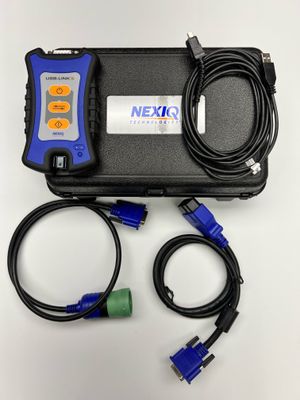
  • Nexiq USB-Link 3 (wired or wireless, part numbers 121054 and 121052) — the most widely used adapter in North American shops. Nexiq publishes RP1210 drivers that are compatible with Windows 10 and 11, and TOOLBOX PLUS lists the USB-Link 3 as a supported adapter.
  • Noregon DLA+ 3.0 — JPRO's adapter, also fully RP1210 compliant. If you already own the JPRO kit, you do not need a second adapter to run TOOLBOX PLUS.
  • Cojali Jaltest Link — same story. RP1210 compliant. Will run TOOLBOX PLUS without any extra hardware.
  • Dearborn DPA 5 and several other RP1210 adapters — supported.

For WABCO trailer ABS work specifically, you have two options: run RP1210 from the tractor side over the seven-pin connector using PLC J2497 (works on most modern trailers), or connect directly to the trailer ECU through the diagnostic connector if the trailer is unhooked. Direct trailer connections sometimes need the WABCO Diagnostic Interface 2 (DI-2) cable kit, which includes the ISO 7638 CAN cable and the ABS D/E ISO 9141 cable for the older controllers.

One note on Bluetooth and wireless adapters: the wireless USB-Link 3 works fine for TOOLBOX PLUS, but during long road tests for OnGuard radar alignment, plug it in. Wireless dropouts during a 30+ MPH road test can corrupt the alignment session and force you to start over.

6. What You Can and Can't Do With Aftermarket Tools

This is the question we get most. The honest answer is "it depends on what you are trying to accomplish." Here is the breakdown.

Jaltest covers WABCO ABS and EBS broadly across tractor and trailer applications. You get fault code reads, component tests, parameter views, and a lot of bidirectional control. Trailer ABS coverage on Jaltest is functional and growing, including Easy-Stop and Enhanced Easy-Stop. Where Jaltest comes up short is the OnGuard radar service alignment and some of the deeper ECAS configuration writes — those still want OEM software.

JPRO (Noregon) has very strong trailer ABS coverage, including WABCO/ZF, Bendix, and Haldex/SAF-Holland controllers, with full PLC J2497 communication. JPRO is the tool a lot of fleet shops reach for when they want one tool to talk to every trailer brand quickly. It is excellent for code reads, wheel-speed sensor data, ABS lamp verification, and basic component tests on WABCO trailer ABS.

TEXA covers WABCO ABS and EBS within its truck and trailer modules. Coverage is real and improving. Same caveat as Jaltest — for the calibrations and the OnGuard alignment, expect to fall back to TOOLBOX PLUS.

The general rule: aftermarket tools handle 70–85% of routine WABCO diagnostic work. The remaining 15–30% — the calibrations, the ECU programming on replacement modules, and the OnGuard/OnLane camera and radar alignments — needs TOOLBOX PLUS. If you are a brake and safety specialist shop, you need both. If you are a general diesel shop and you only see WABCO occasionally, you can get a long way on Jaltest or JPRO and outsource the alignments. It is a business call.

TOOLBOX PLUS vs Aftermarket WABCO Coverage

Function TOOLBOX PLUS Jaltest JPRO TEXA
Read/clear ABS fault codes (tractor)YesYesYesYes
Read/clear ABS fault codes (trailer, PLC)YesYesYesYes
Wheel-speed sensor live dataYesYesYesYes
ABS modulator bidirectional testYesYesYesYes
Trailer ABS D-Version ECU parameter writeYesPartialPartialPartial
Trailer ABS E-Version ECU parameter writeYesPartialYes (most)Partial
Replacement ABS ECU programming (truck)YesLimitedLimitedLimited
OnGuard radar service alignmentYesNoNoNo
OnLane camera calibrationYesNoNoNo
OnSide blind-spot programmingYesNoNoNo
ECAS height sensor calibrationYesPartialPartialPartial
EBS configuration writesYesPartialPartialPartial
Hydraulic ABS / HPB diagnosticsYesYesYesYes

7. Common Service Pain Points

Real-world things we see come into shops and that you should know going in:

ABS lamp on with no visible cause. WABCO ABS systems are aggressive about logging intermittent wheel-speed sensor faults. Air gap, exciter ring damage, sensor cable chafing against an air line, and corrosion at the sensor connector are the common four. TOOLBOX PLUS will give you per-wheel sensor signal data live, which is the fastest way to find an intermittent. Aftermarket tools also show this data but the polling rate is sometimes slower.

OnGuard radar misalignment after a windshield replacement, a front-end collision repair, or a bumper swap. A lot of body shops do not realize they need to get the truck back to a diagnostic shop for radar service alignment after they finish their work. The OnGuard radar mounts to the front bumper or grille assembly and is sensitive to even minor angular changes. After re-mount, you do a TOOLBOX PLUS service alignment routine, which involves a road test above 30 MPH on a straight road with stationary references. Skip this and the truck will throw collision mitigation faults, the adaptive cruise will not engage, and in the worst case the system will phantom-brake on highway signs.

OnLane camera calibration after windshield replacement. The OnLane camera is mounted to the windshield. Replace the windshield, you have to recalibrate the camera. Some glass shops have the equipment to do this, most do not. Without recalibration, lane departure warning will be either disabled or wrong.

ECAS height sensor calibration after sensor replacement or linkage repair. The height sensors fail more often than they should — usually broken arm or corroded internals. After replacement, the ride-height target has to be re-written through TOOLBOX PLUS, otherwise the truck will sit too high or too low and the dump-and-kneel functions will not work right.

Trailer ABS pairing and ECU configuration. A replacement trailer ABS ECU comes generic. You have to write the trailer's specific configuration — number of axles, sensor configuration, RSS settings, leveling valve presence — before the trailer will pass a brake check and before the ABS lamp will go out at startup. TOOLBOX PLUS handles this cleanly. Aftermarket tools handle some of it, particularly on E-Version controllers, but not all of it.

Mixed-vintage trailer fleets. A fleet that has trailers ranging from 2005 to 2025 will have a mix of D-Version, E-Version, and EBS controllers. The diagnostic procedures differ. Document what each trailer has so the tech knows which screen to open.

8. What Your Shop Needs

For a shop doing serious brake and safety work on Volvo, Mack, Freightliner with WABCO content, and the trailer side, the working kit is:

  • TOOLBOX PLUS active subscription. Non-negotiable. The 12-month digital download is what you want. Renew it.
  • An RP1210 adapter you trust. Nexiq USB-Link 3 wired version is our default recommendation for shops that want one adapter that runs everything (TOOLBOX PLUS, Cummins INSITE, Detroit DDDL, Eaton ServiceRanger, Allison DOC). The Noregon DLA+ 3.0 is the second-best choice if your shop already runs JPRO. Both are fine.
  • A Windows 11 laptop with at least 16 GB of RAM, a clean install, and physical Ethernet if you can get it. A Panasonic Toughbook or a Dell Latitude Rugged is what holds up in a diesel shop.
  • An aftermarket scan tool — Jaltest or JPRO depending on your existing kit. Use this for the 70–85% of WABCO work that does not need OEM software, and especially for trailer triage where you want to plug in fast and read codes without booting OEM applications.
  • Trailer-specific cabling if you do trailer ABS work. The DI-2 trailer cable kit, or at minimum a seven-pin tractor-side connection that can drive PLC J2497 to the trailer.
  • Updated documentation. Service alignment procedures change. Subscribe to ZF/WABCO technical bulletins or rely on a vendor that pushes them to you. The OnGuard alignment procedure has had multiple revisions since the system launched in 2008.

FAQ

Will Jaltest do an OnGuard radar service alignment?
No. The OnGuard radar service alignment routine is a TOOLBOX PLUS function and is not exposed in Jaltest, JPRO, or TEXA. Jaltest and the others can read OnGuard fault codes and view live data, but the alignment procedure itself requires the OEM software.

Is TOOLBOX PLUS the same as old TOOLBOX?
No, but the lineage is direct. The original Meritor WABCO TOOLBOX is the legacy product and is end-of-life for new ECU coverage. TOOLBOX PLUS is the current product, with the redesigned interface, broader ECU coverage including OnGuardACTIVE and OnLane, and ongoing updates under ZF. If you are still running old TOOLBOX, you will hit ECUs it does not recognize on anything built in roughly the last five to seven years.

Does the ZF acquisition change how I get software?
Yes, in a couple of ways. ZF is the entity behind the product now, so support, license renewals, and update channels run through ZF Aftermarket and ZF's distribution partners. Snap-on is the primary North American distributor for TOOLBOX PLUS subscriptions. The product itself still says WABCO on a lot of screens, the part numbers are still WABCO part numbers, and the diagnostic experience is largely unchanged. The one practical change is that warranty handling and technical-support phone numbers have shifted onto ZF channels.

Does TOOLBOX PLUS cover trailer ABS?
Yes. TOOLBOX PLUS covers WABCO trailer pneumatic ABS (Easy-Stop, Enhanced Easy-Stop with PLC), trailer EBS, RSS Plus stability, electronic leveling valves, and replacement ECU programming. It will talk to D-Version and E-Version ECUs and the more recent EBS-based trailer controllers.

Will it run on Windows 11?
Yes. Current TOOLBOX PLUS releases support 64-bit Windows 10 and Windows 11. We recommend a clean Windows 11 install with the diagnostic adapter drivers (Nexiq, Noregon, Cojali, Dearborn) installed first and TOOLBOX PLUS installed second. Older versions of TOOLBOX run on Windows 7 and earlier, but those builds are no longer receiving updates.

Can I program a replacement ABS ECU with TOOLBOX PLUS?
Yes. The Aftermarket Programming application inside TOOLBOX PLUS handles configuration writes for replacement WABCO tractor and trailer ABS ECUs, plus the OnLaneALERT lane departure camera. You will need the new ECU, the existing vehicle parameters (axle count, sensor configuration, brake lamp configuration, RSS settings on trailers), and an active subscription.

I see "ZF" branding now — am I getting the right product?
Yes. Post-acquisition, ZF and WABCO branding both show up on the product. The diagnostic software is what matters, and TOOLBOX PLUS is the correct product regardless of which logo is on top. If you ever see a "ZF Aftermarket Diagnostic" SKU, confirm it is the TOOLBOX PLUS product before you buy — there are some ZF aftermarket products for non-WABCO ZF systems (Cummins-Meritor axles, ZF transmissions) that are different applications entirely.

Why Buy WABCO/ZF Tools and Software From Heavy Duty Truck Diagnostics?

Three reasons that matter when you are spending real money on diagnostic kit:

We answer the phone. Roughly 90% of our sales close on a phone call, because the question is rarely "do you carry this product" — the question is "will this product actually do what I need on the truck I have." We have techs on staff who run TOOLBOX PLUS daily and can tell you, before you spend a dollar, whether the work you are trying to do needs OEM software, an aftermarket tool, or a different adapter than the one you already own.

We sell the right adapter for the work. A lot of TOOLBOX PLUS support tickets that come back to vendors are not software problems — they are adapter driver problems, USB port issues, or RP1210 stack conflicts on the diagnostic laptop. We know which adapter combinations are stable in shops, which Toughbook configurations actually run multiple OEM applications without driver fights, and which RP1210 layers cause headaches.

We carry the supporting kit. Trailer cables, seven-pin testers, J1939 breakout boxes, calibration jigs, OEM-required cables for ECAS work, and the aftermarket scan tools (Jaltest, JPRO) that pair with TOOLBOX PLUS to cover the rest of the truck. One call, real answers, kit that ships out the door.

Call 866-217-0063 for quick answers and help!

Frequently Asked Questions

What systems does WABCO TOOLBOX Plus cover?

WABCO ABS (tractor and trailer), ECAS air suspension, RSS roll stability, and the broader WABCO controller family on Class 6–8 trucks, trailers, motorcoaches, and motorhomes. Configuration, sensor learns, and trim files are all in TOOLBOX Plus.

Do I need WABCO if I have JPRO or Jaltest?

For trailer ABS reads through J1939, no. For configuration changes, sensor learns, ECAS height adjustments, and ECU-specific routines on WABCO modules, TOOLBOX Plus is the right tool.

How do I connect to a trailer with no power?

TOOLBOX Plus supports both J1939 (powered) and PLC (powerline carrier) connections. PLC is what you use to talk to a trailer plugged into a tractor — common in the bay. We sell the PLC adapter.

Is WABCO software still supported now that ZF owns the brand?

Yes. ZF acquired WABCO in 2020 and continues to develop and license TOOLBOX Plus under the WABCO brand. Subscription renewals and product updates are unaffected.

View All FAQs →

Resources & Buyer Guides

HDT

Ready to Upgrade Your Diagnostic Game?

Our experts are here to help you choose the right WABCO solution for your shop. Call now or shop online today.