Professional DiagnosticsMatch the software environment to your vehicles, equipment and repair tasks.
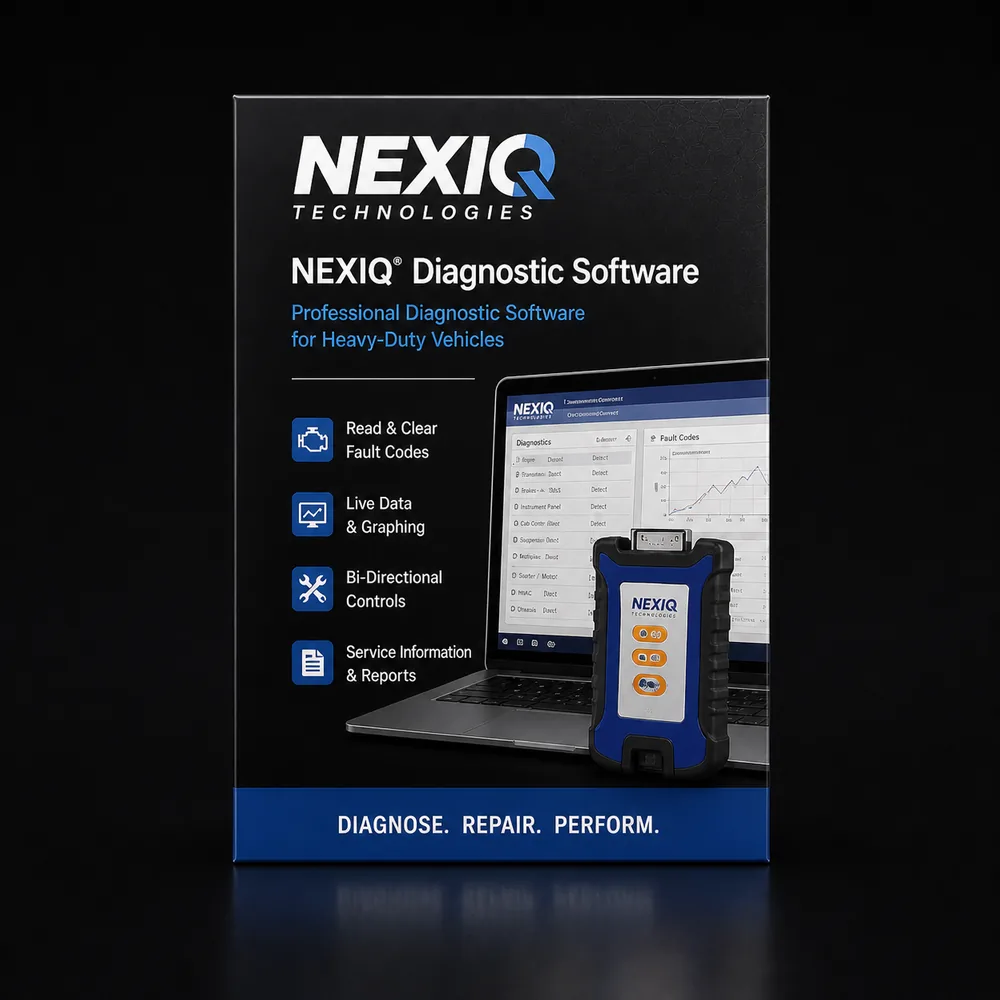
NEXIQ USB-Link 3 Adapters & Software
Compare USB-Link 3 wired and wireless adapters, a Toughbook hardware package, and eTechnician subscriptions. Choose the adapter connection and diagnostic software separately.
- Wired & wireless USB-Link 3
- eTechnician subscriptions
- Laptop hardware package
- Driver & cable guidance
Expert SupportU.S.-based technicians with dealer and fleet experience ready to help.
Ready-to-Run KitsPreconfigured software with everything you need to get up and running fast.
Financing Available0% APR options available on qualifying orders over $1,500.
Featured NEXIQ Products
View All NEXIQ Products →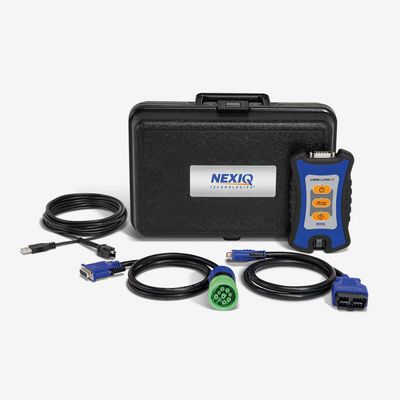
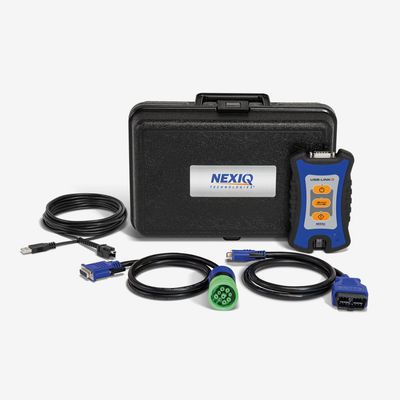
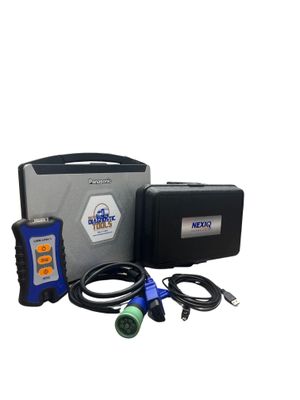
USB-Link 3 + Toughbook hardware kit
Refurbished laptop; paid software separate
$1,895.00 View Product
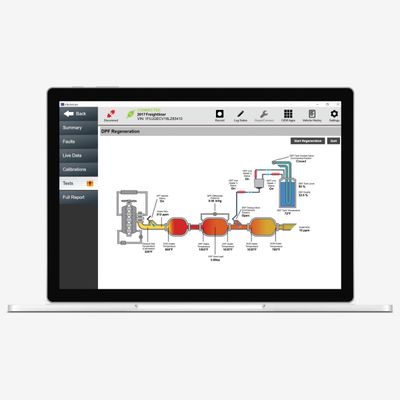
Compare NEXIQ adapters and software prices
Hardware and software are separate purchases unless the selected package explicitly includes both.
| Adapter / software / kit | Application / package | Catalog price |
|---|---|---|
| USB-Link 3 wired | Adapter and listed cables; software separate | $765.00 |
| USB-Link 3 wireless | USB, Bluetooth and Wi-Fi; software separate | $795.00 |
| USB-Link 3 + Toughbook hardware kit | Refurbished laptop; paid software separate | $1,895.00 |
| eTechnician 1-year subscription | Software only; SKU 859000 | $2,300.00 |
| eTechnician 24-month subscription | Software only; SKU 859000-24M | $3,700.00 |
| eTechnician 36-month subscription | Software only; SKU 859000-36M | $5,340.00 |
Prices reflect the listed default configuration. Review selected options, availability, shipping and tax on the product and checkout pages. Ask us to match a kit to your equipment or call 866-217-0063.
Read the detailed NEXIQ buying guide ↓
Build your NEXIQ setup
- Wired USB or wireless adapter choices
- Vehicle cables matched to the connector
- eTechnician subscriptions sold separately
- Hardware packages with a refurbished Toughbook
- Application-specific compatibility checks
Shop NEXIQ by Category
Find the Right NEXIQ Tool
Answer a few quick questions and we'll help you find the best tool for your shop's needs.
- Personalized Recommendations
- Expert Guidance
- Fast & Easy
Powerful Diagnostics. Proven Performance.
Capabilities vary by tool, software license, vehicle, and manufacturer requirements. Contact HDT to confirm compatibility.
Expert Phone SupportU.S.-based technicians
Setup & Training HelpGet started with confidence
Shipping HelpConfirm availability and timing
Warranty & SupportBacked by HDT
0% APR FinancingOn qualifying orders
NEXIQ USB-Link 3: adapter first, software second
USB-Link 3 connects your computer to the vehicle. The diagnostic application determines which systems, tests and adjustments you can use. Buying the interface alone does not buy INSITE, DiagnosticLink, eTechnician or other paid software licenses. Compare the hardware and software prices above around the equipment you already own.
Wired versus wireless USB-Link 3
The wired edition uses a USB connection to the computer. The wireless edition adds Bluetooth and Wi-Fi while retaining USB. Both manufacturer listings include a 9-pin Deutsch adapter, a 16-pin J1962 adapter and a latching USB cable. Confirm any additional vehicle connector required for your work. NEXIQ wired specifications and wireless specifications.
For an existing shop computer, compare the two standalone adapters. If you need a laptop as well, our USB-Link 3 Toughbook hardware package includes a professionally refurbished Panasonic computer. Its hardware list is not a list of included OEM software licenses.
eTechnician software and subscription prices
Our comparison includes the standard one-year eTechnician listing and the separately listed 24- and 36-month subscriptions. Open the selected SKU to review its term and contents. eTechnician provides multi-brand diagnostics and repair-information features; availability depends on the vehicle, system and software release. NEXIQ eTechnician information.
If your work needs an OEM application, start with that application's required license and interface support. Our Cummins INSITE guide covers Lite and Pro packages, and the Detroit guide links to DiagnosticLink options. An adapter's protocol support alone does not establish every application's functions.
NEXIQ drivers, downloads and JPRO compatibility
Use the driver download on the official USB-Link 3 product page for your hardware. Installing that driver does not activate paid diagnostic software. For JPRO shoppers, a Noregon adapter is required; see our JPRO and Noregon buying guide before selecting hardware. Noregon's software hardware requirements.
Confirm your adapter and cable combination
Tell HDT your software name and version, computer model, vehicle connector and intended diagnostic function. Ask about NEXIQ compatibility, browse NEXIQ tools and cables, or call 866-217-0063. Guide reviewed September 19, 2026.
Frequently Asked Questions
Does a NEXIQ USB-Link 3 include diagnostic software?
A standalone USB-Link 3 is an interface between your computer and vehicle. Diagnostic software is separate unless the listing includes it. Our adapter/Toughbook hardware package should not be mistaken for a bundle of paid OEM licenses.
What is the difference between USB-Link 3 wired and wireless?
The wired model connects to the computer by USB. The wireless model adds Bluetooth and Wi-Fi and also supports USB. Both need the appropriate vehicle cable and a supported diagnostic application.
Are NEXIQ drivers the same as eTechnician software?
No. The adapter driver lets supported applications communicate through the hardware. eTechnician is separately licensed diagnostic software. Use the official NEXIQ driver download for your adapter and check the subscription included with your software order.
Will USB-Link 3 work with every OEM program or with JPRO?
Compatibility depends on the application, release, driver, vehicle and function. Check the software vendor before buying. Current JPRO requires a Noregon adapter; do not buy a NEXIQ adapter on the assumption that it will run JPRO.
Resources & Buyer Guides
Heavy Duty Scan Tool Comparison 2026
How to choose the right kit for your shop.
Read Guide →JPRO vs Jaltest — Honest Comparison
Explore software features and capabilities.
Read Guide →Mixed Fleet Class 3-8 Diagnostic Tools
Understanding the difference and when to use each.
Read Guide →NEXIQ diagnostic tools: detailed buying guide
Reviewed September 21, 2026
What a NEXIQ interface does
A NEXIQ USB-Link is the communication bridge between a computer and a vehicle. The diagnostic application provides the functions; the interface and driver allow a supported application to exchange information with the vehicle. Buying an adapter is therefore different from buying diagnostic software.
That distinction is important when comparing a standalone USB-Link 3, a Toughbook hardware kit and an eTechnician subscription. They are separate purchases with different contents. A laptop with an interface does not automatically include paid licenses for Cummins, Detroit, PACCAR or other OEM applications.
Begin with the software you plan to use and the vehicles you service. Then choose the supported interface, connection and cables. This is a more reliable approach than buying an adapter first and assuming every desired application will run through it.
USB-Link 3 wired and wireless
The product comparison above lists the wired 121054 and wireless 121052 models. The NEXIQ wireless specification identifies Bluetooth, Wi-Fi and USB computer connections, plus vehicle-protocol support including CAN FD and DoIP. Those hardware capabilities do not supply a software license or prove every application-specific function.
The wired model is a straightforward choice where the workstation will use a USB connection. The wireless model adds flexibility when a technician needs to move around the work area and still retains USB. Choose based on the shop's workflow and the intended application's requirements.
For a programming or calibration procedure, use the connection and power arrangements required by the software and vehicle manufacturer. Wireless capability is a convenience feature, not permission to disregard an application's specified connection method.
RP1210, J2534 and why compatibility is more specific
Interface standards describe communication between software and hardware. They help explain why one interface may work with several applications, but they are not a universal compatibility guarantee. The software release, driver, vehicle protocol and requested operation still need to match.
For example, an application may support an interface for diagnostics while imposing additional requirements for another function. Hardware protocol support should not be advertised as unlimited OEM programming access. Check the named program and task rather than relying only on an RP1210 or J2534 label.
JPRO is a particular purchasing exception: its current requirements call for Noregon hardware. If your shop needs JPRO, use the JPRO/Noregon guide before choosing an adapter. Do not buy USB-Link 3 with the expectation that all commercial-vehicle applications are interchangeable.
Drivers, firmware and diagnostic software
Use the official NEXIQ support downloads for the appropriate interface driver. The driver enables the computer and supported software to use the hardware. It is not the same product as eTechnician or an OEM diagnostic application.
For an existing installation, record the adapter model and driver version before making changes. If the tool is not connecting, separate the stages: does the computer recognize the adapter, does the application list it, and is the vehicle connection appropriate? That description is much more useful for support than simply saying the laptop will not read the truck.
If replacing an older USB-Link, review the complete setup rather than assuming every cable and software installation can be reused unchanged. Keep the older device's model and cable part numbers available when requesting a replacement recommendation.
eTechnician: a separate diagnostic purchase
NEXIQ eTechnician is diagnostic software with application-specific coverage for vehicle systems. It should be evaluated by the engines, transmissions, brakes and other controllers your shop needs to service, together with the supported tests and functions.
Our comparison includes eTechnician offers with different subscription periods. Compare the term and included software with the interface purchase. A longer subscription does not mean that hardware is included unless the listing says so.
A shop deciding between eTechnician and separate OEM programs should list the jobs it needs to complete. Broad diagnostics, a particular service routine and an OEM calibration requirement are different needs. Use current coverage information to establish each one rather than treating every software option as equivalent.
Cables and complete workshop kits
The vehicle-side cable matters as much as the computer connection. Identify the actual diagnostic port and intended application; do not select a cable by color or connector shape alone. Review what is included with the selected adapter and which additional cables your fleet needs.
The Toughbook/interface package on this page is a hardware option for a shop needing a computer as well as an adapter. Read the listing for the computer condition and specifications, then account separately for the diagnostic software required. A ready-to-connect hardware package is not necessarily a fully licensed diagnostic station for every brand.
For mobile service, organize and label cables, consider laptop charging and protect the interface between calls. For a shared workshop kit, keep its cable inventory with the equipment record so missing pieces can be replaced accurately.
Choosing the right NEXIQ purchase
Already have licensed software and a suitable computer: check interface support and compare the standalone wired and wireless choices. Include any required vehicle cables.
Need a computer too: compare the Toughbook hardware package with the application's current requirements and the software you intend to install.
Need multi-brand diagnostic software: compare the eTechnician subscription options and supported tasks. Identify any OEM-specific work that still needs another application or account.
Replacing an existing adapter: supply the current model, software and cable details. That helps establish what can be retained and what needs to change.
Use the current listings above for prices and contents. Ask HDT to match an interface to your software or call 866-217-0063.

Ready to Upgrade Your Diagnostic Game?
Our experts are here to help you choose the right NEXIQ solution for your shop. Call now or shop online today.