

Professional DiagnosticsMatch the software environment to your vehicles, equipment and repair tasks.
Cummins INSITE Software & Diagnostic Kits
Choose Cummins INSITE Lite or Pro, then add the interface and computer you need. Compare software-only licenses, NEXIQ USB-Link 3 and INLINE 8 packages, and Toughbook kits.
- INSITE Lite & Pro
- Software-only or full kit
- NEXIQ & INLINE 8 options
- Activation & renewal help
Expert SupportU.S.-based technicians with dealer and fleet experience ready to help.
Ready-to-Run KitsPreconfigured software with everything you need to get up and running fast.
Financing Available0% APR options available on qualifying orders over $1,500.
Featured Cummins Products
View All Cummins Products →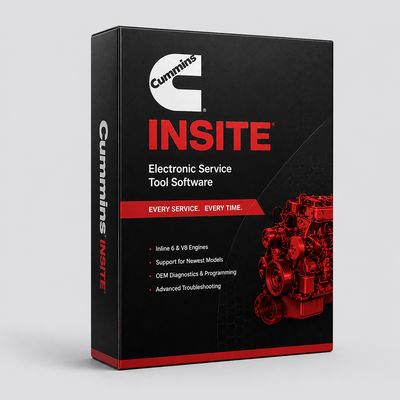
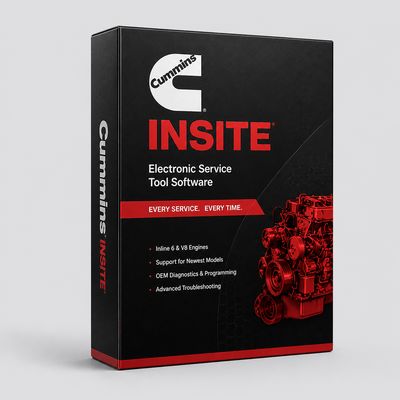
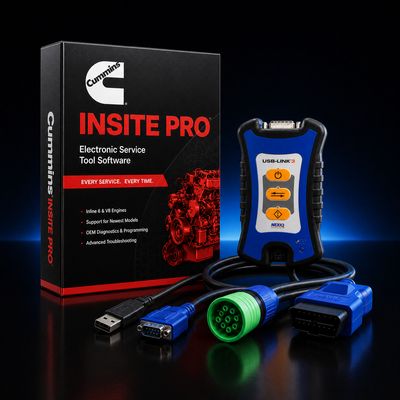
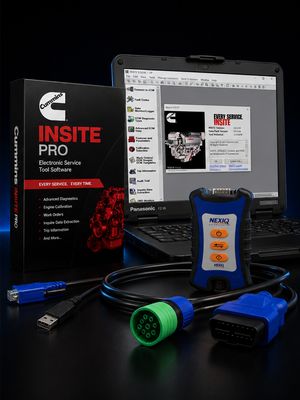
Compare Cummins INSITE software and kit prices
Choose the INSITE edition first, then compare license-only, interface and laptop configurations.
| License / hardware / kit | Application / package | Catalog price |
|---|---|---|
| INSITE Lite license | Software only; no hardware | $1,295.00 |
| INSITE Pro license | Software only; no hardware | $1,495.00 |
| INSITE Pro + USB-Link 3 | License and interface; no laptop | $2,295.00 |
| INSITE Pro + USB-Link 3 + FZ-55 | Refurbished Toughbook kit | $3,795.00 |
| INSITE Pro + INLINE 8 | License and interface; no laptop | $3,495.00 |
| INSITE Pro + USB-Link 3 + new FZ-55 | New Toughbook kit | $4,995.00 |
| INLINE 8 standalone adapter | Hardware; INSITE license separate | $1,995.00 |
Prices reflect the listed default configuration. Review selected options, availability, shipping and tax on the product and checkout pages. Ask us to match a kit to your equipment or call 866-217-0063.
Read the detailed Cummins buying guide ↓
Choose your Cummins setup
- Lite for diagnostics and permitted parameter changes
- Pro for ECM calibration downloads
- License-only options for existing hardware
- NEXIQ USB-Link 3 and INLINE 8 packages
- New and refurbished Toughbook configurations
Shop Cummins by Category
INSITE Pro + INLINE 8 + New FZ-55
View Flagship Kit — $6,195 →
INSITE Lite + NEXIQ + Refurb FZ-55
View Entry Kit — $2,995 →
INSITE Pro + INLINE 8 + Refurb FZ-55
View Pro Kit — $4,995 →
INSITE Pro Software License Only
Shop License — Pro →
INSITE Lite Software License Only
Shop License — Lite →
Cummins INLINE 8 Adapter
Shop INLINE 8 →
Find the Right Cummins Tool
Answer a few quick questions and we'll help you find the best tool for your shop's needs.
- Personalized Recommendations
- Expert Guidance
- Fast & Easy
Powerful Diagnostics. Proven Performance.
Capabilities vary by tool, software license, vehicle, and manufacturer requirements. Contact HDT to confirm compatibility.
Expert Phone SupportU.S.-based technicians
Setup & Training HelpGet started with confidence
Shipping HelpConfirm availability and timing
Warranty & SupportBacked by HDT
0% APR FinancingOn qualifying orders
Cummins INSITE Lite or Pro: which should you buy?
Choose Lite for diagnostics and permitted parameter changes; choose Pro when you need ECM calibration downloads. Lite is not simply a read-only license. Cummins lists engine tests, fault information and parameter adjustment among its features. Engine-specific permissions and calibration access still matter. Cummins INSITE feature reference.
Compare the complete INSITE purchase price
Our software and kit comparison shows current catalog prices. A license-only purchase is useful when your computer, interface and cables are already suitable. A license-and-interface package adds the datalink adapter but no laptop. A Toughbook kit adds a computer; the selected listing identifies whether it is new or professionally refurbished.
Compare the INSITE Pro license with the Pro + NEXIQ USB-Link 3 package and the Pro + USB-Link 3 refurbished FZ-55 kit. These solve three different equipment needs. If you prefer Cummins hardware, compare the INLINE 8 package or standalone adapter. See all Cummins configurations for the other Lite, Pro and laptop combinations.
INSITE subscriptions, renewals and activation
Keep the edition, activation term and renewal quote separate from hardware cost. For an existing installation, send HDT your current license details and computer setup. Cummins' License Configuration Tool handles activation, repair, revalidation and license transfers. Use the official INSITE downloads and licensing resources; an installer download is not a purchased license.
Replacing an older INLINE adapter?
INSITE 10 does not support INLINE 6 or earlier adapters, and the current software requires a supported 64-bit Windows setup. Cummins identifies March 2027 as the end of INSITE 9.3 support. Check your existing hardware before a software upgrade. Cummins legacy-adapter notice.
INLINE 8 and NEXIQ USB-Link 3 are different adapter choices in our catalog. Vehicle cables and software support remain specific to the package and job. Cummins datalink adapter information.
Get the right Cummins configuration
Send your engine serial number, the task you need to perform, current adapter and laptop model. Ask HDT about INSITE or call 866-217-0063. We can help identify the license and hardware combination for that work. Guide reviewed September 19, 2026.
Frequently Asked Questions
What is the difference between Cummins INSITE Lite and Pro?
Lite supports engine diagnostics, tests and permitted parameter adjustments. Pro adds ECM calibration downloads. Choose by the operation you need, then confirm engine-specific access and calibration requirements.
How much does Cummins INSITE cost?
Compare current HDT prices in the table above. License-only orders exclude a computer, adapter and cables. Interface bundles and Toughbook kits include different hardware, so compare the complete configuration as well as the Lite or Pro edition.
Can I use an INLINE 6 adapter with INSITE 10?
No. Cummins states that INSITE 10 does not support INLINE 6 or earlier adapters. Check your interface and current computer requirements before upgrading. We list NEXIQ USB-Link 3 and INLINE 8 configurations for shoppers choosing replacement equipment.
How do I buy or renew an INSITE license?
Provide your current edition, license details and computer setup to HDT. The License Configuration Tool manages INSITE activation and related licensing tasks. Confirm the term on your selected product or renewal quote; downloading the installer alone does not supply a purchased license.
Resources & Buyer Guides
Cummins ISX Fault Codes Reference
How to choose the right kit for your shop.
Read Guide →How to Diagnose Cummins Fault Codes
Explore software features and capabilities.
Read Guide →Heavy Duty Scan Tool Comparison 2026
Understanding the difference and when to use each.
Read Guide →Cummins diagnostic tools: detailed buying guide
Reviewed September 21, 2026
Identify the Cummins engine before choosing software
A Cummins diagnostic purchase should start with the engine and the job. Shops may see X15 and ISX highway applications, B- and L-series vocational equipment, or older engines such as the N14 and M11. Those names are a starting point for the conversation, not a guarantee that one release, cable or procedure fits every engine carrying that name.
Record the engine serial number, the installed electronic control module and the vehicle or machine application. Add the fault information or service operation you need to perform. A truck badge by itself does not identify the engine electronics, and an engine badge does not identify every other controller on the vehicle.
For a mixed fleet, separate Cummins engine work from transmission, ABS and chassis work. A focused engine application and a multi-brand scan tool can serve different purposes in the same bay. Identifying those needs first helps prevent buying several packages that duplicate the same capability.
INSITE Lite versus Pro: diagnostic work and calibration work
Cummins describes INSITE Lite as supporting engine information, diagnostic tests and permitted parameter adjustments. Pro adds calibration capability. Lite should therefore not be described as a code reader that cannot adjust any parameter, and Pro should not be sold as unrestricted access to every protected function.
If your work is troubleshooting and supported service tests, start by checking Lite against the actual jobs. If you need ECM calibration work, discuss Pro and the applicable calibration, account and engine requirements. Spell out a recurring task such as a controller replacement in the quote so the required access is considered alongside the software edition.
A useful comparison is to divide the work into three columns: diagnostics, supported service routines and calibration/programming. Mark the jobs your shop wants to complete in each. This makes the edition choice clearer than buying the most expensive license without knowing which additional capability the shop will use.
INLINE, NEXIQ and the legacy-adapter issue
Our current comparison includes INSITE packages with INLINE 8 or NEXIQ USB-Link 3, plus license-only choices. Cummins INLINE information explains the interface's role in communication between the computer and engine. The adapter is hardware; it is not an INSITE license.
INLINE 6 and earlier adapters do not work with INSITE 10. Cummins documents this in its legacy-adapter support notice. An older interface that worked with a previous installation should not be assumed suitable for a current software upgrade.
Before reusing equipment, check its model, driver and cables. For a new purchase, compare the complete hardware list rather than the adapter name alone. An interface-only listing, a software-and-interface bundle and a Toughbook kit have different contents. If you need an additional connection for older equipment, identify the actual connector and application before ordering it.
The laptop is part of the configuration
The Cummins comparison above includes both new and refurbished FZ-55 packages where the listing specifies that model. A new laptop and a refurbished laptop are separate offers. Read the processor, memory, storage, operating system and warranty details on the chosen configuration, including any selected options.
If you already have a shop computer, compare it with the requirements of the INSITE release being installed. An older laptop may still be useful for a different application while being unsuitable for the new setup. Do not decide compatibility solely from the Toughbook name or from an old minimum-specification table.
For mobile work, consider charging, storage for the adapter and cables, and internet availability for the operations that need it. For a shared shop station, assign responsibility for account records, updates and renewal dates so the system remains usable when staff change.
Aftertreatment complaints: buy for the complete diagnostic job
A request for a “regen tool” can mean several things. One buyer needs to read the faults that prevented regeneration. Another needs to inspect relevant live data. A third needs to perform a supported service procedure after a repair. Identify which of those jobs you need before comparing software.
For DPF, SCR or DEF complaints, retain the full fault description and the engine/controller identity. A fault code names a reported condition; it does not, by itself, identify a failed sensor or justify replacing a component. Use the applicable service procedure and record the test results rather than choosing a tool on a promise that it will clear every derate.
The same distinction applies to fuel-system and air-handling complaints. Compare access to the relevant measurements and tests. Avoid substituting a general list of “common failures” for the engine-specific troubleshooting information needed to complete the job.
QuickServe, software licensing and account records
Cummins QuickServe is a separate reference point for engine service information. Diagnostic communication, repair information and calibration access should be considered individually when organizing a shop's tools. Ask which services are included in a proposed package and which require separate arrangements.
For a renewal or replacement computer, retain the current license details, edition and installation information. A downloaded installer is not a purchased activation. Password-protected functions and account problems should be handled through the appropriate authorized process; a Pro license is not a universal password-reset entitlement.
Use the term on the current product or renewal quote when budgeting. Compare the initial setup with the cost of maintaining the software and services you actually use. Do not rely on a general “lifetime license” description or an old article's price.
Choosing a setup for an owner-operator, shop or fleet
One-truck operation: define the engine and a small set of tasks you want to handle yourself. A suitable license with existing compatible hardware may be enough; programming capability is useful only if you need and can support that work.
Independent repair shop: compare Lite or Pro against your Cummins work, then assess the rest of the vehicle with an appropriate multi-brand tool. Jaltest, JPRO and TEXA have application-specific coverage that should be checked by task.
Fleet maintenance: plan the number of usable workstations, license arrangements and cable sets alongside the engine mix. Standardize the records for each installation so renewal and computer replacement are manageable.
Compare the current offers above, then send HDT the engine serial number and required work or call 866-217-0063. We can help distinguish a software-only purchase from a complete diagnostic kit.

Ready to Upgrade Your Diagnostic Game?
Our experts are here to help you choose the right Cummins solution for your shop. Call now or shop online today.