Professional DiagnosticsMatch the software environment to your vehicles, equipment and repair tasks.
Autel Heavy Duty Truck Scanners & CV Tablets
Compare Autel commercial-vehicle tools from a code reader to full-size diagnostic tablets. Choose the vehicle coverage and service functions you need, then compare hardware and update costs.
- CV diagnostic tools
- Tablet choices
- Battery bundle
- Model-specific updates
Expert SupportU.S.-based technicians with dealer and fleet experience ready to help.
Ready-to-Run KitsPreconfigured software with everything you need to get up and running fast.
Financing Available0% APR options available on qualifying orders over $1,500.
Featured AUTEL Products
View All AUTEL Products →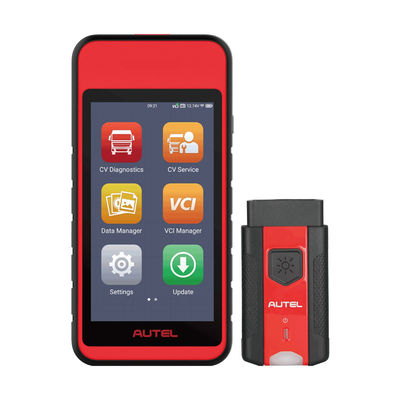
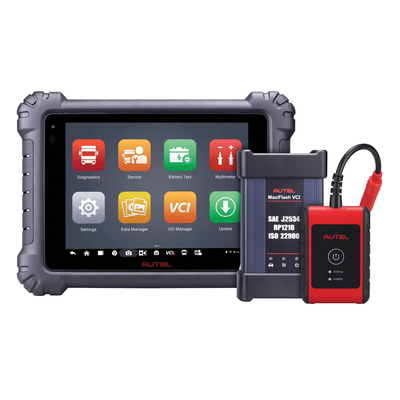
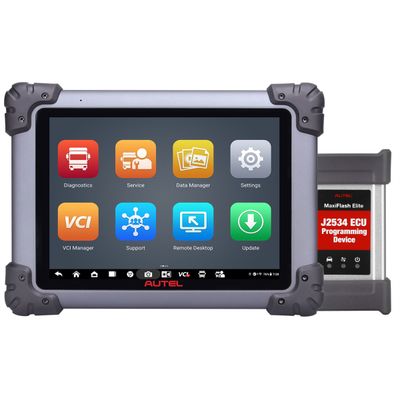
Compare Autel heavy-duty scanner and update prices
A code reader, diagnostic tablet, battery bundle and software renewal solve different needs. Updates are model-specific and do not include a new scanner.
| Product | Application / package | Catalog price |
|---|---|---|
| MaxiDIAG MD600CV | Compact commercial-vehicle diagnostic and service tablet. | $929.00 |
| MaxiSYS MS908CVII | Full-size commercial-vehicle diagnostic tablet. | $2,895.00 |
| MaxiSYS MS909CV | Commercial-vehicle tablet with wireless VCI. | $5,450.00 |
| MS908CVII + BT608 + BTAK | Diagnostic tablet and battery-testing bundle. | $3,599.00 |
| AutoLINK AL529HD | Heavy-duty code reader; choose by the functions required. | $199.99 |
| MS908CVII Total Care update | Update purchase for an existing matching tablet. | $1,295.00 |
| MS909CV Total Care — 1 year | One-year update for an existing matching tablet. | $1,495.00 |
Prices reflect the listed default configuration. Review selected options, availability, shipping and tax on the product and checkout pages. Ask us to match a kit to your equipment or call 866-217-0063.
Read the detailed AUTEL buying guide ↓
Choose your Autel setup
- Compare by vehicle and task rather than screen size alone.
- Separate code readers from diagnostic and service tablets.
- Choose the battery bundle only if you need those additional tools.
- Match updates to the exact device and registration region.
- Confirm special cables or extra hardware for your applications.
Find the Right AUTEL Tool
Answer a few quick questions and we'll help you find the best tool for your shop's needs.
- Personalized Recommendations
- Expert Guidance
- Fast & Easy
Powerful Diagnostics. Proven Performance.
Capabilities vary by tool, software license, vehicle, and manufacturer requirements. Contact HDT to confirm compatibility.
Expert Phone SupportU.S.-based technicians
Setup & Training HelpGet started with confidence
Shipping HelpConfirm availability and timing
Warranty & SupportBacked by HDT
0% APR FinancingOn qualifying orders
Choose an Autel heavy-duty scanner for your workload
An owner-operator checking a warning light and a repair shop performing service routines have different needs. Use the comparison to separate the AL529HD code reader, compact MD600CV and larger MaxiSYS CV tablets. Give us your vehicles and the actual tests you want to run so we can help choose the appropriate tool.
MD600CV, MS908CVII and MS909CV
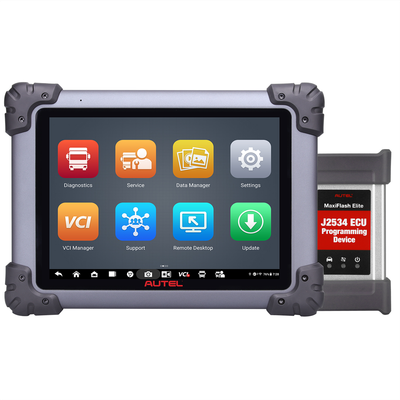
Autel positions the MD600CV as a compact tool for commercial-vehicle triage and service, including supported active tests and DPF regeneration. Trailer PLC connection hardware is separate. The MS908CVII and MS909CV are larger commercial-vehicle diagnostic tablets; confirm their current application and function coverage against your fleet.
Our MS908CVII battery bundle adds BT608 and BTAK equipment. If battery-system work is already covered in your shop, compare the tablet-only listing before buying the bundle.
Include the correct renewal in your ownership cost
Total Care update products are for existing tablets. Autel requires matching the device model and registration region. MS908CV, MS908CVII and MS909CV are different names: use the device details rather than a similar-looking product photo when ordering the update.
If you are comparing a tablet with a dedicated engine laptop, see Cummins INSITE and Detroit DiagnosticLink. For another approach to a mixed fleet, review the Jaltest kits.
Get a setup matched to your shop
Tell us the equipment model, year, controller and job you need to complete, plus any computer or adapter you already own. Ask HDT for help choosing or call 866-217-0063, Monday–Friday, 8am–5pm CT.
Manufacturer reference: Autel documentation. Guide reviewed September 19, 2026.
Frequently Asked Questions
Which Autel scanner should I choose for a heavy-duty truck?
Start with the truck, engine, model year and service tasks. Compare the MD600CV, MS908CVII and MS909CV against those requirements; a code reader and a diagnostic tablet offer different capabilities.
Does an Autel update purchase include a new scanner?
No. Total Care updates apply to an existing matching device. Confirm the exact model and registration region before buying an update.
Is the MS908CVII battery bundle the same as the tablet alone?
No. The bundle listed here adds BT608 and BTAK battery-testing equipment to the MS908CVII tablet. The tablet-only listing is a separate choice.
Will an Autel CV tablet perform every OEM programming operation?
Do not assume that. Confirm the precise controller and operation, along with any extra software, account access or equipment. General vehicle coverage alone is not a programming guarantee.
Resources & Buyer Guides
Autel manufacturer reference
Check the manufacturer’s software and equipment information.
Read Guide →Compare diagnostic approaches
Explore Jaltest options for a shop working on multiple brands.
Read Guide →NEXIQ adapters and software
Understand the difference between an interface and a software license.
Read Guide →Autel diagnostic tools: detailed buying guide
Reviewed September 21, 2026
Code reader, service tablet or advanced CV system
Autel offers several tools relevant to commercial-vehicle work, but they are not interchangeable. A handheld code reader, a service tablet and a higher-capability diagnostic tablet solve different problems. Begin with the vehicles and the operations you need, then compare the appropriate models.
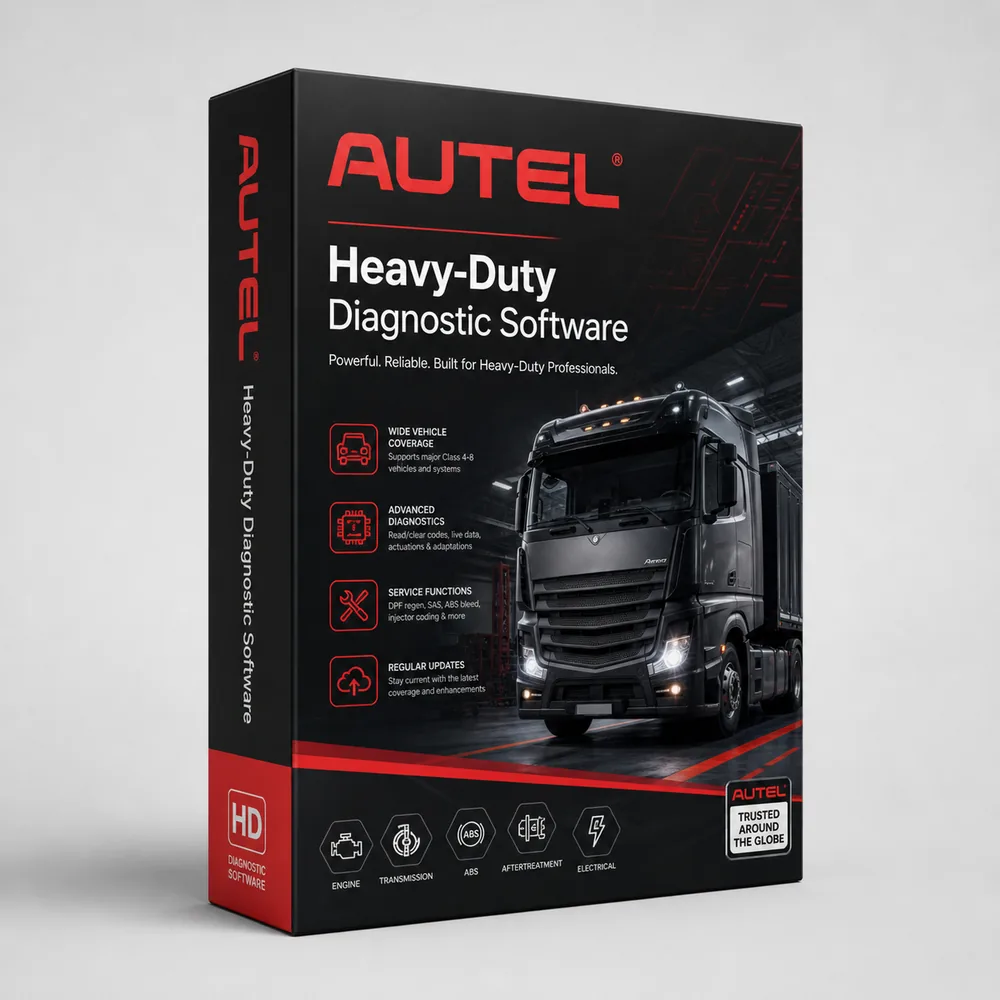
Our selection includes the AL529HD reader, MD600CV service tablet, MS908CVII and MS909CV diagnostic tablets, a battery-testing bundle and model-specific update products. An update listing is not a new scanner, and a tablet-only listing does not include every accessory shown in a separate bundle.
If the purchase is for a current repair, describe that repair. Reading a fault, commanding an actuator, completing a supported regeneration and programming a replacement controller are different requirements. A general “heavy-duty” label does not establish all four.
MS908CVII and MS909CV
The MS908CVII manual describes diagnosis through its vehicle interface, including controller information, live data and supported active tests. Autel's MS909CV information describes a commercial-vehicle tablet with functions such as system scanning, network visualization, graphing and supported bidirectional work.
Compare those functions against the actual work rather than choosing only by model number. If you need a particular service routine, check it for the vehicle, controller and current software. Coverage can differ between functions on the same vehicle.
For an upgrade from an existing Autel tool, identify the missing capability first. A larger tablet or a newer name does not automatically solve an unsupported function. Also compare the interface, included cables and any accessory needed to use the additional feature.
Tablet versus laptop in the workshop
A dedicated tablet can be convenient for technicians who want one diagnostic interface ready to carry around a vehicle. A laptop-based system can be useful where several separately licensed applications are part of the workflow. The choice should follow how your shop works, as well as the coverage required.
For a shared tablet, think about charging, account ownership, report storage and who handles updates. For field service, consider the case, cable organization and access to the internet where the intended operation needs it. These practical details affect how useful the tool is after the initial purchase.
If you already own a shop laptop and OEM software, an Autel tablet may complement that equipment. It should not be assumed to replace every external program or account simply because it is a complete physical device.
Vehicle and function coverage
Use Autel's vehicle-coverage lookup to investigate the selected tool and application. Provide the make, model, year, engine and desired function when asking HDT for help. For equipment rather than a road truck, include the machine and controller details.
A useful comparison separates basic diagnostic information, live data, active tests, service routines and programming. Recognition of the vehicle is only the start. If the intended job is a specific calibration, verify that named operation instead of relying on a broad list of supported brands.
For fleets, test the purchasing decision against a representative set of vehicles. Include older equipment and any unusual engine or controller combinations. This makes the shortlist more reliable than assuming the newest vehicle in the fleet represents every diagnostic connection you will encounter.
Battery bundles and additional equipment
The MS908CVII battery bundle in our catalog adds BT608 and BTAK equipment to the tablet package. That is a distinct offer from the tablet alone. If battery testing is part of the work you want to add, compare the complete bundle with equipment already owned.
Likewise, a diagnostic tablet's advertised ability to communicate with a system does not supply every physical accessory needed to service it. Identify the actual calibration or test setup and check the included equipment. ADAS, battery and other specialist tasks should be specified individually.
Compare the complete configuration price, not just the least expensive item carrying the same model name. A renewal, accessory and diagnostic kit can appear together in search results while representing very different purchases.
Software updates and account records
Our Total Care update listings are tied to specific Autel models. Before ordering one, identify the device model, serial number, registration region and current update status. A similarly named tablet may require a different update product.
Confirm the included update period and any ongoing service requirements on the selected offer. Do not assume a universal rule for what remains available after a subscription expires; connected services, updates and installed diagnostic functions may have different terms.
Keep registration and purchase records with the business, particularly for a shared tool. If a technician leaves or a device is replaced, those records help separate account access, update entitlement and hardware-support questions.
Autel compared with OEM and other multi-brand tools
Compare Autel with Jaltest, TEXA or JPRO using the same list of jobs. Include the computer or tablet, interface, cables, repair information and renewal terms as well as vehicle coverage.
For OEM programming, establish the specific software, account and connection requirements separately. A VCI with pass-through capability does not automatically include every OEM subscription or authorization. If programming is why you are buying, make that requirement explicit before choosing a package.
For an owner-operator, a narrower diagnostic requirement may justify a simpler tool. For an independent shop, supported tests and wider workload coverage may matter more. For a fleet, repeatability and maintaining the correct updates across devices can be important purchasing considerations.
Use the current model comparison above, then send HDT your vehicles and required tasks or call 866-217-0063. Include any existing Autel device so we can distinguish a renewal, an accessory purchase and a new diagnostic system.

Ready to Upgrade Your Diagnostic Game?
Our experts are here to help you choose the right AUTEL solution for your shop. Call now or shop online today.